


Did you know your Revit project contains two Norths? We have the Project North which helps keep the project orthogonal to make working easier and we also have the True North which is how the project is orientated geographically.
Identifying View Orientation
In the View properties we can find a property called orientation. This tells us and allows us to choose if this view is orientated to the Project North or to True North.
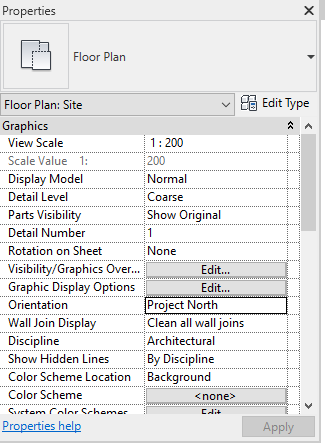
To change the True North
Firstly we need to change the view orientation to True North.
Next we can use the Rotate True North tool found on the Manage Tab -> Position -> Rotate True North.
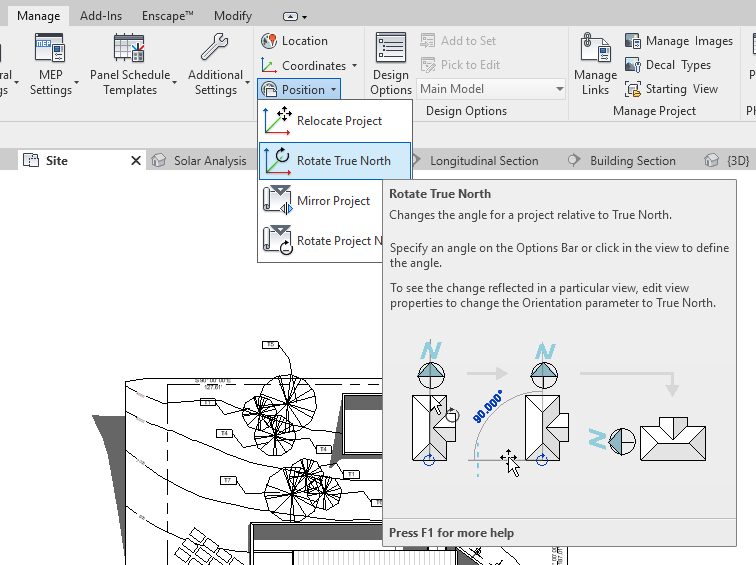
Using this we can choose the angle to rotate the project, in this case I have chosen 37 degrees.
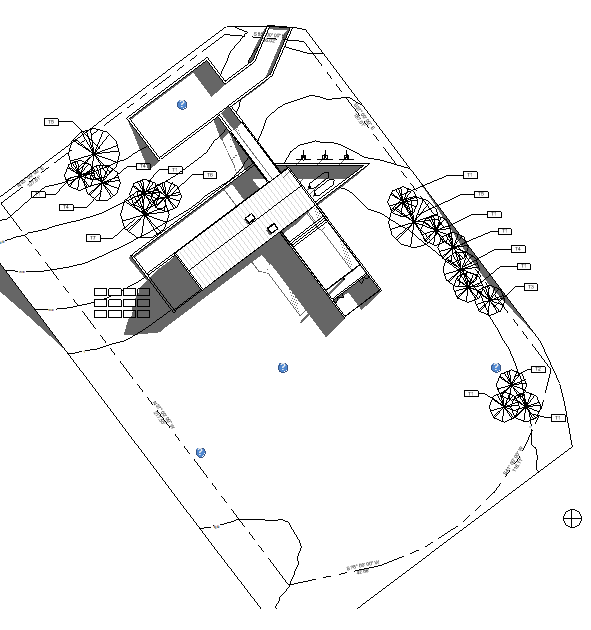
All that’s left is to change my view orientation back to project North so I can continue working on my project.
Still got Questions?
Book Training
Our Revit courses cover everything from the skills required to use the software, to design and share information between project teams, through to creating custom family elements.
Contact Us
We are here to ensure you receive a consistently high service and quality solutions for your business needs. We promise you won’t regret speaking to us, and if we can’t help you, we will try to find someone that can.