


Revit has lots of unknown but great tools, the little things that can have a big impact on your workflows and saving time in your daily tasks in Revit.
One of many cool functions is being able to sort your list by default order, from A to Z or from Z to A, which can be done in the Properties palette.
- Open a new Revit project or an existing project.
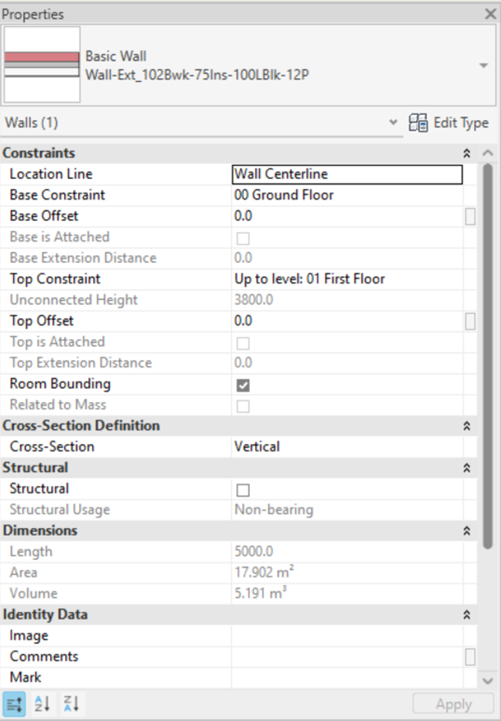
- Place a wall (if you have a new project), or select a wall (in an existing project). You will see the default listed order (sort parameter in default order, as the below image).
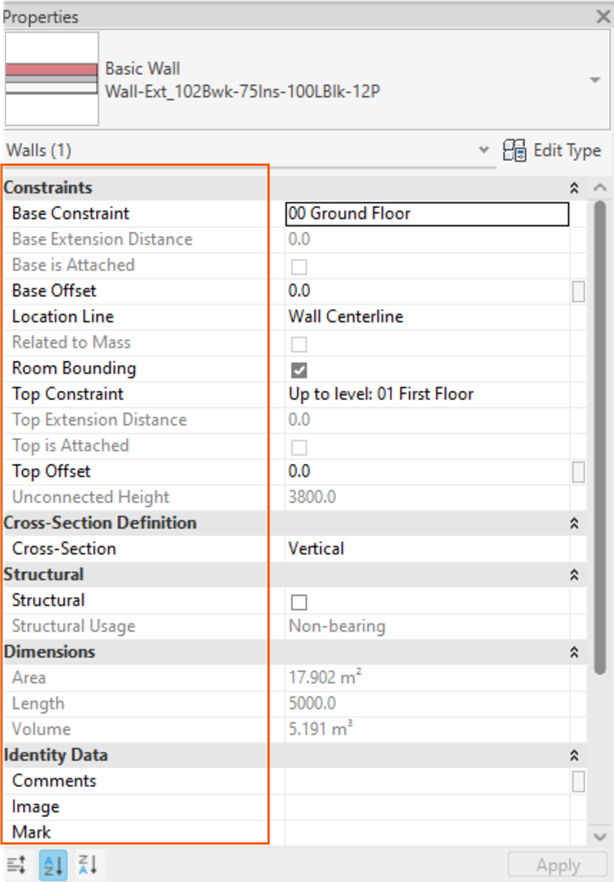
- Select the A to Z icon at the bottom of the Properties palette to sort parameters in ascending order.

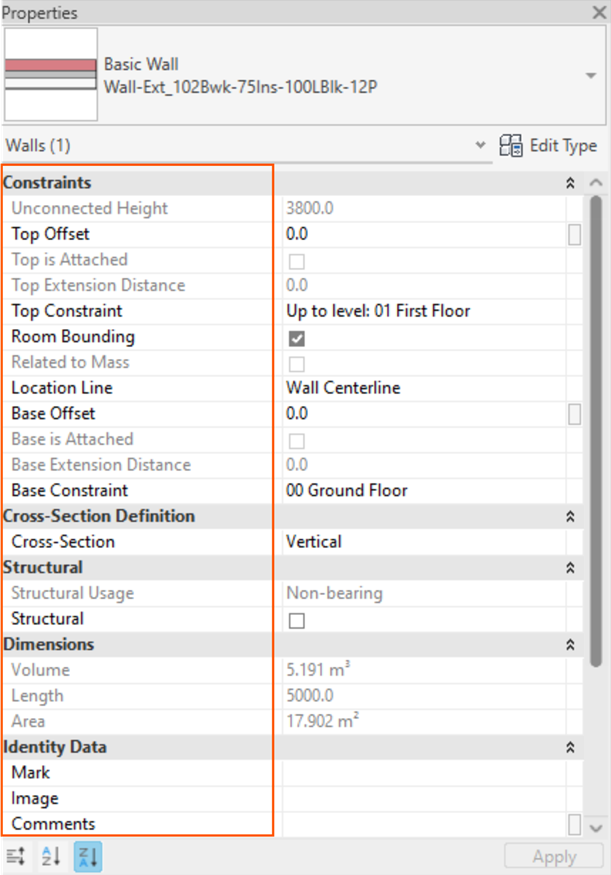
- Select the Z to A icon in the bottom of the Properties palette to sort parameters in descending order.

Happy sorting!
Still got Questions?
Book Training
Our Revit courses cover everything from the skills required to use the software, to design and share information between project teams, through to creating custom family elements.
Contact Us
We are here to ensure you receive a consistently high service and quality solutions for your business needs. We promise you won’t regret speaking to us, and if we can’t help you, we will try to find someone that can.