


Creating a Soldier Course in Revit couldn’t be easier, following the below 5 steps I will show you how to do this quickly and easily.
Revit has many ways in which you can achieve the same task, today I am going to show you how you can create a soldier course using the wall sweep tool. The sweep tool is specifically designed for this and has a number of advantages such as reusability, level of customisation and the ability to save and use on multiple projects.
Creating a Soldier Course
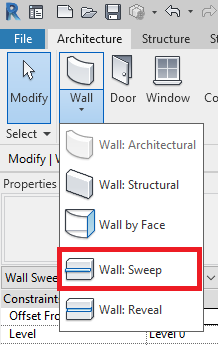
1. Locate the Wall Sweep Tool
The wall sweep tool can be found on the Architecture tab by expanding the Wall tool, here you will see the button for “Wall: Sweep”.
2. Create a new Type
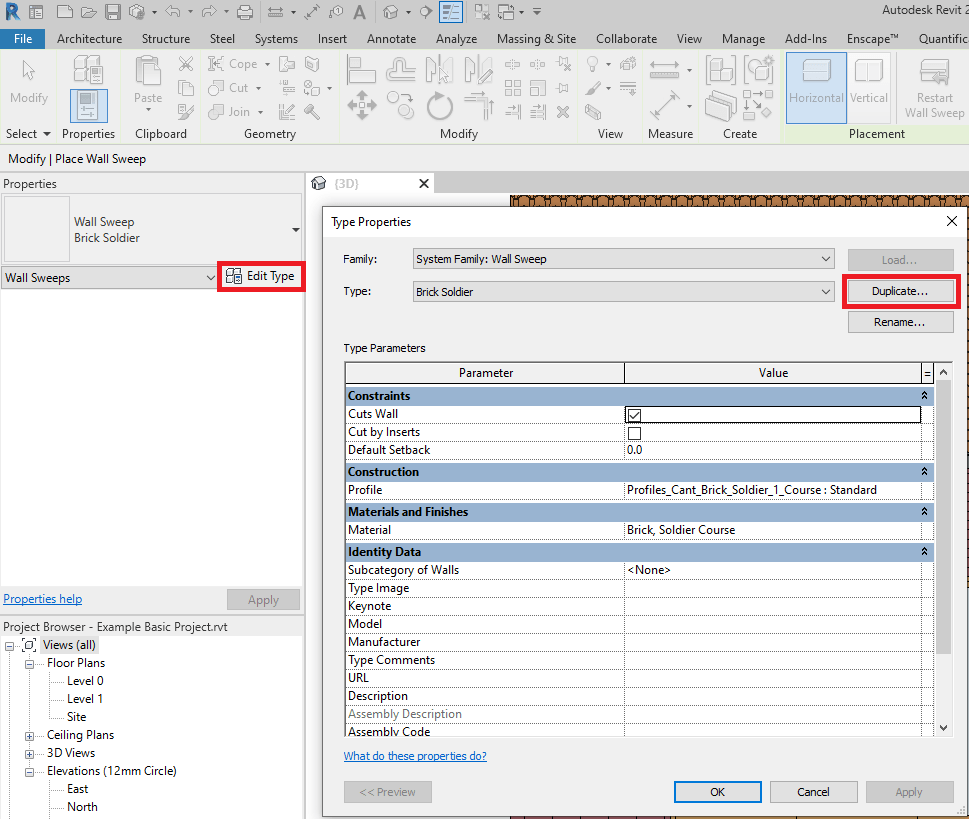
Unless the project already contains a sweep setup for the type of soldier course you wish to place you will need to create one by clicking “Edit Type” in the properties window and duplicating an existing sweep.
3. Customise the Sweep
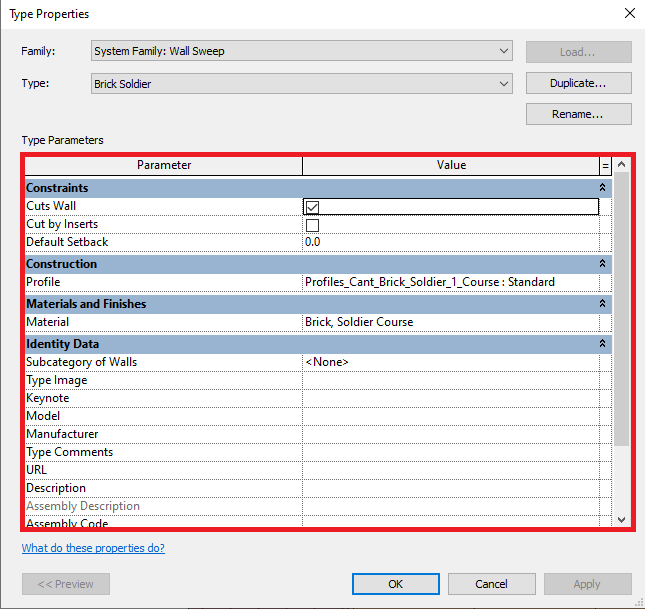
Once duplicated name and customise the new sweep such as does it cut walls, which profile to use and the material.
4. Placing the Soldier Course
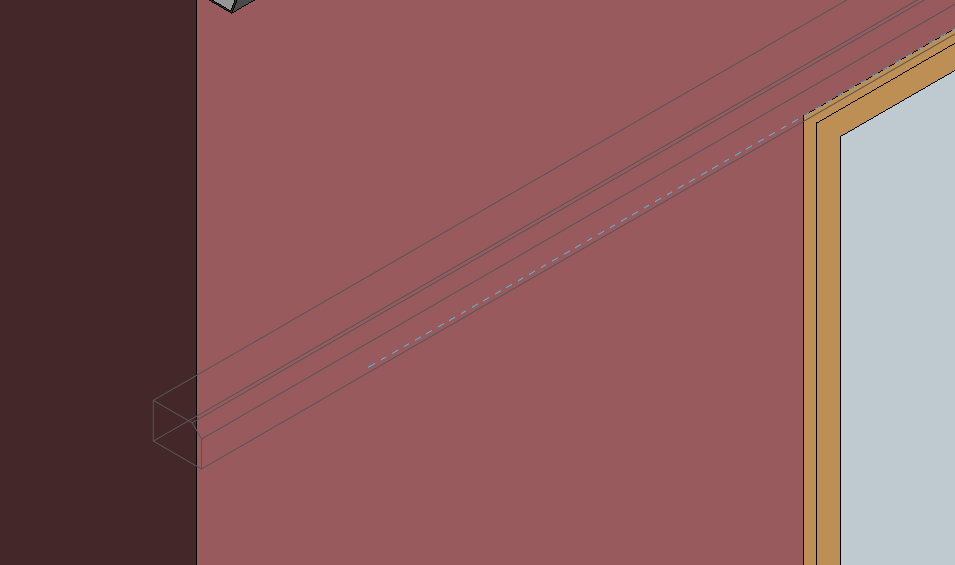
Next place the sweep by moving your mouse curser over the fall face, left click to place.
5. Finalising the details
Once placed, finalise the details, drag the ends to change the length and location, set an offset from wall if one is required and align the detail with the existing wall.
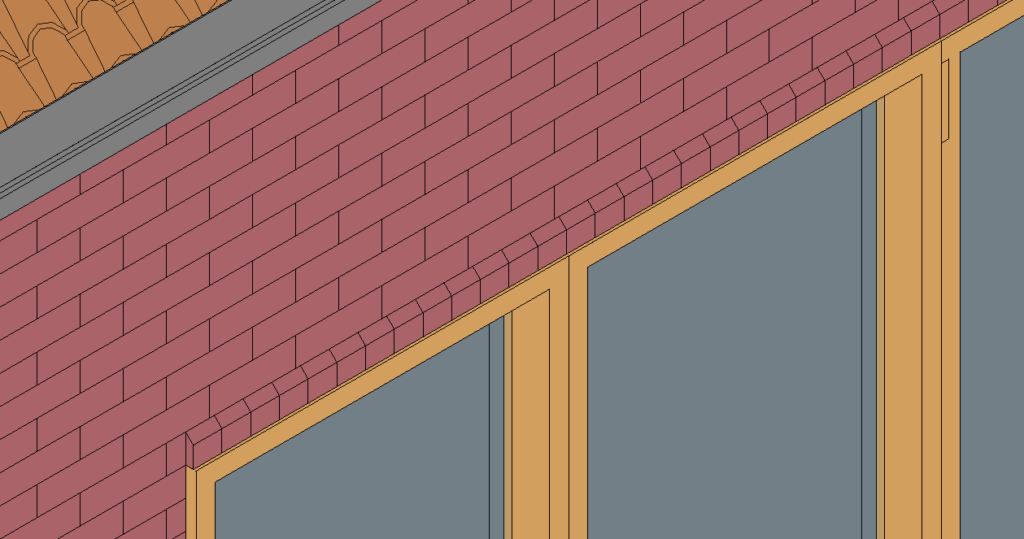
If you want to save your newly created soldier Course to use on other projects check out how in my guide on “How to Save your Revit Custom System Families“
Conclusion
The wall Sweep tool is a ready purpose too for adding a sweep to a wall face without the need for modifying existing wall types or using more generic tools such as in-place families.
Want to know more about Wall Sweeps then don’t forget to checkout the Autodesk Knowledge Network.
Still got Questions?
Book Training
Our Revit courses cover everything from the skills required to use the software, to design and share information between project teams, through to creating custom family elements.
Contact Us
We are here to ensure you receive a consistently high service and quality solutions for your business needs. We promise you won’t regret speaking to us, and if we can’t help you, we will try to find someone that can.