


Have you ever been in Revit and wanted to see object in plan but they are at very different levels, My previous experience takes me to lintels over windows with differing sill height. But another example could be a roof with voids or a sloped roof. Either way what I need to do is create a plan region.
What this will allow me to do is create a view depth in a localised position to show something that is out of range of my views view range.
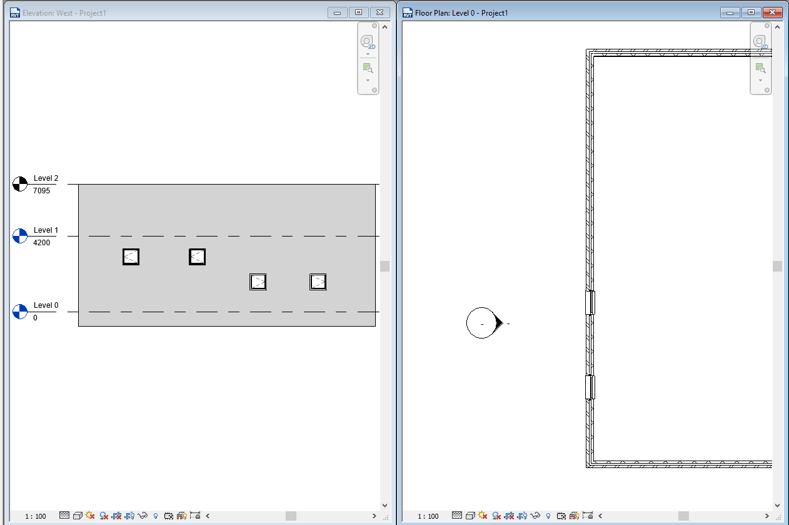
In this example I can see two of the windows in my plan on the right but I cant see the windows with a higher sill height (could be toilet windows). I could be in a situation where if I change the view range for this view I will see things I don’t want to in my view.
Or I could use a plan region.
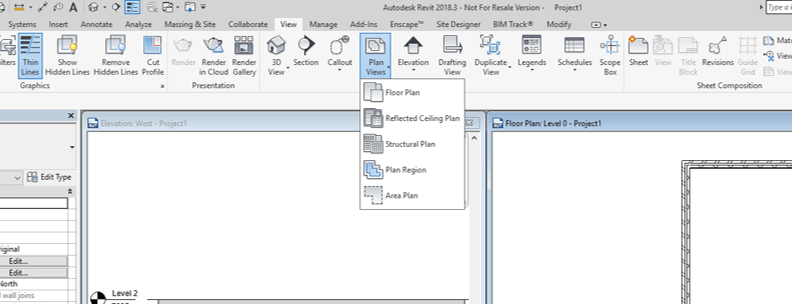
Head to the View > Create (panel)>Plan views
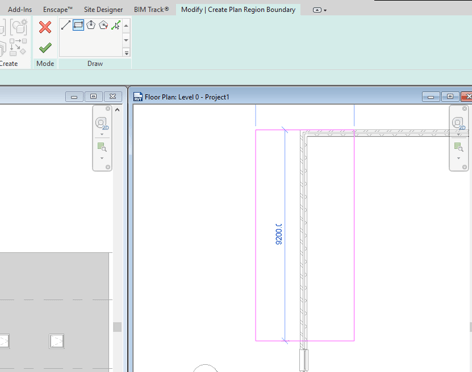
Draw where you want to create the Plan region (it can be any shape as long as its enclosed).
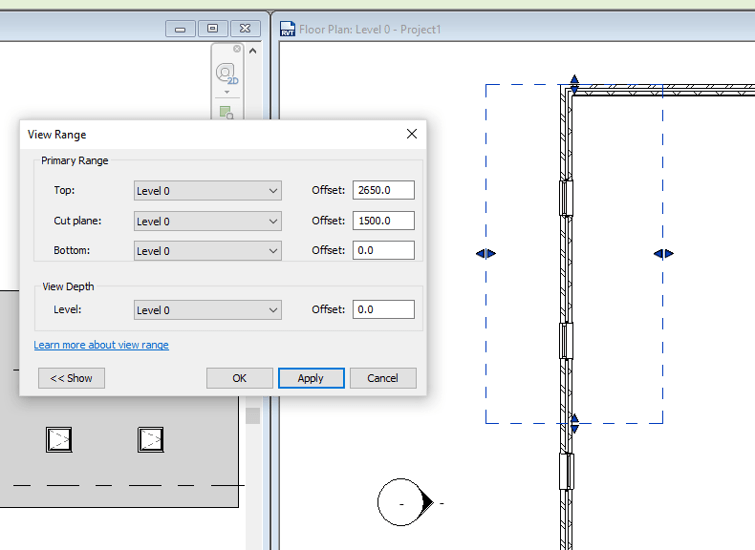
Now you can control the view depth in this region and I can now see these windows I could not before. Note that the plan region will affect whatever objects it touches so if an object is on the edge it will still affect that object.
Still got Questions?
Book Training
Our Revit courses cover everything from the skills required to use the software, to design and share information between project teams, through to creating custom family elements.
Contact Us
We are here to ensure you receive a consistently high service and quality solutions for your business needs. We promise you won’t regret speaking to us, and if we can’t help you, we will try to find someone that can.