


For those that have used Enscape, it can be an amazingly powerful rendering tool that gives the designer a very quick way to communicate visually to clients and other designers.
This can be enhanced by using some of the simple functions within Revit such as design options that can be quickly flicked between in Revit and thus change the rendered design layout in Enscape.
Below is an example of a living room with two design layouts, the original design of the ground floor and a proposed design. This project has been correctly coordinated and so the sunlight directions inside of Enscape are accurate to how the house is coordinated in the real world.
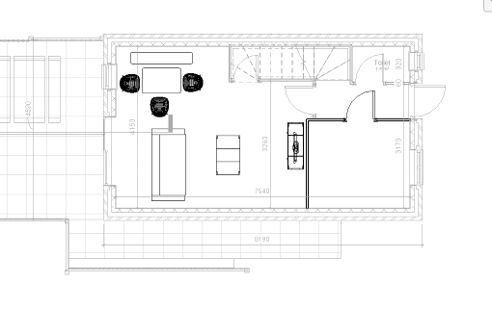
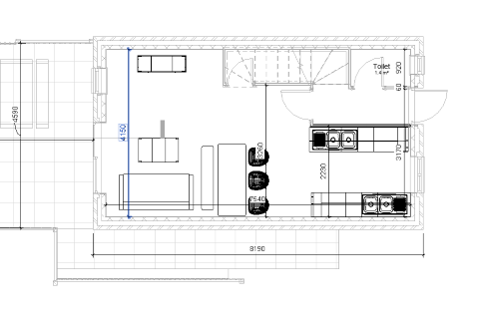
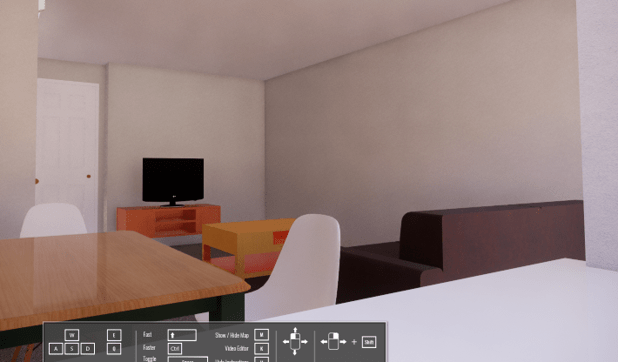
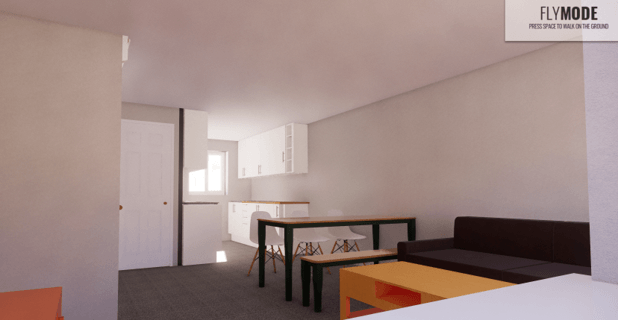
Using design options it is possible to see the proposed option compared to any other design options or original layout to compare lighting conditions in front of a client.
Still got Questions?
Book Training
Our Revit courses cover everything from the skills required to use the software, to design and share information between project teams, through to creating custom family elements.
Contact Us
We are here to ensure you receive a consistently high service and quality solutions for your business needs. We promise you won’t regret speaking to us, and if we can’t help you, we will try to find someone that can.