


Creating stairs in Autodesk Revit combines functionality with aesthetics and sustainability while incorporating innovative technologies and personalised touches to create a unique and stylish staircase design. Spicing up the look and style of your stairs requires a bit of tweaking to the default settings.
Floating Stairs: This trend in stairs creates a sense of openness and lightness by appearing to float in mid-air without visible support structures.
Let’s jump in and look at creating a simple example of floating stairs.
- Start a new model in Revit, using the Architectural template.
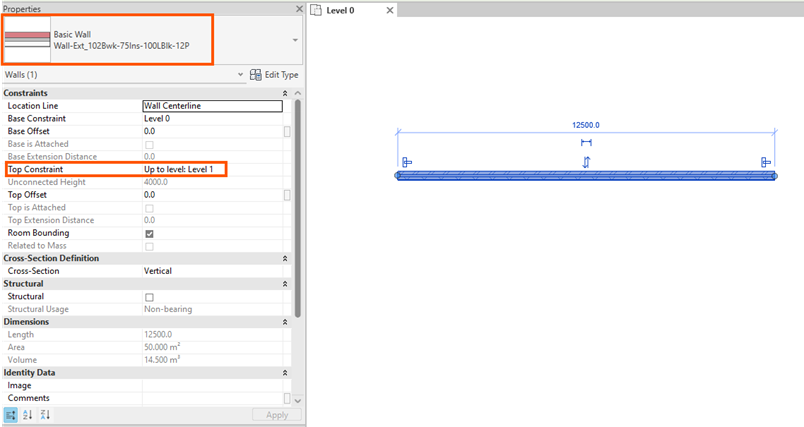
- Place a supporting wall to hold the stairs in place, (a basic wall type will do), with the Top Constraint: Up to Level: Level 1.
- Start the Stair Tool, on the ribbon under the Architecture tab.

- Use any one of the assembled Stairs. We’re going to use Private.
- Accept the default settings for Run and Straight.
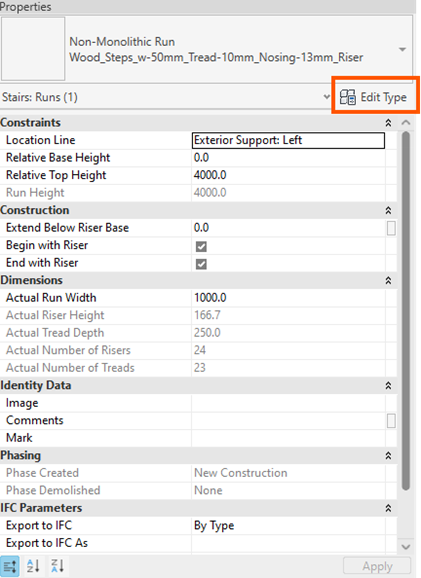
- Change the Location Line to Exterior Support Left.

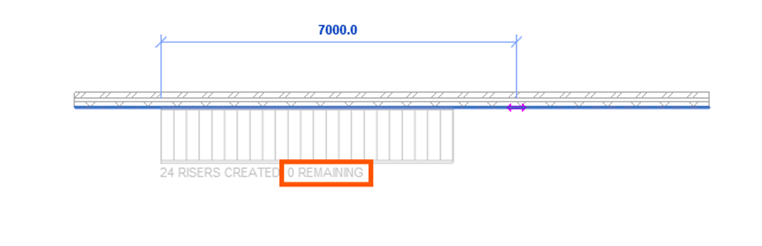
- Select a start point on the wall and move your point along the wall until the text displays: …..0 REMAINING.
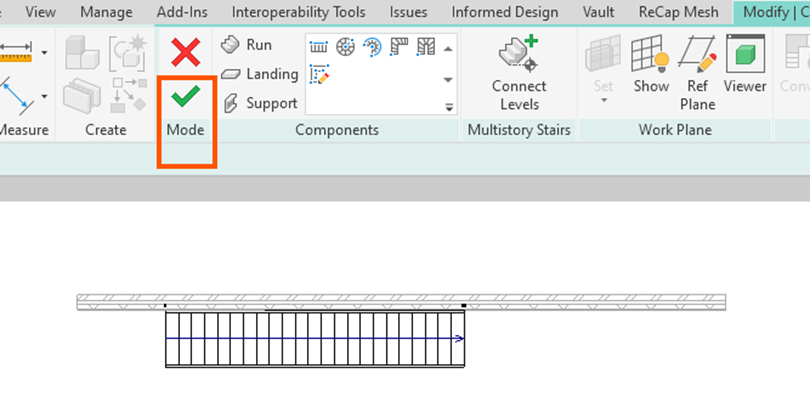
- Select the green tick to confirm the placement of the stairs.
- Have a look at the stairs in the 3D view, select Home.
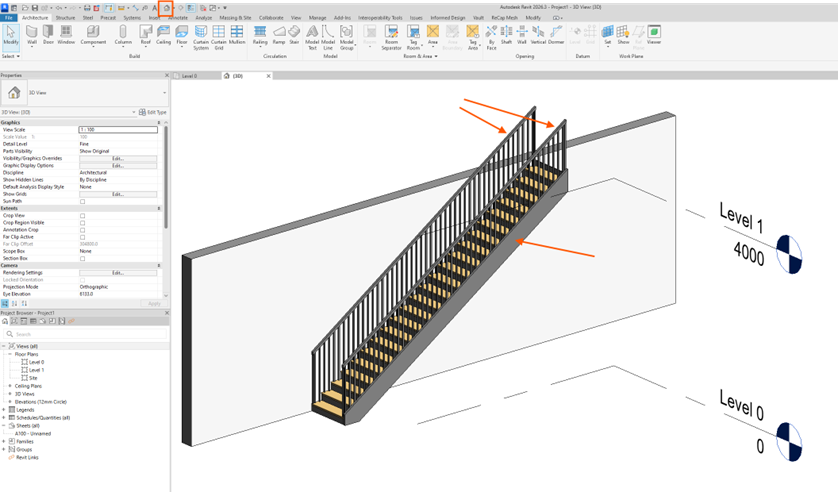
- To achieve the floating stair style, we need to remove the railing on the left and right, and the supports at the lower part of the stairs, identified by the red arrows in the above image.
- Select the stairs, and in the Properties palette select Edit Type.
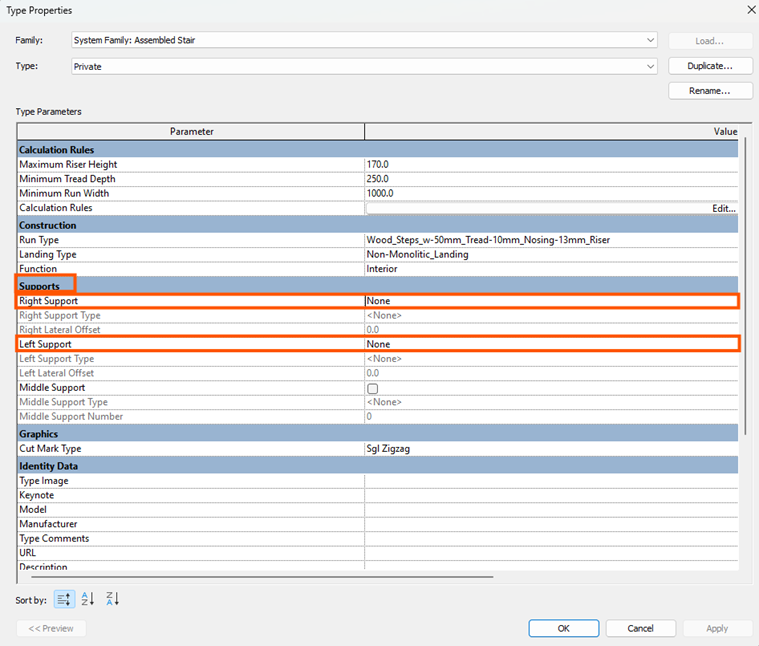
- In the Edit Type Properties dialog box, under support, change the Right Support to None and the Left Support to none.
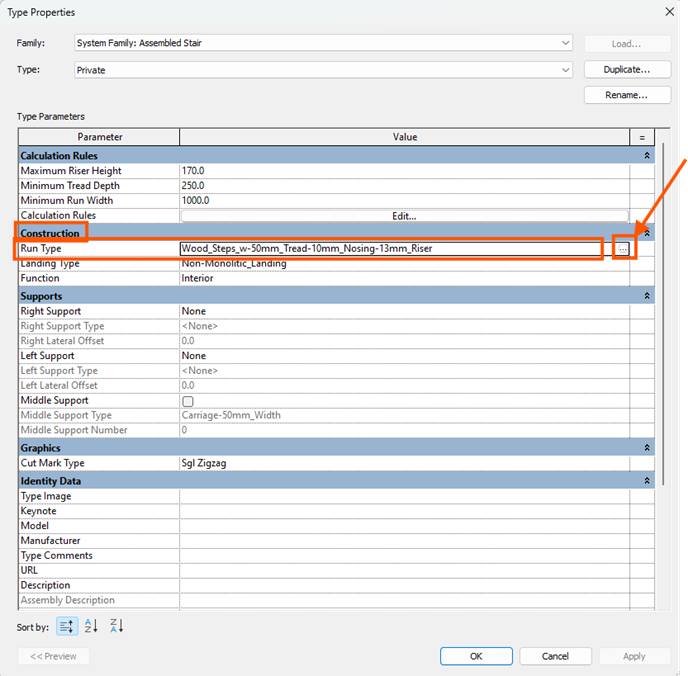
- Then under Construction, select the square button at the end of the Run Type row.
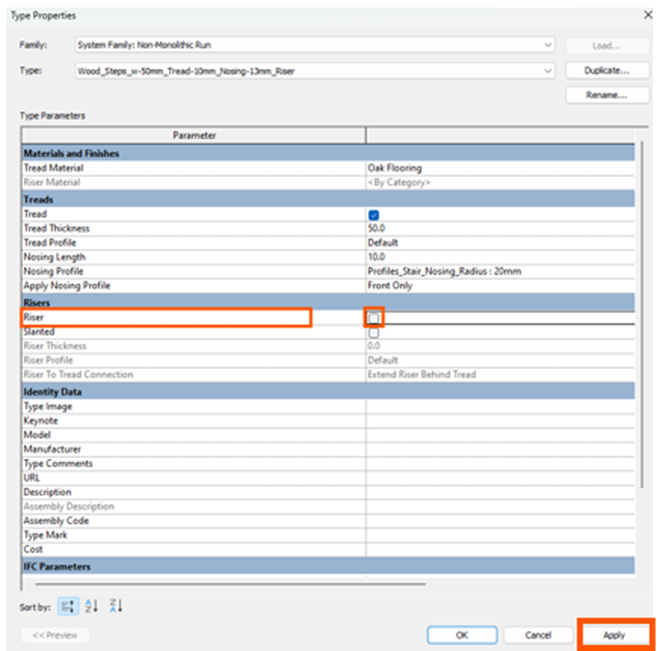
- Uncheck the Riser check box to switch the risers off.
You now have Floating Stairs (not the safest). Play around with the settings until you achieve your desired look and feel.
Still got Questions?
Book Training
Our Revit courses cover everything from the skills required to use the software, to design and share information between project teams, through to creating custom family elements.
Contact Us
We are here to ensure you receive a consistently high service and quality solutions for your business needs. We promise you won’t regret speaking to us, and if we can’t help you, we will try to find someone that can.