


The release of Revit 2027 brings a range of productivity focused enhancements, but one feature stands out for its immediate impact on day-to-day BIM workflows; Rule-Based Numbering for Model Elements.
For years, architects, engineers and BIM managers have struggled with inconsistent and manual element numbering. This new capability finally introduces a smarter, automated approach, reducing errors and saving significant time across projects.

The Problem with Traditional Numbering
Before Revit 2027, numbering elements such as doors, windows or equipment was often:
- Based on creation order, not logical project structure.
- Heavily manual and error-prone.
- Dependent on Dynamo scripts or third-party add-ins for automation.
On large projects, maintaining consistent numbering across levels, rooms and disciplines could quickly become a coordination nightmare.
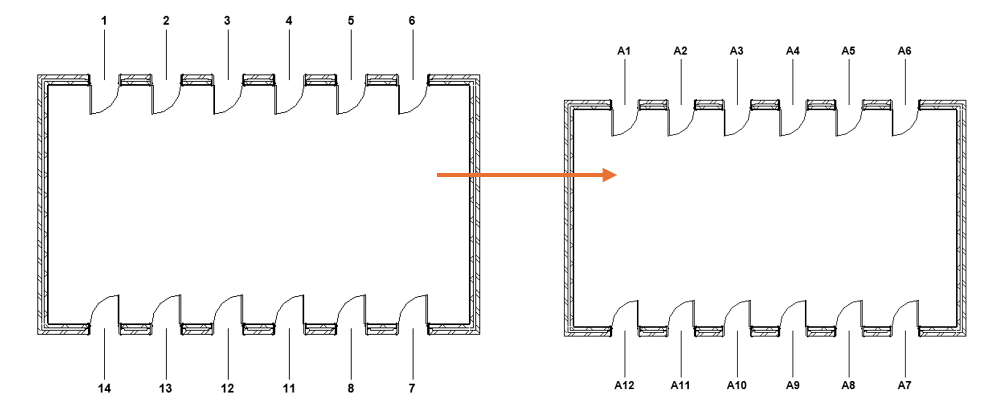
Rule-Based Numbering introduces a template-driven system that automatically assigns identification values (like ‘Mark’) based on predefined rules.
Instead of manually re-numbering elements, users can now:
- Define rules based on parameters (eg, Level, Room, Type).
- Create structured numbering templates.
- Automatically apply numbering across multiple categories.
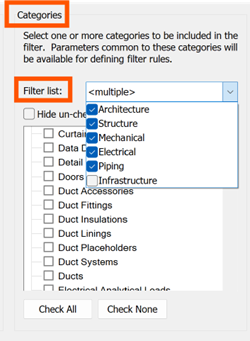
This shifts numbering from a manual take to an intelligent, rule-driven process.
Key Features and Capabilities
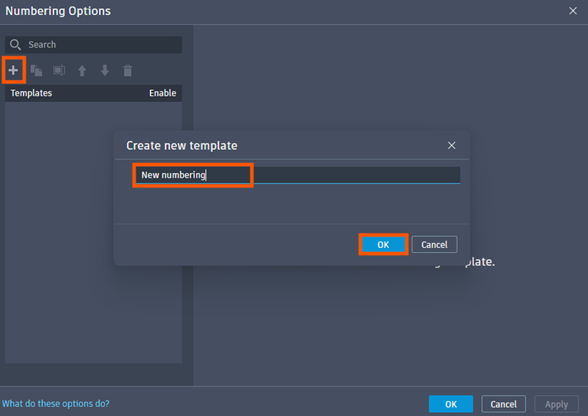
1 – Numbering Templates
Users can create reusable templates that define how elements are numbered.
- Apply to doors, windows, MEP equipment, structural elements, and more.
- Save templates for consistency across projects.
2 – Parameter-Based Rules
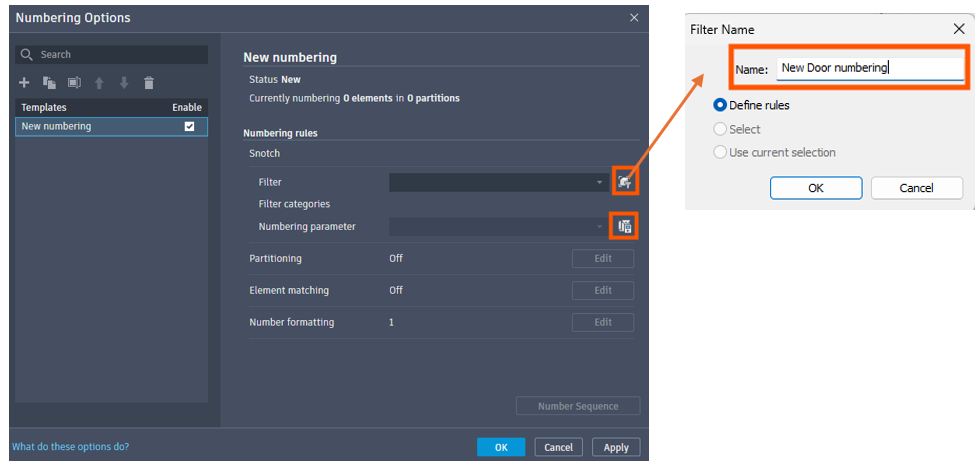
Numbering can be driven by element data, such as:
- Level.
- Room number.
- Department.
- Type or family.
This allows numbering to reflect real project logic, not arbitrary order.
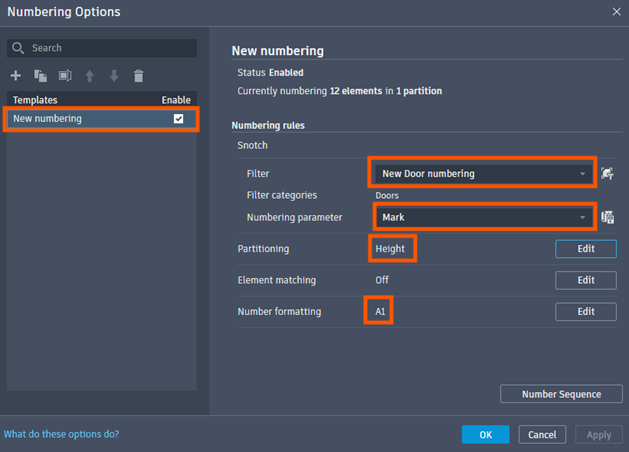
3 – Partitioning and Sequencing
You can divide numbering into logical groups (partitions), such as:
- Per level.
- Per room.
- Per zone or department.
Each partition can have it’s own sequence, improving clarity and organisation.
4 – Custom Formatting
Rule-Based Numbering supports flexible formatting:
- Prefixes and suffixes.
- Combined values (eg, Level + Room + Sequence)
- Numeric or alphabetical sequences.

This makes it easy to align with office standards or project requirements.
5 – Automatic Updates
One of the most powerful aspects is automatic updates, which means:
- Numbers update automatically when elements are added, moved or modified.
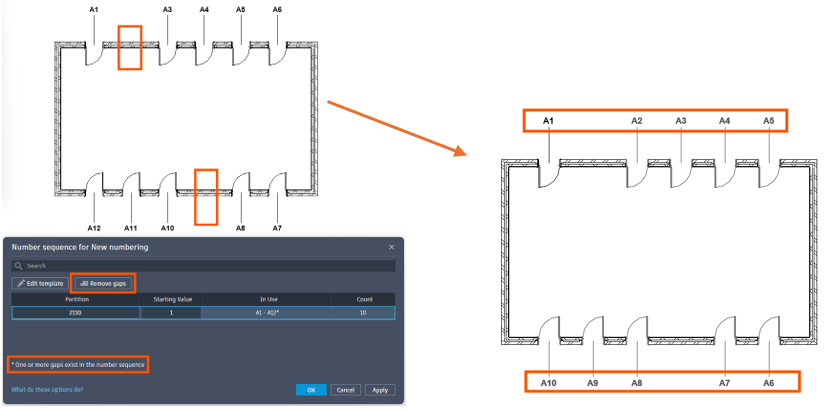
- Gap removal tools help maintain clean sequences.
- Elements can be excluded using filters.
Benefits for BIM Workflows:
- Increase Efficiency: Automated repetitive numbering tasks, freeing up time for design and coordination.
- Improved Accuracy: Reduces human error and ensures consistency across drawings and schedules.
- Better Data Management: Aligns element identification with real project parameters and logic.
- Reduced Dependency on Add-ins: Native functionality replaces many Dynamo scrips and third-party tools.
Rule-based numbering may not be the flashiest addition in Autodesk Revit 2027, but it directly addresses a long-standing pain point in BIM workflows.
By embedding automation into a core documentation process, Autodesk is:
- Reducing friction in everyday tasks.
- Improving model consistency.
- Moving toward more data-driven, intelligent BIM environments.
In practice, this is the kind of feature that quietly transforms productivity, one project at a time.
Rule-Based Numbering in Autodesk Revit 2027 represents a significant evolution in how model data is managed. It brings structure, automation and flexibility to a process that was previously fragmented and manual. For BIM managers and project teams, adopting this feature early can lead to:
- Cleaner models.
- Faster documentation.
- Fewer coordination errors.
As Autodesk continues refining this capability, it’s likely to become a standard part of every efficient Revit workflow.
Still got Questions?
Book Training
Our Revit courses cover everything from the skills required to use the software, to design and share information between project teams, through to creating custom family elements.
Contact Us
We are here to ensure you receive a consistently high service and quality solutions for your business needs. We promise you won’t regret speaking to us, and if we can’t help you, we will try to find someone that can.