


For years, one of the most frustrating aspects of working in complex 3D Revit models has been the trial and error nature of section boxes. We’ve all been there.. you drag a section box plane, wait for the view to regenerate, realise you went too far, drag it back and wait again. It’s a workflow killer that breaks your creative flow.
In Autodesk Revit 2027, Autodesk has finally addressed this head-on with Real-Time Section Box and View Extents in Accelerated Views.
What’s Changed?
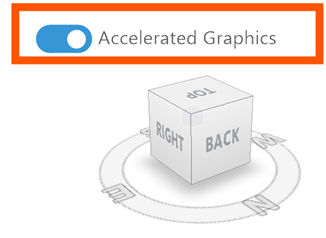
The core of this improvement lies in the transition to GPU-driven rendering. Whilst ‘Accelerated Graphics’ was introduced in previous versions as a Tech Preview, Revit 2027 brings it out of the lab and into your daily production environment.
When you are working in an Accelerated View, the manipulation of the Section Box is now handled directly by your graphics processor (GPU) in real-time.
Key Benefits:
- Instantaneous Feedback: As you drag the section box planes, the model cuts immediately. There is no stuttering or waiting for the view to refresh.
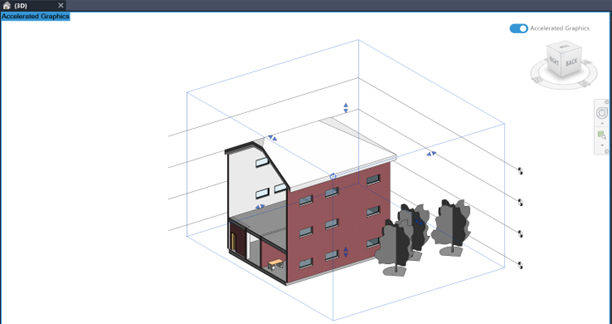
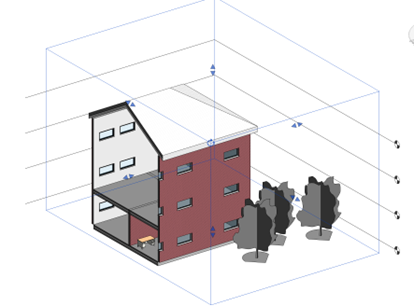
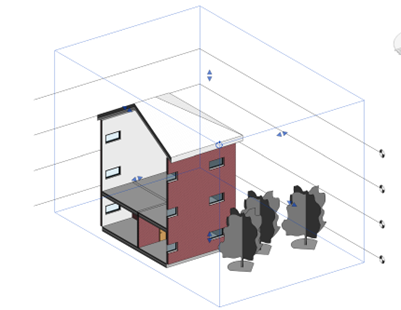
- Seamless Linked Model Integration: One of the most common issues with older sectioning methods was how they handled linked files. In Autodesk Revit 2027, linked models are cut perfectly and instantly, ensuring your coordination views remain accurate and clean while you move the section plane.
- True Real-Time Workflow: You can now actively ‘scan’ through your model to find specific coordination issues or visualise complex spatial relationships without the constant pauses that used to plagues 3D views.
Why This Matters for Your Workflow
This feature is more than just a speed boost; it’s a change in how we interact with our designs. By eliminating the lag, Autodesk has turned the 3D section box into a dynamic analysis tool. You can now use it to quickly verify MEP penetrations, structural clearances, or architectural alignments on the fly during a coordination meeting, without needing to switch to a different viewing software.
This functionality directly addresses top requested feedback from the Revit ideas forum, showing that Autodesk is listening to the core needs of BIM managers and designers who spend the majority of their time in 3D environments.
How to Get the Best Results
To leverage this, ensure you are working in a view where Accelerated Graphics is enabled. As these features have matured, they are now compatible with most standard graphic overrides, including transparency and halftone settings.
If you find yourself still using traditional view models for 3D navigation, now if the time to switch to Accelerated Views. The performance delta is significant, and the ability to cut through your model in real-time is a gamechanger for daily productivity.
Still got Questions?
Book Training
Our Revit courses cover everything from the skills required to use the software, to design and share information between project teams, through to creating custom family elements.
Contact Us
We are here to ensure you receive a consistently high service and quality solutions for your business needs. We promise you won’t regret speaking to us, and if we can’t help you, we will try to find someone that can.