


In Revit overriding the lifestyle of a single or multiple lines couldn’t be easier.
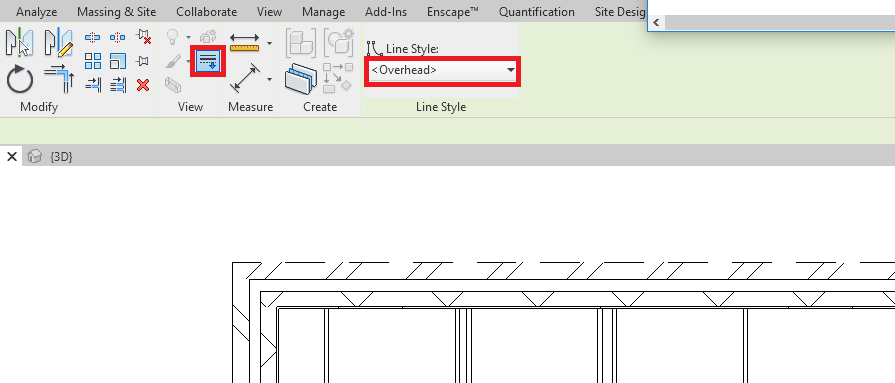
- Go to the Modify tab.
- Click the Line works button.
- Select the new line style from the dropdown in the Ribbon bar.
- Click the line you want to override.
- Repeat step four as many times as necessary.
Conclusion
This is a really fast and quick way to override line styles without the need for changing settings and opening up setting windows.
Still got Questions?
Book Training
Our Revit courses cover everything from the skills required to use the software, to design and share information between project teams, through to creating custom family elements.
Contact Us
We are here to ensure you receive a consistently high service and quality solutions for your business needs. We promise you won’t regret speaking to us, and if we can’t help you, we will try to find someone that can.