


Have you ever been creating your Revit family and found that your modelling has disappeared in plan if its too high in the z axis. This is because your modelling is above your cut plane.
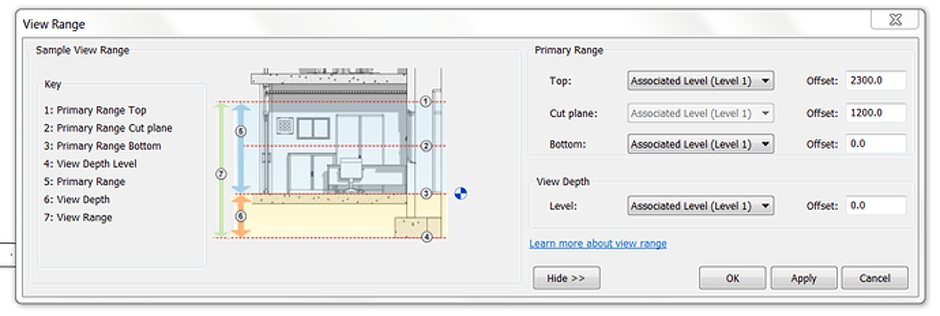
No need to fret, it’s an easy fix. What I will do is discuss two options to get what you want in both 2d and 3d.
So one of the differences in the family editor is your view options don’t appear if you click in the white space as they would if you were in a project. To get your view options all you need to do is click on the view name in the project browser as shown.
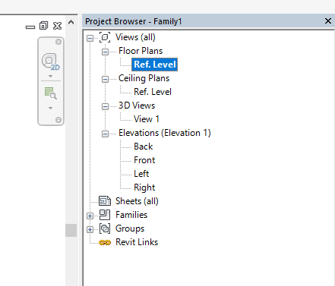
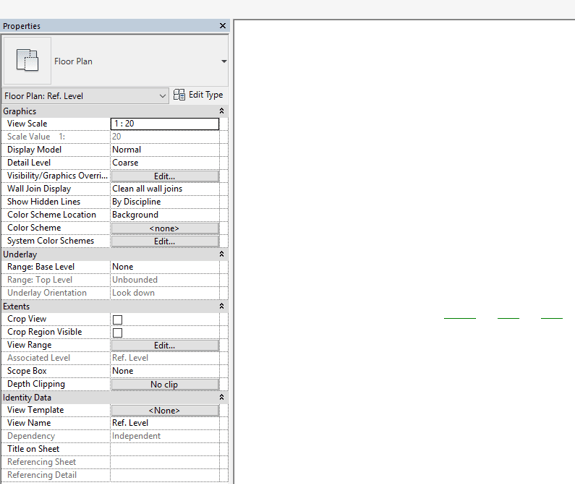
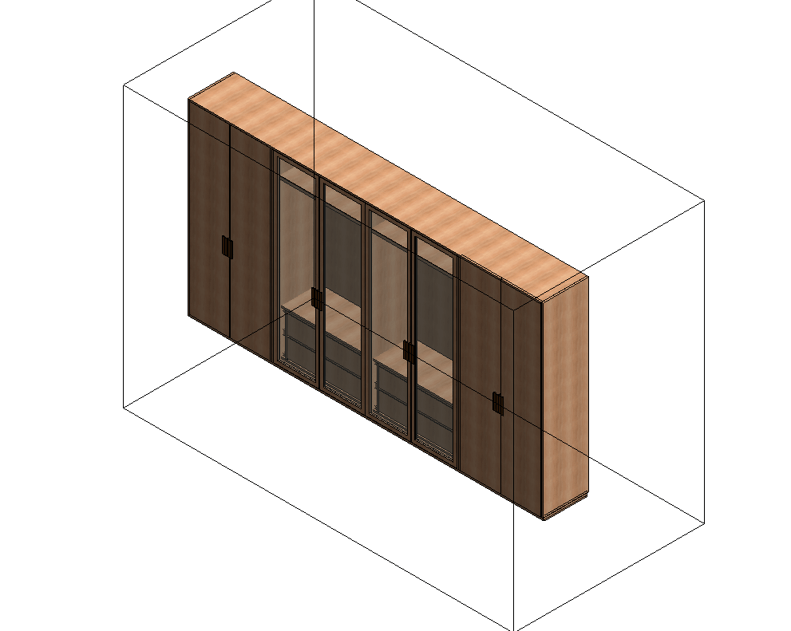
This allows you to then change you view depth and hence see objects that appear to disappear. What this means is that you can also use the section box in 3D which is useful if you ever need to model from a complicated imported object (IFC, Acis etc) as you can section down to what you need to see and work up the imported object in stages.
Hope this little tip clears a few things up.
Still got Questions?
Book Training
Our Revit courses cover everything from the skills required to use the software, to design and share information between project teams, through to creating custom family elements.
Contact Us
We are here to ensure you receive a consistently high service and quality solutions for your business needs. We promise you won’t regret speaking to us, and if we can’t help you, we will try to find someone that can.