


Some improvements do not fundamentally change what Autodesk Revit can do – they change how it feels to use it every day.
That distinction matters. Autodesk Revit is not software that most users open for a quick, isolated task. It is a production environment used for modelling, coordination, documentation, review and decision-making across long project sessions. In that context, the quality of the interface is not secondary. It directly affects focus, confidence and the ability to understand what the model is doing at any given moment.
With Autodesk Revit 2027, Autodesk has introduced a series of refinements that point towards a more considered user experience. They are not necessarily the most dramatic features in the release, but they are meaningful because they address something every Revit user understands: the accumulation of small moments of friction during daily work.
The result is not a reinvention of Revit. It is a more deliberate experience: cleaner, more consistent and easier to remain focused within.
A More Consistent Interface
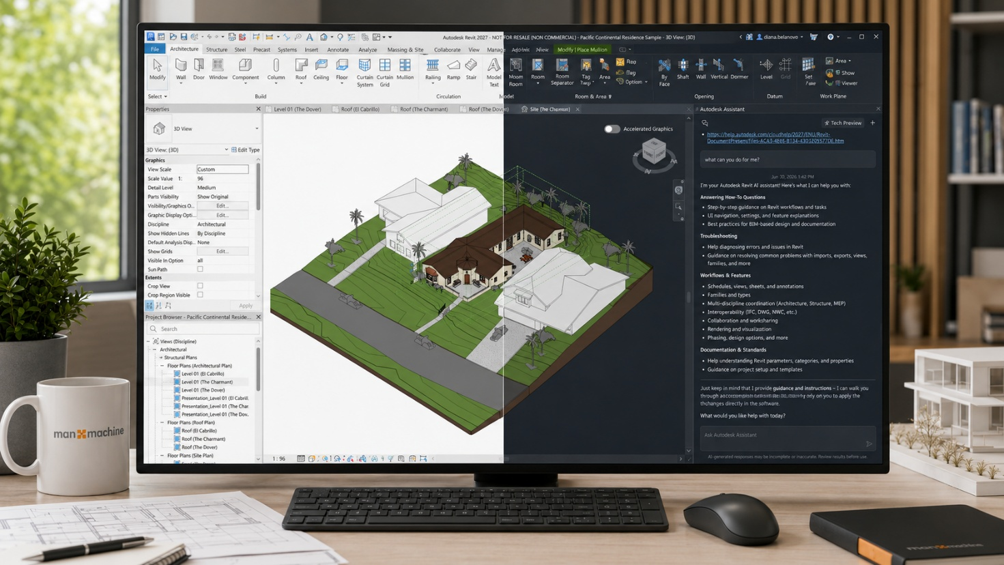
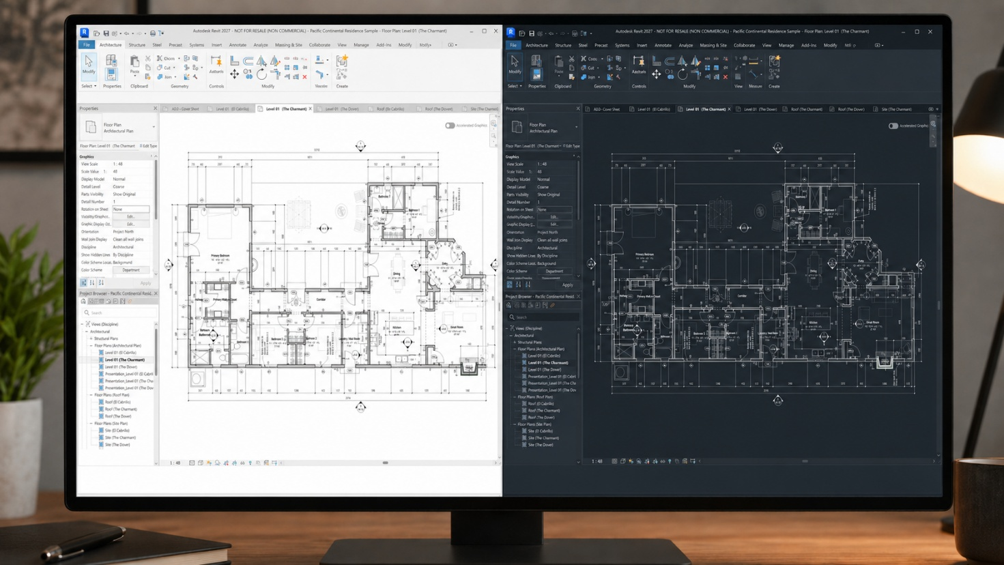
One of the most noticeable areas of improvement is the interface itself. Autodesk has updated a number of commonly used Revit dialogues so that they align more closely with a cohesive cross-product Autodesk experience, including support for both Light and Dark themes.
At first, this may sound cosmetic. In practice, it is more significant than that.
Revit users spend long periods of time moving between model views, schedules, sheets, properties, the Project Browser, dialog boxes and editing environments. When those areas feel visually inconsistent, the user has to spend more effort interpreting the software. When they feel coherent, that effort is reduced.
This is where the value of the update becomes clear. Interface consistency improves readability, reduces visual noise and helps users remain focused for longer. For teams working across multiple Autodesk products, it also supports a more familiar working environment and reduces the sense of moving between disconnected tools.
Contextual Support through Autodesk Assistant
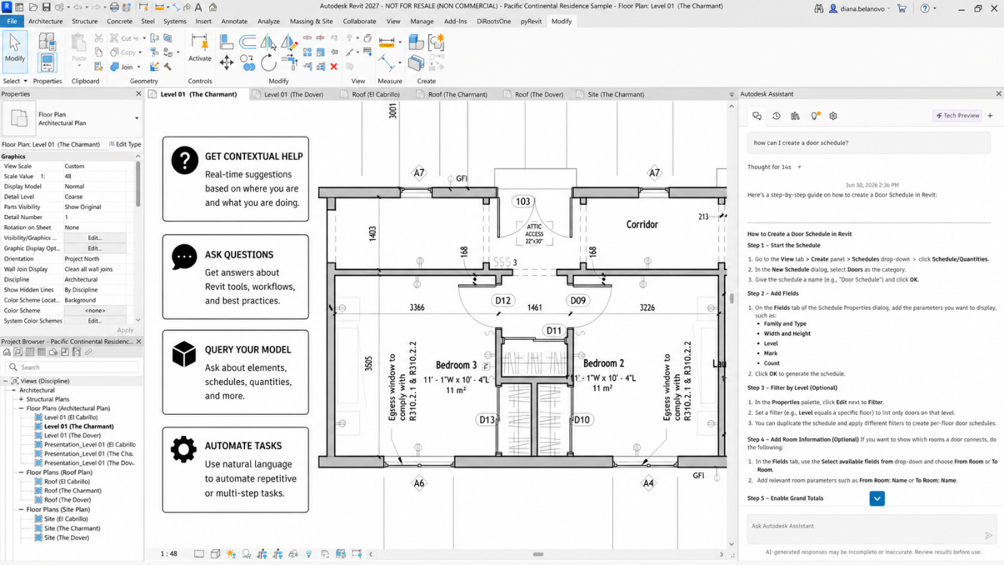
Another notable addition is Autodesk Assistant in Revit, currently in Tech Preview. Autodesk describes it as a personalised, context-aware conversational assistant tailored for AEC workflows, supporting product help, model-related queries and task-based prompts.
The significance here is not simply that Revit now has an assistant panel. The more interesting shift is that guidance, model interrogations and task support are moving closer to the authoring environment itself.
For many users, Revit knowledge is distributed across help pages, project standards, internal training material, forum posts and experienced colleagues. Bringing more contextual support into the software has the potential to reduce the distance between intent and action.
However, this should be treated carefully. Because Autodesk Assistant is in Tech Preview, it should not be presented as a fully mature replacement for project standards, QA processes or experienced BIM decision-making. Its practical value will depend on how reliably it support real pr0oject workflows and how clearly teams define where it should and should not be used.
Even with that caution, its presence in Autodesk Revit 2027 is significant. It signals a future where users may interact with BIM software not only through commands and menus, but also through guided, conversational and model-aware support.
A More Considered Daily Experience
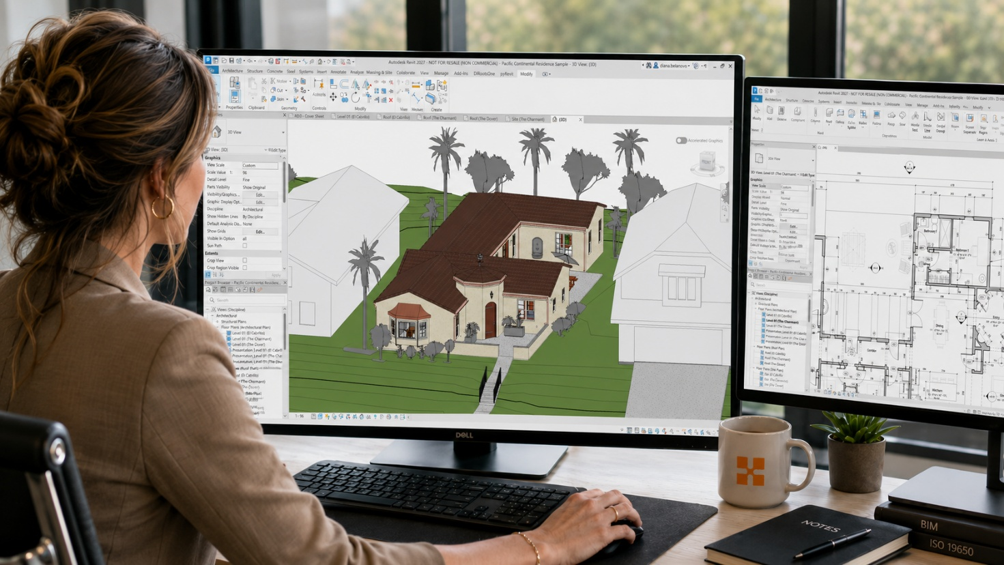
What makes these updates interesting is that they are not trying to impress through spectacle. They are focused on the experience of using Revit repeatedly, carefully and under project pressure. That is where mature software often improves most.
In day-to-day BIM production, productivity is not shaped only by major new features. It is shaped by how clearly the software communicates, how predictable the interface feels, how quickly users can understand the current context, and how much unnecessary friction is removed from repeated workflows.
The interface updates, Light and Dark theme support and Autodesk Assistant all contribute to that broader direction. Together, they make Autodesk Revit 2027 feel more considered at the level of routine use.
This is not a dramatic reinvention of Revit. It is something more measures; a release that recognises the value of clarity, consistency and user focus in a complex BIM environment. Any for many production users, that may be exactly what makes it meaningful.
Still got Questions?
Book Training
Our Revit courses cover everything from the skills required to use the software, to design and share information between project teams, through to creating custom family elements.
Contact Us
We are here to ensure you receive a consistently high service and quality solutions for your business needs. We promise you won’t regret speaking to us, and if we can’t help you, we will try to find someone that can.