


Many of our customers have approached us recently with random crashing in Autodesk Revit. After investigation, it has seemed when using a third-party add-on with Revit, the program crashes or freezes with a prompt to send in a Customer Error Report or one or more of the following errors;
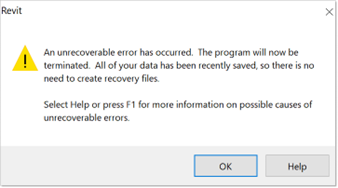
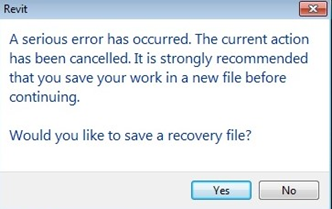
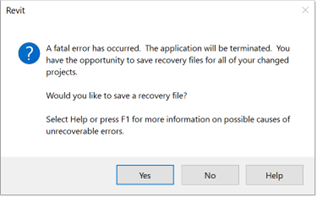
Initially please disable the 3rd party software temporarily to check the route of the problem, if the software runs smoothly without this, then please check the following;
- Ensure the 3rd party add-on you have installed is the latest version, check with the manufacturers website that all updates are installed.
- Always make sure you are running the latest updates for the Revit version you are running. You can check this using the ‘Autodesk Access’ app on your machine.
- Check that the add-on you have installed doesn’t conflict with any anti-virus software you may have installed, this can sometimes cause a clash.
- Contact the 3rd party add-on manufacturer to see if this is something they are aware of, and ask if they can advise with any solutions.
Still got Questions?
Book Training
Our Revit courses cover everything from the skills required to use the software, to design and share information between project teams, through to creating custom family elements.
Contact Us
We are here to ensure you receive a consistently high service and quality solutions for your business needs. We promise you won’t regret speaking to us, and if we can’t help you, we will try to find someone that can.