


In Revit we can use section boxes to crop our 3D views to size, but did you know that Revit has an Automatic Section Box tool?
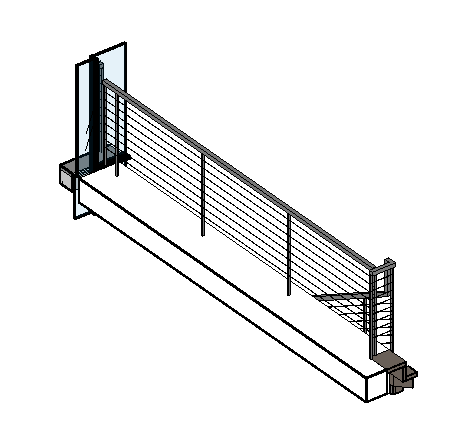
Section Box Tool
In Revit you can manually adjust a section box to get the desired view but by using the section box tool, Revit will automatically create a section box around any selected object or group of selected objects.
- First of all select the object(s) you want to section box.
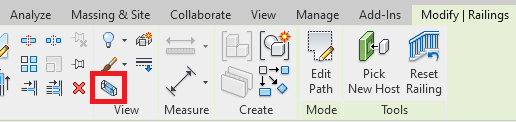
- Go to the Modify tab on the ribbon bar.
- Under the group called “View” select “Section Box”
Revit will now crop a 3D view to your selection.
Summary
This is a really useful tool for creating section boxes, no need to manually drag section boxes trying the get the desired results, simply make your selection and press the button.
Still got Questions?
Book Training
Our Revit courses cover everything from the skills required to use the software, to design and share information between project teams, through to creating custom family elements.
Contact Us
We are here to ensure you receive a consistently high service and quality solutions for your business needs. We promise you won’t regret speaking to us, and if we can’t help you, we will try to find someone that can.