


A few years ago, Autodesk greatly improved the interoperability between Inventor and AutoCAD by allowing them to open each other’s drawings. Traditionally, this meant the IDW and DWG formats respectively. Soon, it became possible to save Inventor drawings in the DWG format. However, confusion arose as ‘Inventor DWGs’ were not the same format as ‘AutoCAD DWGs’. So, in Inventor, which should you use? DWG or IDW? Read on to find out!
In a nutshell
- If you save Inventor files in the Inventor DWG
format, they can be opened by AutoCAD. - If you want drawings that are editable in AutoCAD, you must ‘Export’
the drawing from Inventor in the AutoCAD DWG format.
In a more detailed nutshell
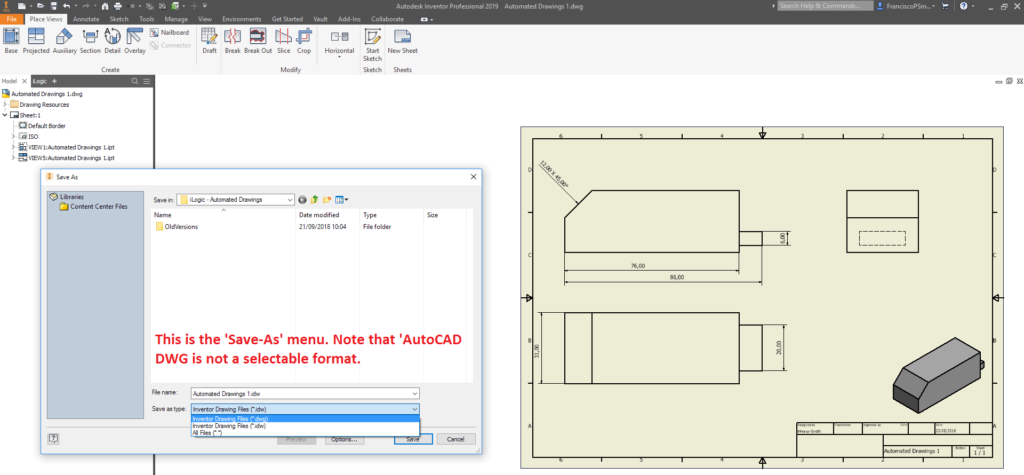
Unfortunately, the dream of a unified drawing format didn’t quite pan out, and while Inventor DWGs and IDWs are functionally identical, the Inventor DWG can be opened in AutoCAD, whereas the IDW cannot.
However, this is not to say that the IDW format is useless. The IDW format is easily identified as an Inventor drawing from within file explorer, and while it cannot be opened by AutoCAD, your ability to modify Inventor DWG files in AutoCAD are also limited.
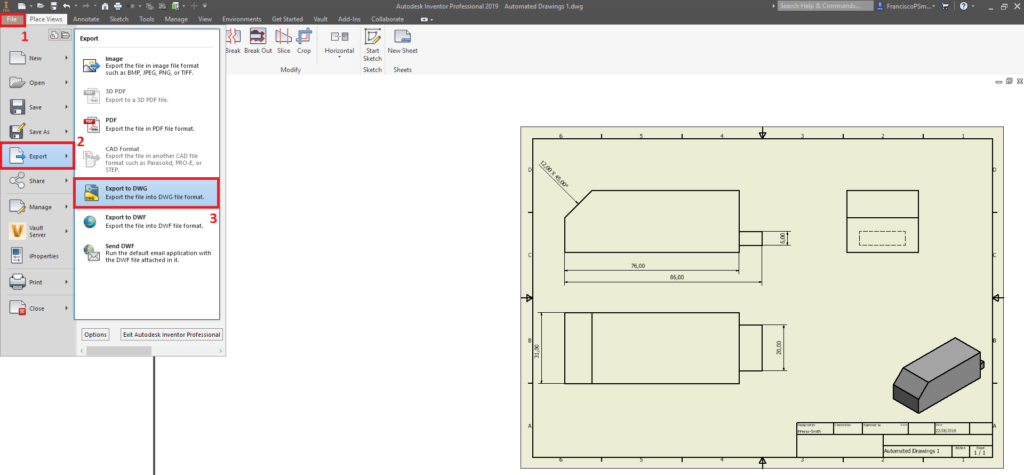
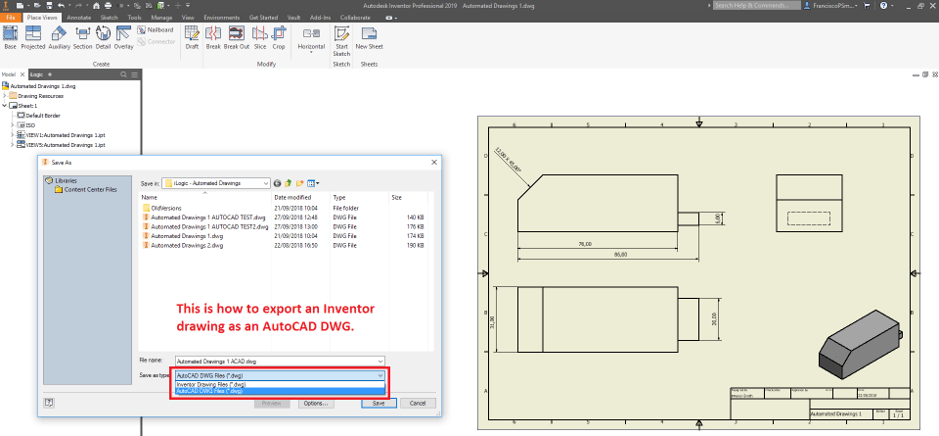
For a drawing file to be fully editable by AutoCAD, it is best to export it as an AutoCAD DWG from Inventor. To achieve this, simply perform the following:File -> Export -> Export to DWG -> Under ‘Save as type, select ‘AutoCAD DWG Files’
My Personal Recommendations
My personal recommendation for this matter is to keep a clear distinction between AutoCAD and Inventor drawings by using the Inventor IDW format. Where drawings from Inventor absolutely must be converted into the AutoCAD format, I would simply use the ‘Export as DWG’ function in Inventor.
Still got Questions?
Book Training
Our range of Autodesk Inventor training courses will teach you how to create production-ready parts and assemblies through hands-on learning experience. Make sure you contact us to find out which course is best for you.
Contact Us
We are here to ensure you receive a consistently high service and quality solutions for your business needs. We promise you won’t regret speaking to us, and if we can’t help you, we will try to find someone that can.