


It’s that time of year again—Autodesk is releasing its next annual product updates. Updating to the latest version gives you access to a range of new features, and in this blog, we’ll guide you through how to complete the installation.
First, it’s important to note your current installed products are a separate instance to 2027 products, and instead we’ll need to download the new installer.
Head over to your management portal (https://manage.autodesk.com/products/all) > Products and Services. From here, you’ll be listed with your subscribed products. Simply navigate to the required application, checking 2027 is selected as the version and click install.
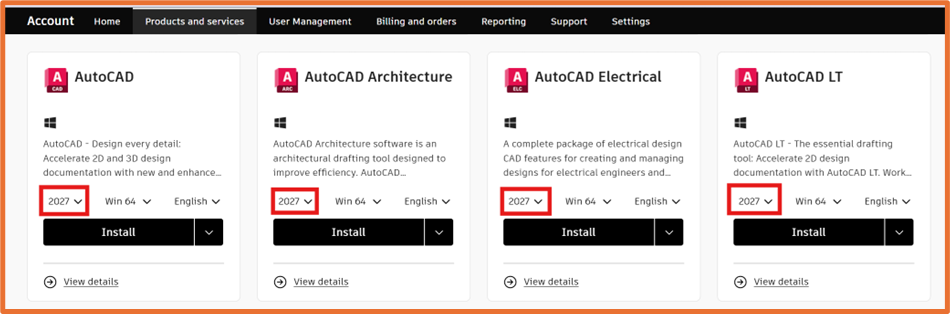
Once the installer.exe file has downloaded, run this to start the installer.
Voila! Depending on the product and your machine spec, the time to install can vary, however once completed you now have the latest version on your machine!
Still got Questions?
Buy Software
Autodesk is a global leader in software for architects, builders, engineers, designers, manufacturers, 3D artists and production teams. Contact us now to find out which software is right for you.
Contact Us
We are here to ensure you receive a consistently high service and quality solutions for your business needs. We promise you won’t regret speaking to us, and if we can’t help you, we will try to find someone that can.