


**Please note, as of 24th March 2026, the Autodesk Construction Cloud has joined the Forma industry cloud and has been rebranded as Forma. Find out more details here.**
File attributes such as Date Created, Version and Description come as standard with Autodesk Docs but you can also create your own custom file attributes and control which folders they apply to. Below I will show you in a few simple steps how easy it is to create your own file attributes…
1. Open the project and in Docs go to Files.
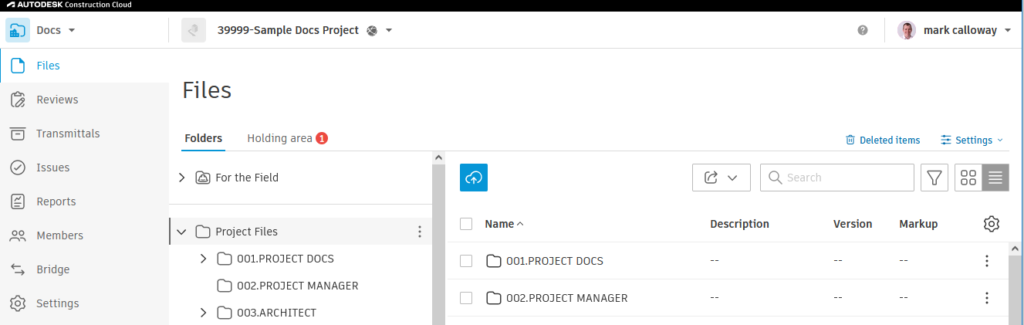
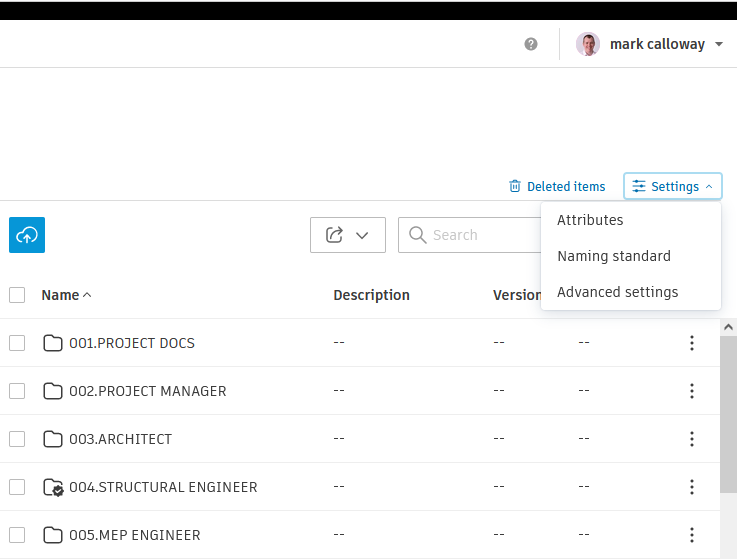
2. Right click Settings and choose Attributes
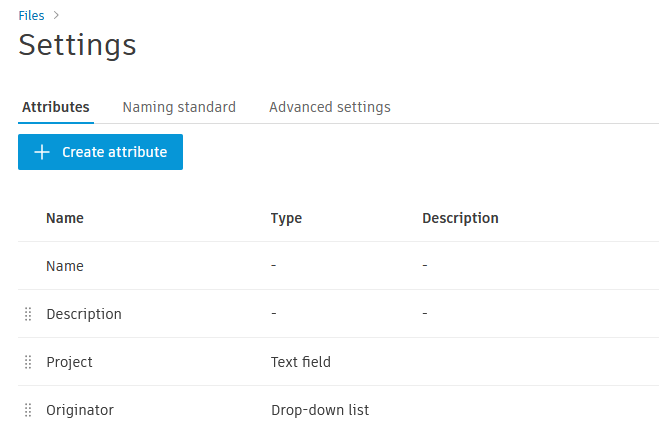
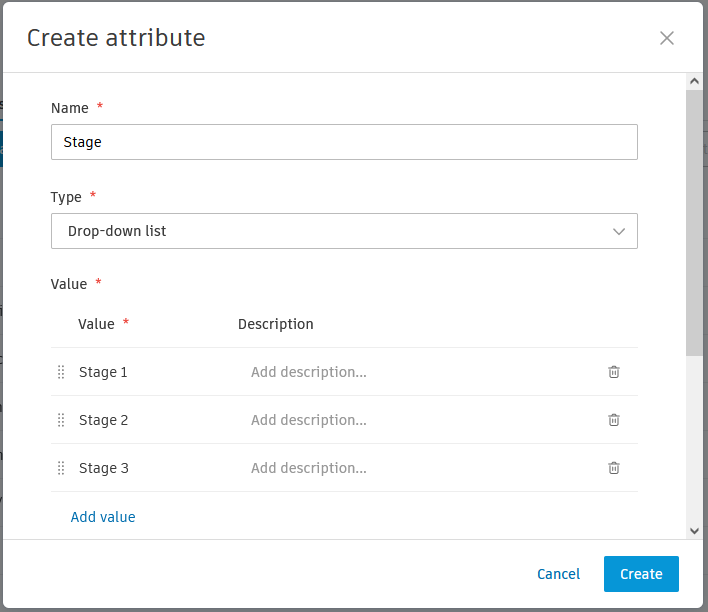
3. Click the Create Attribute Button.
4. Give the Attribute a Name, Type and Description.
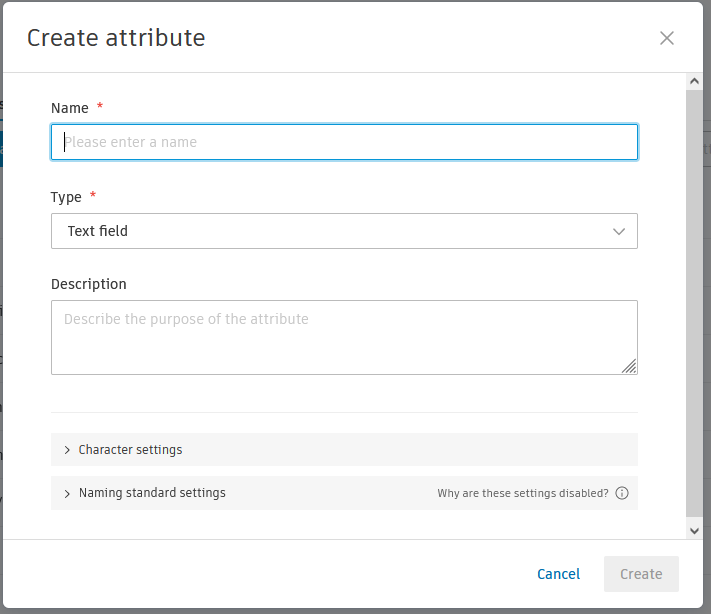
5. Depending on the Type you may get Additional Options.
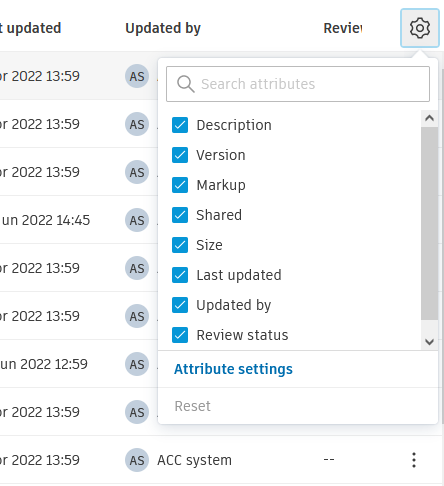
6. In the Folders Settings choose Attribute Settings.
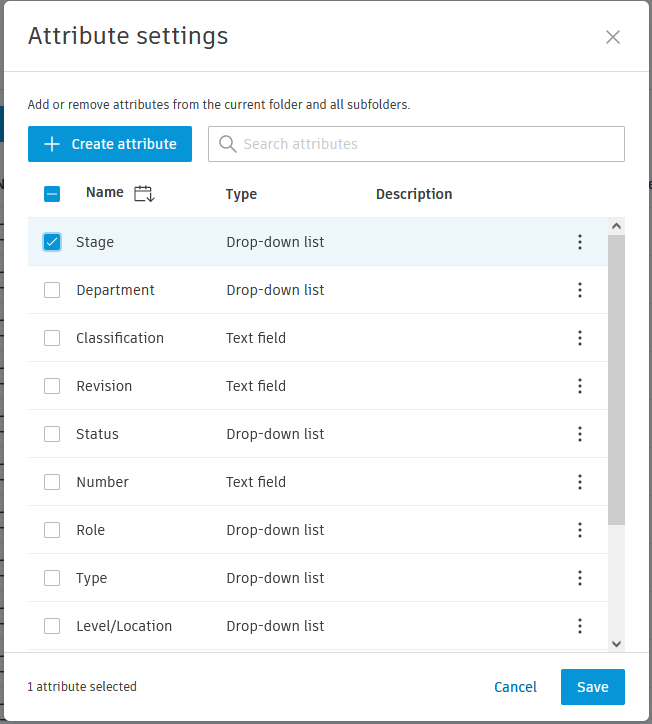
7. Tick the New Attribute to Add it to the Folder.
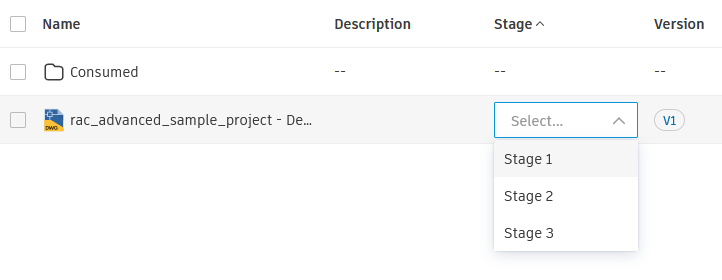
8. Congratulations you can now Add the New Attribute to your Files.
Still got Questions?
Book Training
We have developed a robust set of onboarding and deployment services to ensure best-in-class implementation of Autodesk Forma (formerly the Autodesk Construction Cloud).
Contact Us
We are here to ensure you receive a consistently high service and quality solutions for your business needs. We promise you won’t regret speaking to us, and if we can’t help you, we will try to find someone that can.