


Fusion has a neat built in tool that allows you to export and send your design straight to your preferred 3D Printing Slicer. To access this feature click on File > 3D Print.
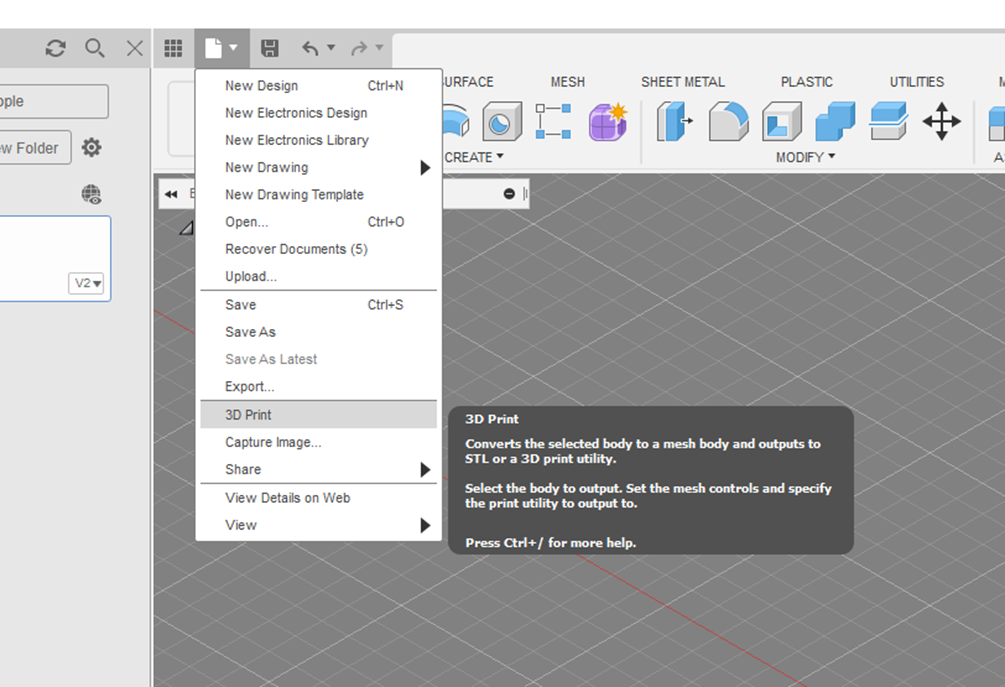
This will bring up a 3D Print Dialogue, where you can choose:
- Which format to export it to.
- The refinement quality that has 3 preset options, or the ability to customize the refinement to your preference.
- Which application you want the exported file to open up into. All you need to do is browse to the .exe file of the slicer, add it, and then select OK.
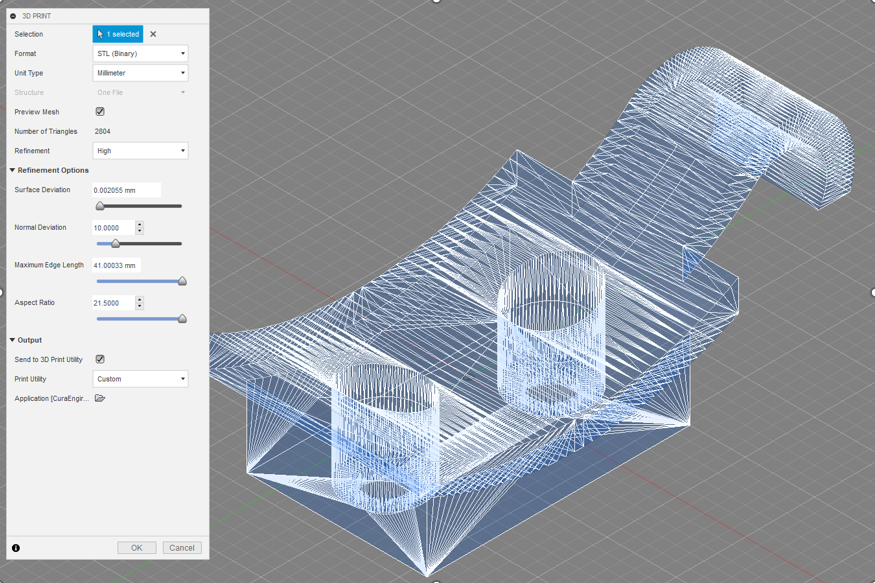
Fusion will then export the file to your chosen format, and open the file in your preferred slicer, where you can edit the setup and send to your 3D printer.
Still got Questions?
Book Training
Through hands-on exercises, you will acquire the key skills and knowledge required to design models using Fusion. It will teach you everything from product development to simulation and fabrication.
Contact Us
We are here to ensure you receive a consistently high service and quality solutions for your business needs. We promise you won’t regret speaking to us, and if we can’t help you, we will try to find someone that can.