


**Please note, as of 24th March 2026, Autodesk Forma has been rebranded to Forma Site Design.**
Autodesk allows for the use of extensions which can expand the functionality and interoperability of Autodesk Forma with other applications. If you have used Autodesk Revit, you may already be aware or familiar with Dynamo and what it can allow you to do which otherwise may be impossible.
In this blog I will show you step by step, how easy it is to enable the Dynamo extension so that it can be used with Autodesk Forma.
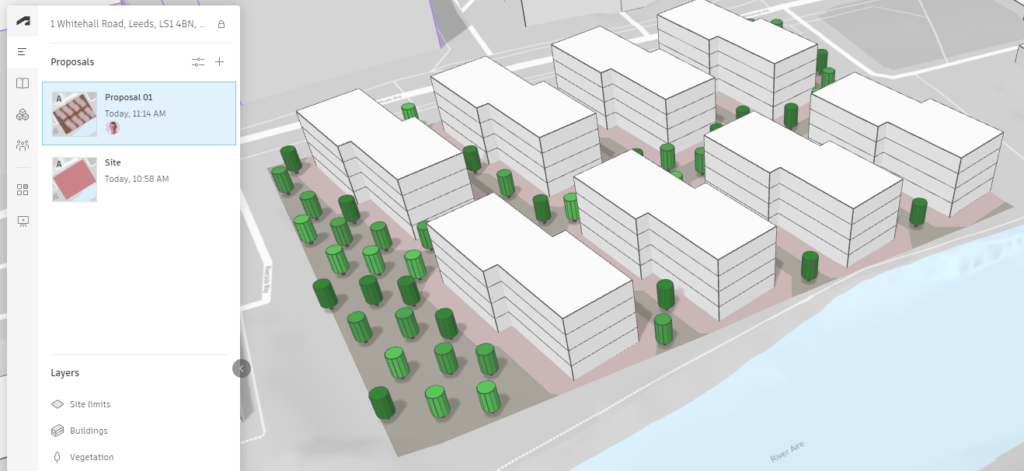
Step 1: Open Your Forma Project
First things first, get yourself inside the Forma project you want to use Dynamo with.
Step 2: Head Over To Extensions
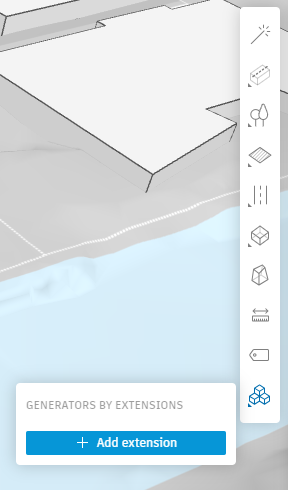
On the toolbar to the right, find “Generators By Extension” and click the “Add Extension” button.
Step 3: Find “Dynamo Player” in the Add Extension screen.
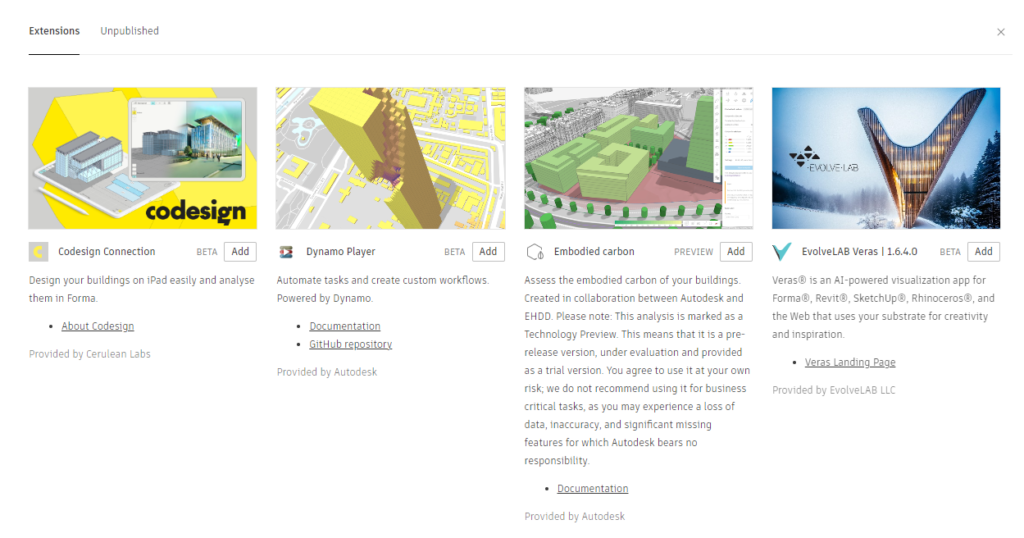
Step 4: Add Dynamo Player.
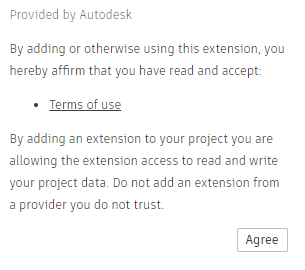
Click the Add button and then Agree to the Terms and Conditions.
Step 5: Access Dynamo
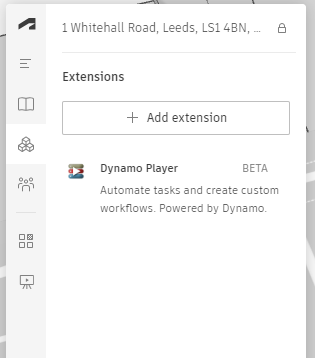
You can now access the Dynamo Player using the Extensions tab on the left hand panel.
Potential Issues
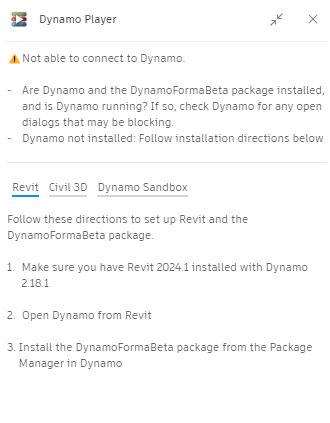
If you select the Dynamo Player and it doesn’t launch, it could be because you don’t have the correct version of Revit or Dynamo Player installed. You should get an error similar to the below indicating the missing requirements.
Still got Questions?
Buy Collection
The Autodesk AEC Collection offers a comprehensive set of tools designed to support your project needs no matter how complex. When great minds have great tools they can accomplish great things!
Contact Us
We are here to ensure you receive a consistently high service and quality solutions for your business needs. We promise you won’t regret speaking to us, and if we can’t help you, we will try to find someone that can.