


Have you ever noticed how, for assemblies with moving parts, Inventor doesn’t seem to mind components running through each other? Wouldn’t it be better if the components hit each other and stopped, rather than behaving like eerie ghosts? If you’re interested in achieving exactly this, read on!
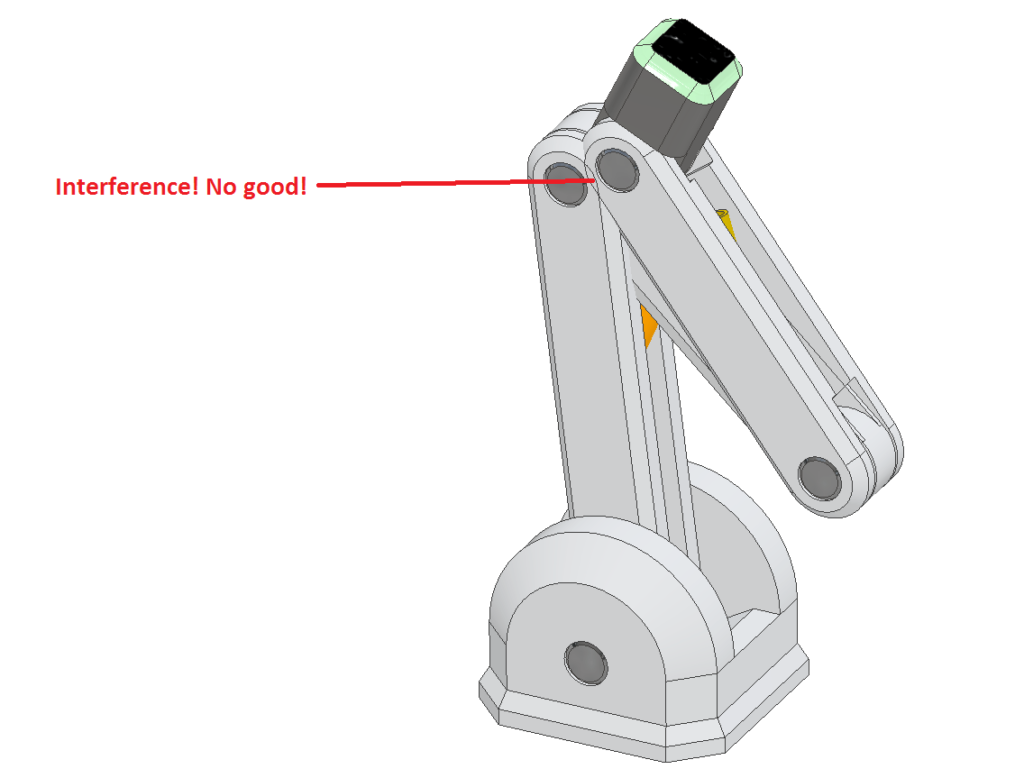
Interference by Design
Believe it or not, this behaviour of components passing through one another is actually intentional. Not only does this make the process of assembly more convenient, but it also saves on a significant amount of computation, sparing the computer the task of calculating whether or not different volumes are interfering in real time. But what if we want to know how they interfere?
Manually Inspecting Interference
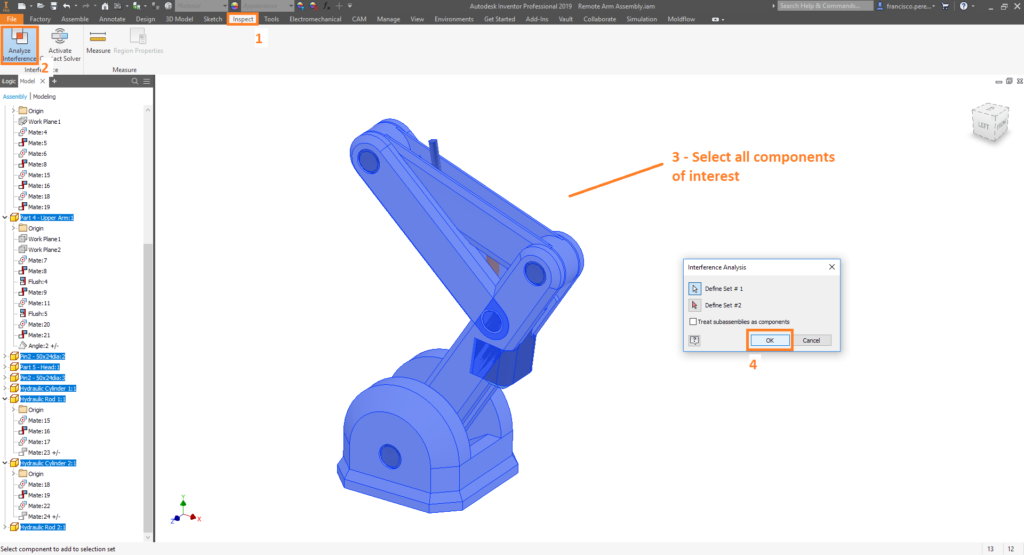
If you wish to see whether or not components are interfering, for a given configuration of your assembly, simply perform the following:
Inspect Tab -> Analyze Interference -> [Select all relevant components] -> OK
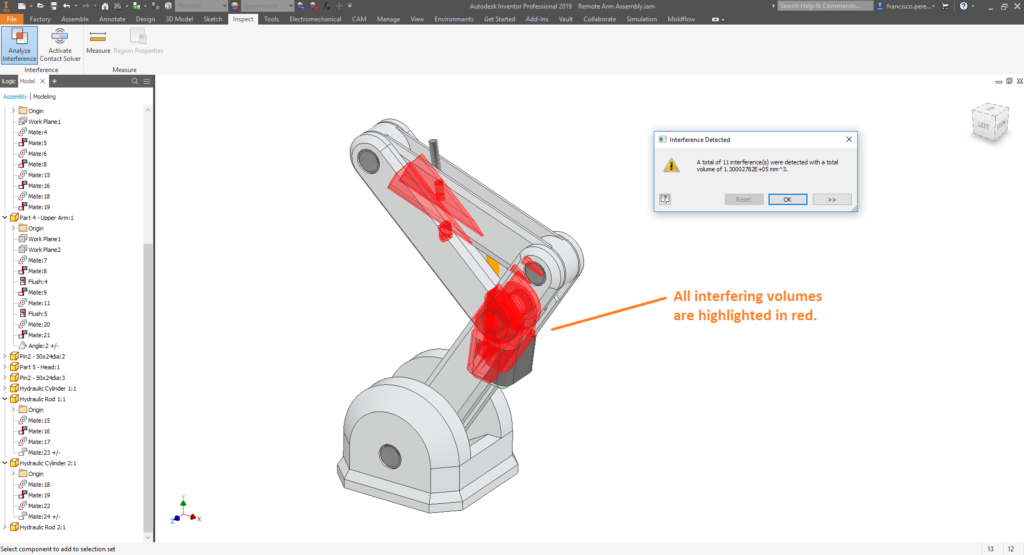
Highlighted in red, we can see the volumes of all intersecting components.
Automatically enforcing contact with the Contact Solver
If you wish to prevent components from passing through one another, we need to follow two steps:
Step 1: Add Components to the ‘Contact Set’
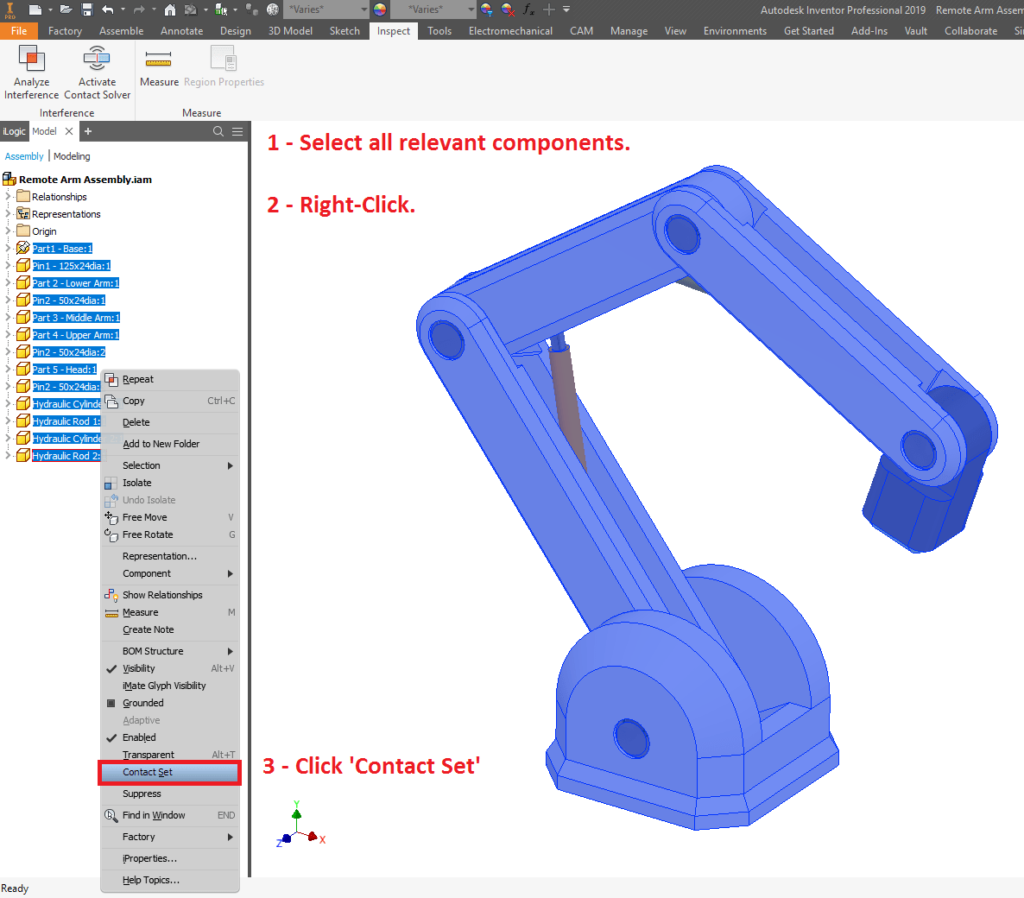
The ‘Contact Set’ is the set of all components that will be considered when the Contact Solver is enabled; that is, these components will not be allowed to intersect. To add components to the Contact Set, simply perform the following:
[Select all relevant components] -> Right-Click -> Click ‘Contact Set’
You will know if you’ve succeeded if you see a little icon denoting contact next to each component in the model browser.
Step 2: Enable the ‘Contact Solver’
When the Contact Solver is enabled, all components in the contact set will be analysed in real time, and prevented from intersecting with one another. To enable the Contact Solver, simply perform the following:
Inspect Tab -> Click ‘Activate Contact Solver’
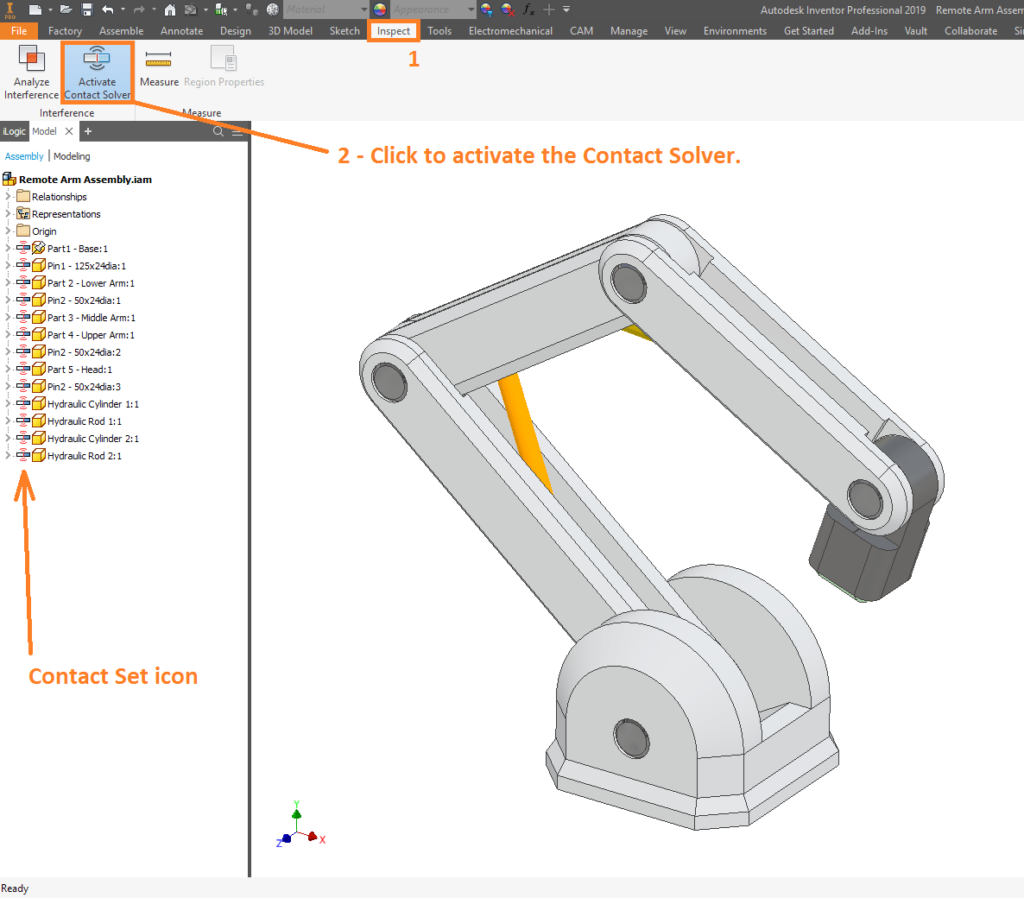
While it is active, the components in the contact set will be prohibited from interfering. Brilliant!
For more Inventor tips and tricks, or to take one of our masterclass training sessions, get into contact with Man and Machine. We’re more passionate about CAD, CAM and CAE than is reasonable, and we’d be excited to get you up to speed with the tools!
Still got Questions?
Book Training
Our range of Autodesk Inventor training courses will teach you how to create production-ready parts and assemblies through hands-on learning experience. Make sure you contact us to find out which course is best for you.
Contact Us
We are here to ensure you receive a consistently high service and quality solutions for your business needs. We promise you won’t regret speaking to us, and if we can’t help you, we will try to find someone that can.