


In collaborative architecture, engineering and construction workflows, design reviews often become inconsistent because they rely on manual coordination. Teams forget to notify stakeholders, approvals get delayed, and project visibility suffers.
With review auto-triggers in Autodesk Forma Data Management, you can automate review initiation whenever files, models, or project milestones are updated. This creates a more predictable review cycle, reduced administrative overhead, and keeps teams aligned across disciplines.
Let’s walk through how to configure review auto-triggers, best practices for implementation, and real-world use cases.
Review auto-triggers are automated workflows that initiate review processes when predefined conditions occur inside of Forma Data Management. Instead of manually requesting reviews every time a file changes, the system can automatically:
- Notify reviewers.
- Assign approval tasks.
- Generate review requests.
- Track status changes.
- Maintain audit history.
These triggers help standardise governance and ensure project stakeholders stay informed without relying on manual follow ups.
Here are some major advantages of implementing automated review workflows:
- Faster Collaboration: Design updates instantly reach the right stakeholders, reducing turnaround times.
- Improved Accountability: Every review request is logged and traceable, helping teams maintain compliance and project transparency.
- Reduced Human Error: Automation eliminates forgotten approvals and inconsistent review practices.
- Better Version Control: Reviews are tied directly to project data and file revisions, ensuring stakeholders always evaluate the latest version.
Prerequisites
Before configuring review auto-triggers, ensure you have:
- Administrative access to Forma Data Management.
- Defined project folders and permissions.
- Established review roles and reviewer groups.
- Naming conventions for files and revisions.
- A documented approval process.
Having a standardised data structure significantly improved automation reliability.
Let’s look at creating Review Auto-Triggers!
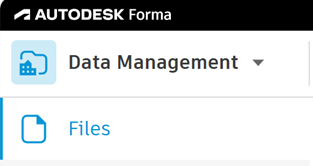
- Go to Autodesk Forma > Data Management > Files.
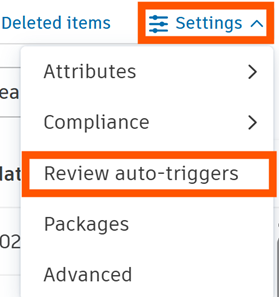
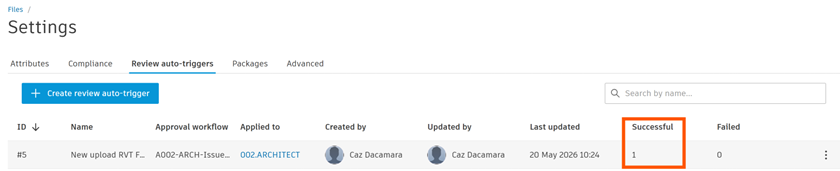
- Click Settings > Review auto-triggers.
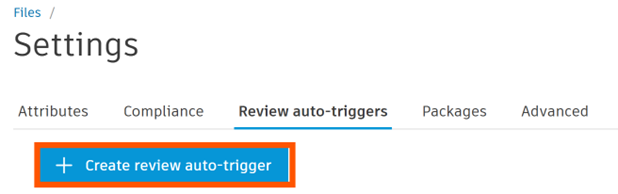
- Click ‘Create review auto-trigger’.
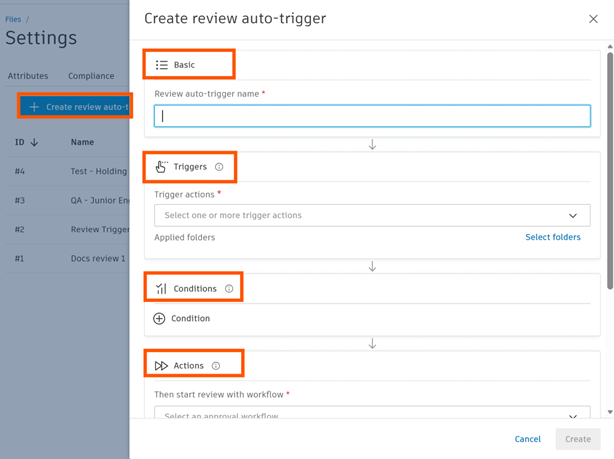
There are 4 sections in this pop-up window:
– Basic: the name for the trigger.
– Triggers: the trigger action.
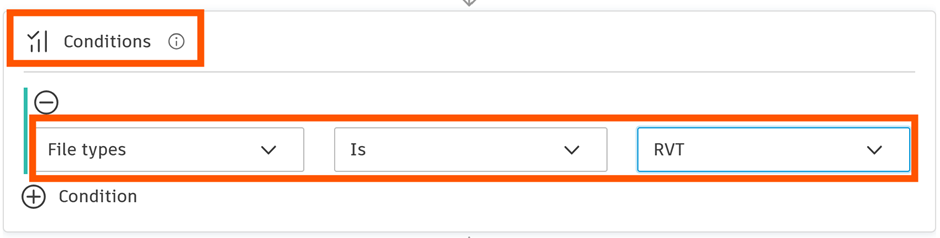
– Conditions: a condition consists of three parts; an attribute, operator and value.
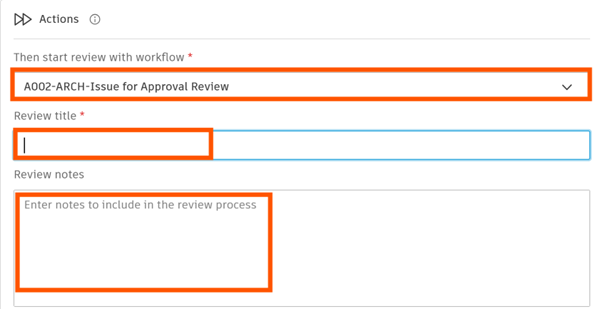
– Actions: what happens when the trigger fires.
- Basic – Type a unique name.
- Define the Trigger event.
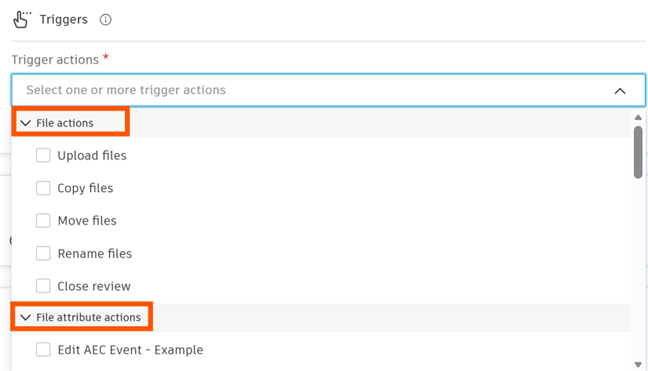
- Select the event that should initiate the review.
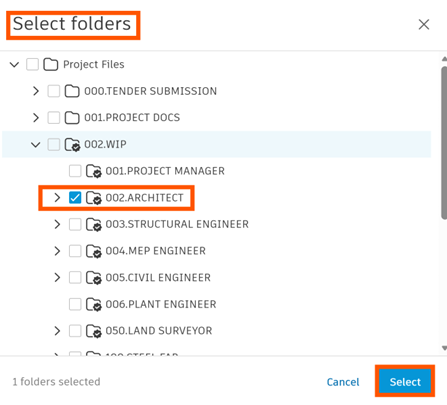
- Select the folder.

Example: Trigger a review whenever a new Revit (RVT) model is uploaded into the ‘WIP/Architecture’ folder.
- Set Conditions. Conditions determine when the trigger should activated and help prevent unnecessary review requests.
- Configure the automated actions.
- Next, define what happens when the trigger fires.
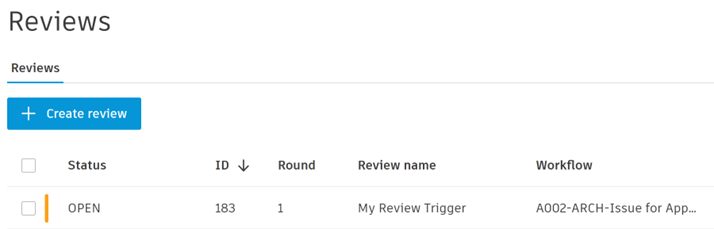
- Test the workflow.
Before deploying organisation wide:
– Upload test files.
– Simulate revisions.
– Validate reviewer assignments.
– Confirm notifications are delivered.
– Verify audit logs.
Testing helps identify edge cases and permissions conflicts early.
Review Auto-Triggers in Autodesk Forma Data Management can dramatically improve project coordination, review consistency, and governance across AEC teams. By automating repetitive review tasks, organisations can:
- Accelerate approvals.
- Improve accountability.
- Reduce manual effort.
- Enhance collaboration.
- Maintain stronger audit trails.
The key to success is starting with simple, high-impact workflows and gradually refining automation as your project delivery processes mature.
As BIM and cloud collaboration environments continue to evolve, automated review orchestration will become an essential capability for high-performing digital project teams.
Still got Questions?
Book Training
We have developed a robust set of onboarding and deployment services to ensure best-in-class implementation of Autodesk Forma (formerly the Autodesk Construction Cloud)
Contact Us
We are here to ensure you receive a consistently high service and quality solutions for your business needs. We promise you won’t regret speaking to us, and if we can’t help you, we will try to find someone that can.