


With some Autodesk subscriptions, you’ll have access to use Forma Data Management (FDM) or Forma Data Management Essentials (FDME). To utilise this, we’ll need to create a hub.
It’s important to now how hubs work first. You can have multiple hubs associated with a team, however there needs to be an active Forma based licenses for the Hub to stay accessible. Depending on your licenses, your hub will either be FDM or FDME, the latter providing limited functionality. If you purchase new licenses, Autodesk can swap your hub from FDME to FDM.
First, we’ll need to be signed in either as the Primary or Secondary admin in the team you wish this to sit within (https://manage.autodesk.com). Once signed in, head to Products and Services > Hubs.
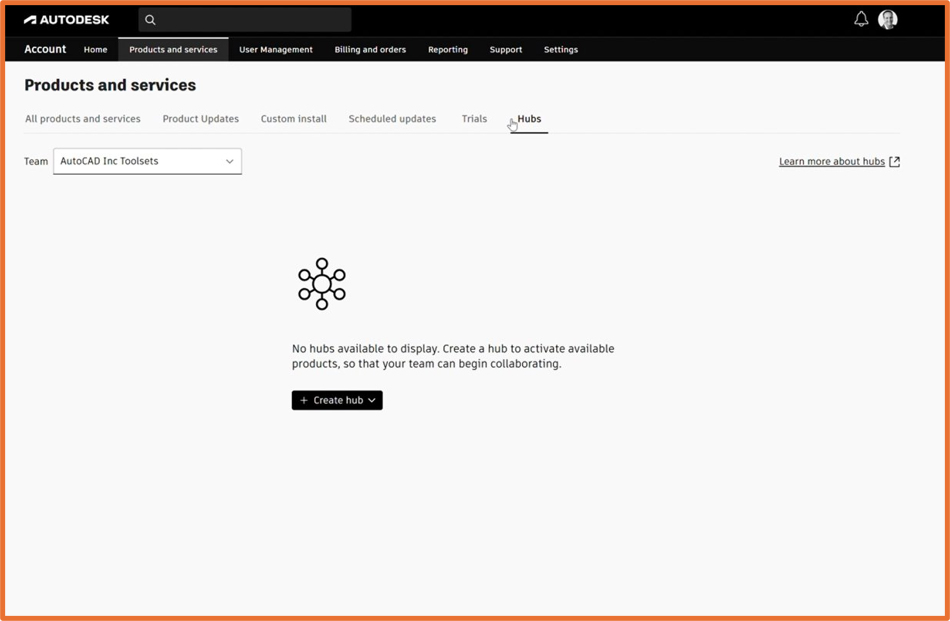
Select Create Hub, followed by Forma.
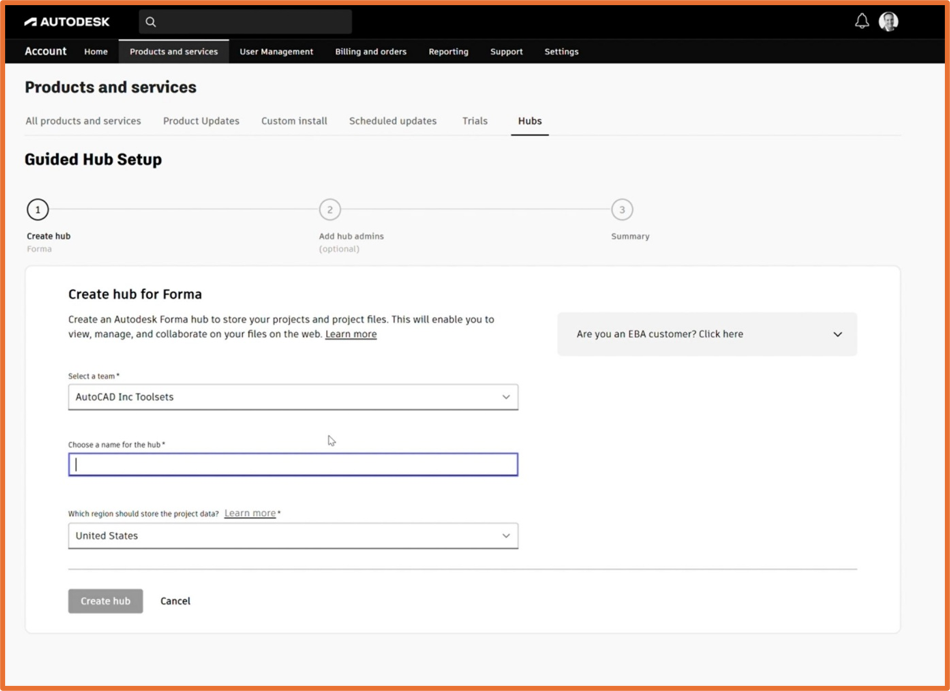
You’ll now be asked to choose a name for your Hub and the region you wish this to sit within. Note, once the hub region has been confirmed this cannot be changes later, therefore we recommend choosing your local region.
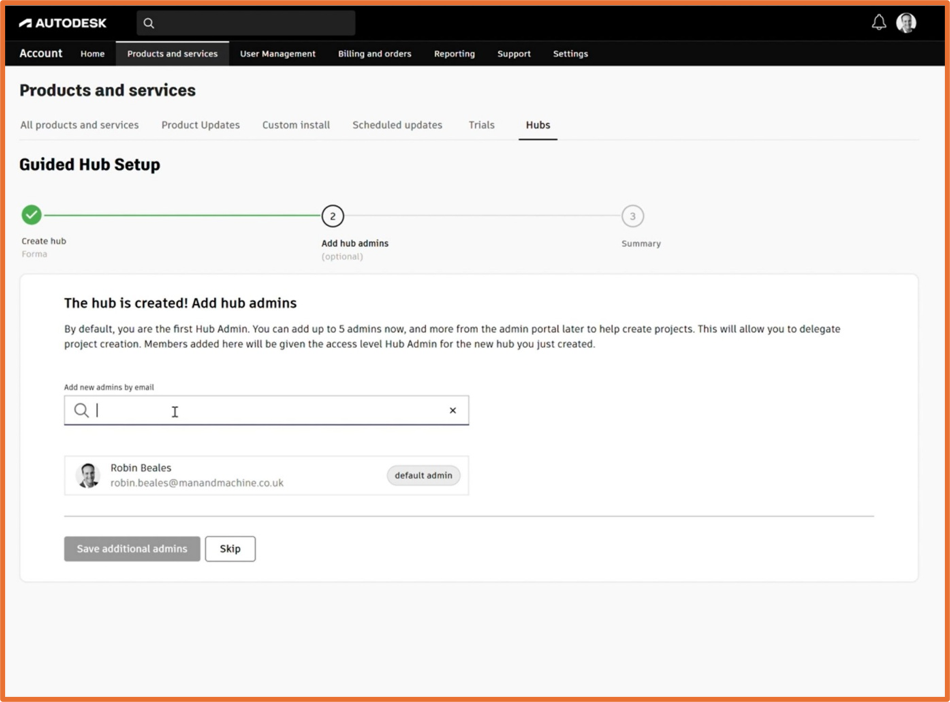
From this, we have the ability to add additional hub members – we recommend having multiple administrators should one administrator not be available. Simply enter their email into the text box. If you don’t wish for anyone else to be admin, click skip.
Congratulations, you’ve now create your Hub. This can be accessed through your management portal under products, or via https://acc.autodesk.com.
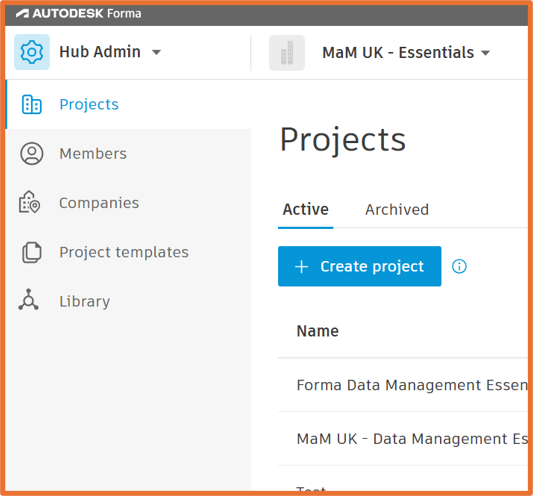
Depending on your product entitlement, your hub will show as below.
FDM (Forma Data Management)
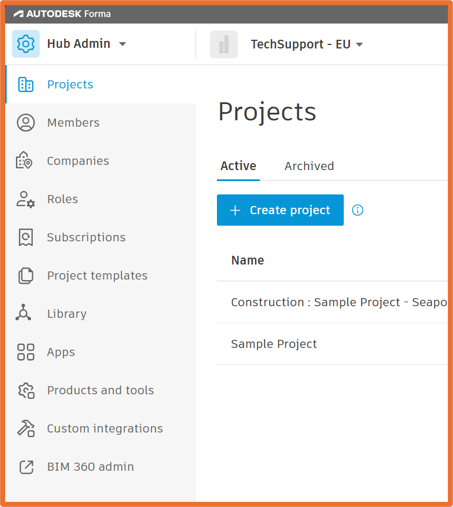
FDME (Forma Data Management Essentials)
Still got Questions?
Book Training
We have developed a robust set of onboarding and deployment services to ensure best-in-class implementation of Autodesk Forma (formerly the Autodesk Construction Cloud)
Contact Us
We are here to ensure you receive a consistently high service and quality solutions for your business needs. We promise you won’t regret speaking to us, and if we can’t help you, we will try to find someone that can.