


After installing and launching your software for the first time, you may encounter a dialog asking you to enter your license server details. Currently most licenses are assigned via the management portal and don’t need a license service (network licenses are no longer the standard license type).
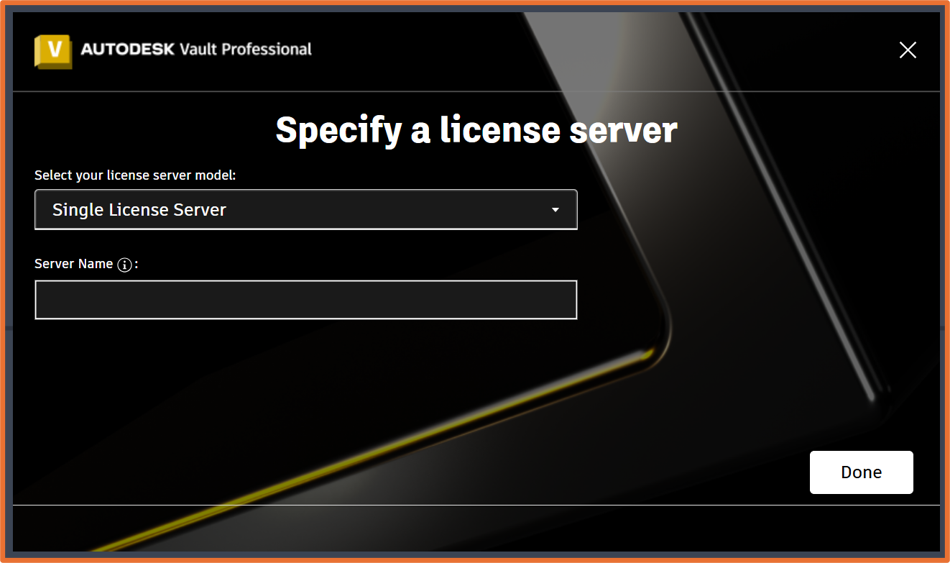
To resolve this error, we’ll need to download Autodesk’s license support tool – https://www.autodesk.com/support/technical/article/caas/tsarticles/ts/6IFPpIksTDfsCzp1JwIH5k.html.
Extract the package, then navigate to the UI folder and run the .exe file. From here, we can see the license method of my product is Network, and we need to change this to User. Select your product from the list, change the license method to User and apply those changes.
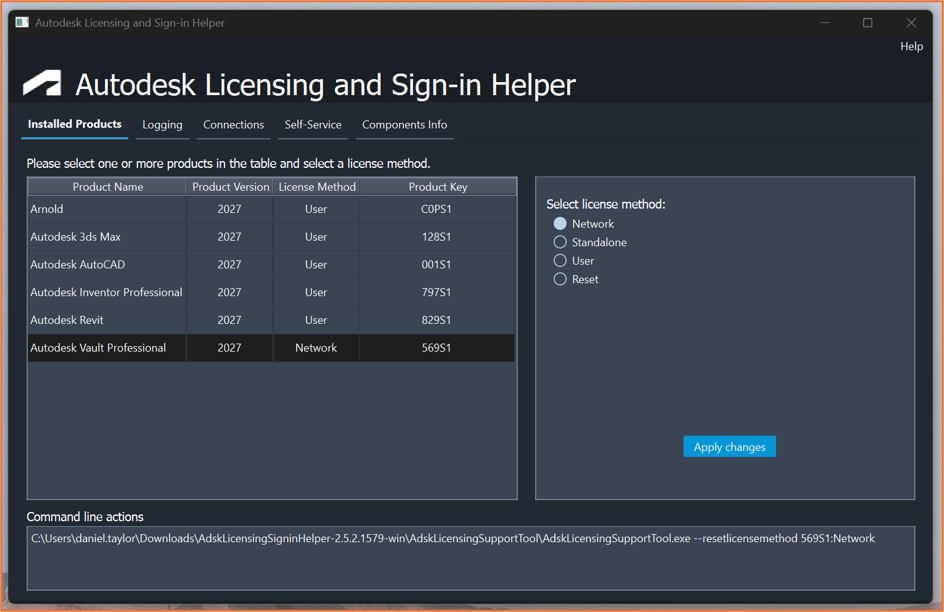
Launch your product again, the dialog should no longer appear and you’ll have access to the software.
Still got Questions?
Buy Software
Autodesk is a global leader in software for architects, builders, engineers, designers, manufacturers, 3D artists and production teams. Contact us now to find out which software is right for you.
Contact Us
We are here to ensure you receive a consistently high service and quality solutions for your business needs. We promise you won’t regret speaking to us, and if we can’t help you, we will try to find someone that can.