


Updates come through all year before a new official release, but these are so easily missed. Autodesk inventor Professional 2026.2 update has a nice new function added in Sketch mode. Flip Direction flips the direction of the line without having to relax the value or delete and resketch, and the other dimensions are maintained.
Let’s look at the added function in Sketch Mode: Flip Direction.
- Start a new standard mm ipt.
- Start a 2D Sketch, selecting the XY plane.
- Draw a sketch like the below starting from the origin point.
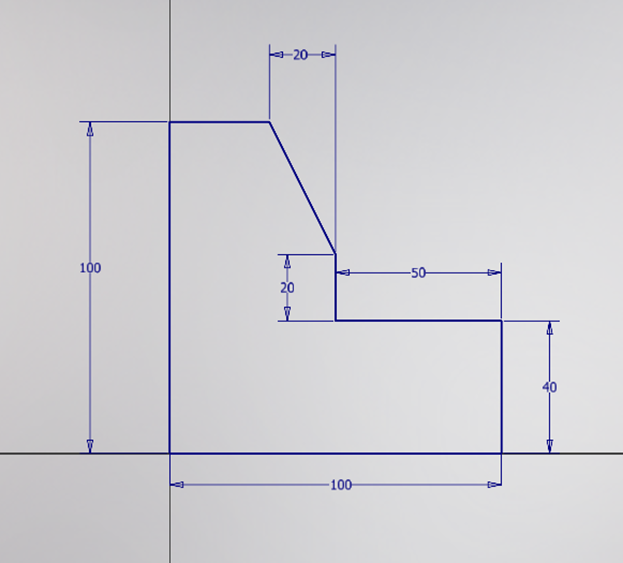
- Once you have sketched and dimensioned the geometry, check the bottom right of the screen and you should see that the sketch it fully constrained.

- Then hover over the Dimension, as displayed below.
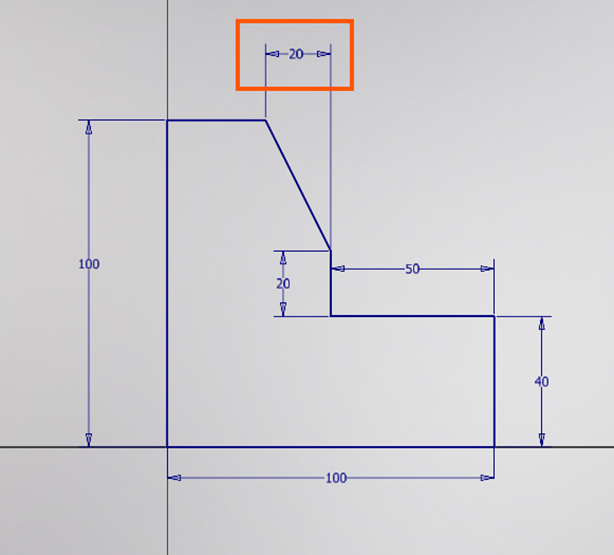
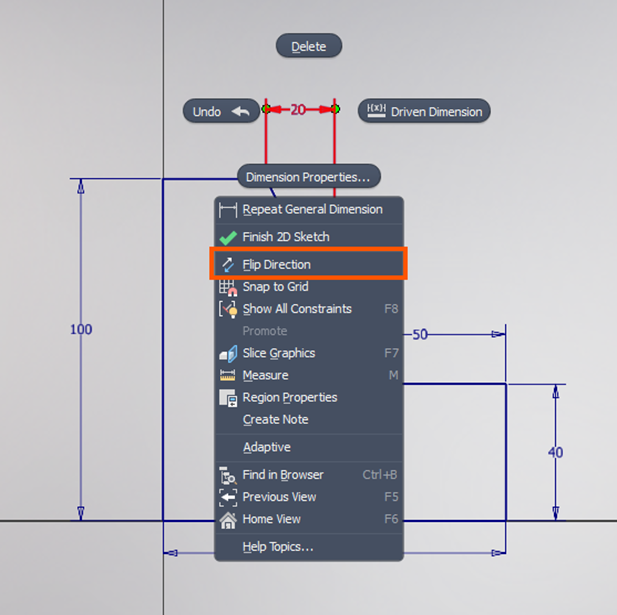
- With the dimension selected, right-click and select Flip Direction.
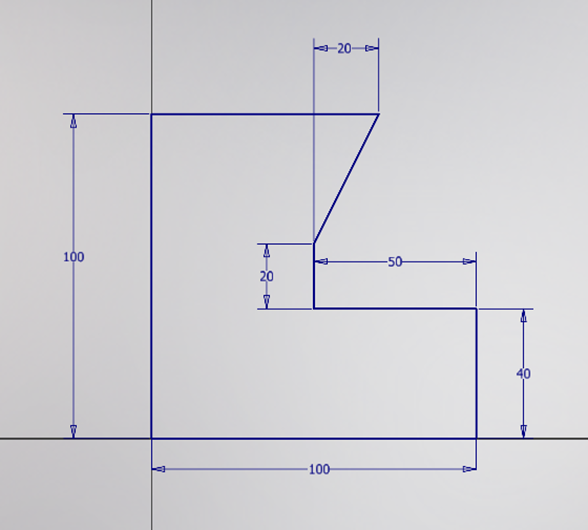
- Notice the direction of the line have flipped, without having to relax the value or delete and resketch, and the other dimensions are maintained.
Still got Questions?
Book Training
Our range of Autodesk Inventor training courses will teach you how to create production-ready parts and assemblies through hands-on learning experience. Make sure you contact us to find out which course is best for you.
Contact Us
We are here to ensure you receive a consistently high service and quality solutions for your business needs. We promise you won’t regret speaking to us, and if we can’t help you, we will try to find someone that can.