


On 3rd November 2026, Autodesk Fusion Operations introduced an updated view for machine status within both the Admin and Shopfloor interface. This brings with it a higher level of detail and a cleaner view of all machines within your production setup.
Admin Interface
In the admin interface we get an overview of all live machines, showing which machines are Available, Running or Stopped.
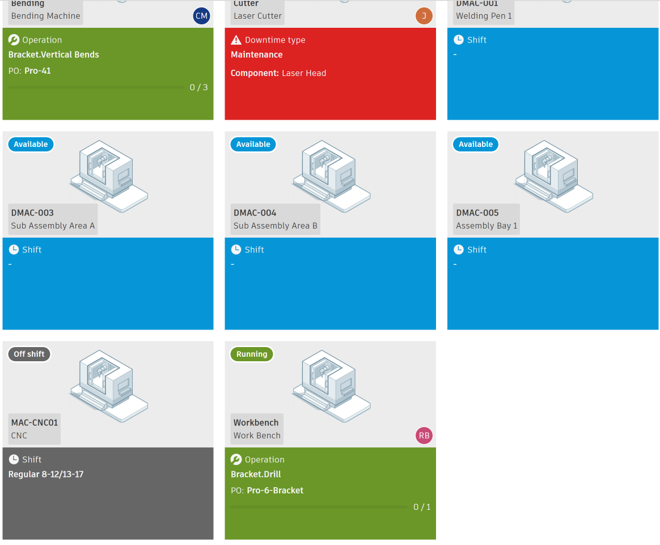
If machines are assigned to Sections, these sections can be used to filter the list.
Shopfloor Interface
The shopfloor has received the bulk of the views. These will show the same overview as the admin interface, as well as dedicated machine views. The machine views have the primary status at the top, and dedicated tabs for Scheduled Production, Maintenance Orders and History.
The top of the view has a live status of the machine, a timer for the status, and any other related information. This also includes buttons to stop the current operation or downtime, as well as a button to view files related to the machine.

Scheduled Production: This view will show any live or upcoming production scheduled for this machine.
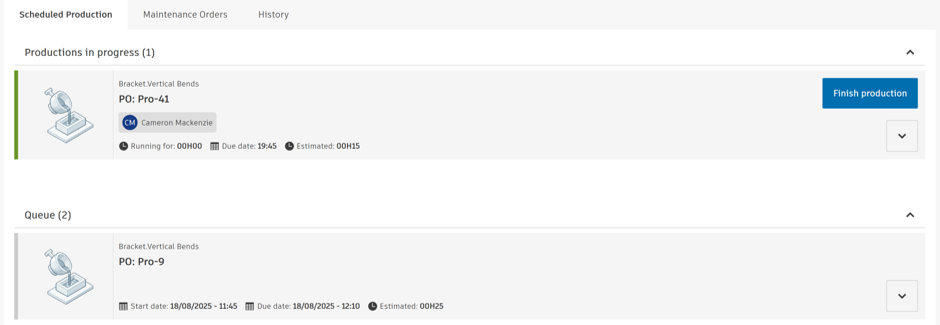
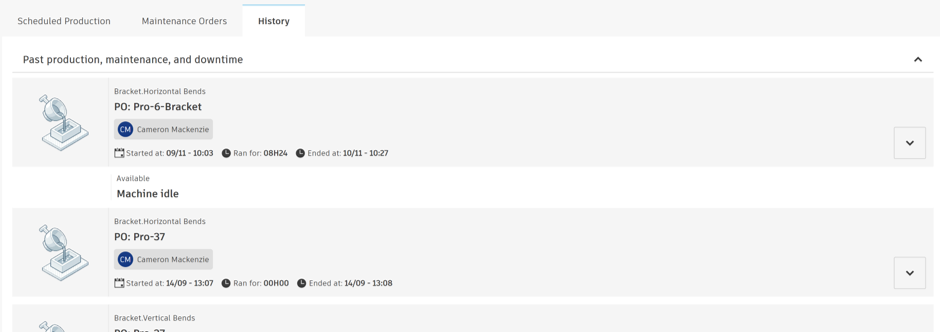
History: This view shows all past operations and downtime for the selected machine.
Still got Questions?
Book Training
Through hands-on exercises, you will acquire the key skills and knowledge required to design models using Fusion. It will teach you everything from product development to simulation and fabrication.
Contact Us
We are here to ensure you receive a consistently high service and quality solutions for your business needs. We promise you won’t regret speaking to us, and if we can’t help you, we will try to find someone that can.