


What is that Save to Web & Mobile Tool?
With collaboration and working remotely becoming more prominent in the modern day, Autodesk are incorporating more tools to help you share and work on projects across many different platforms using the cloud space given for free as part of a subscription.
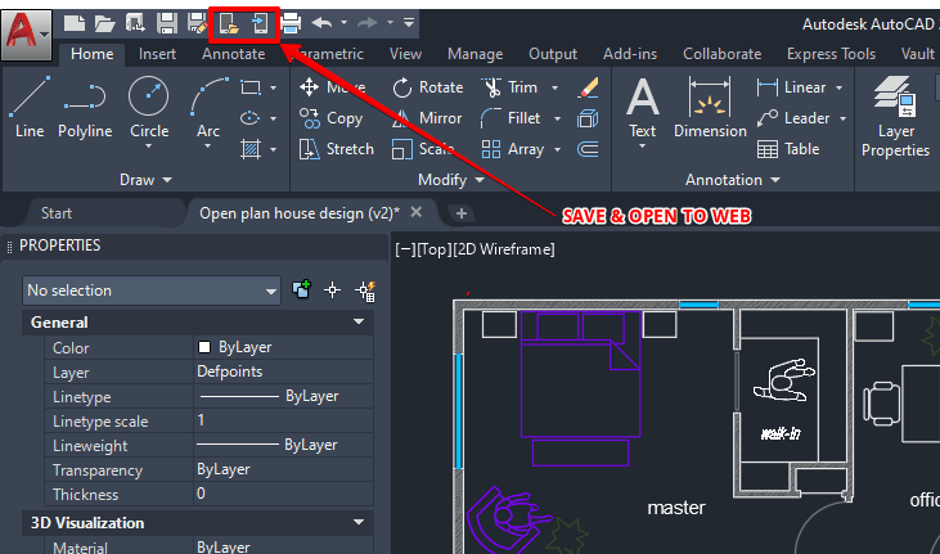
The Save to Web & Mobile tool in AutoCAD allows you to save your file directly to the web so that you can open it from the AutoCAD Web App on most web browsers or via the AutoCAD Mobile App if you are using a mobile device.
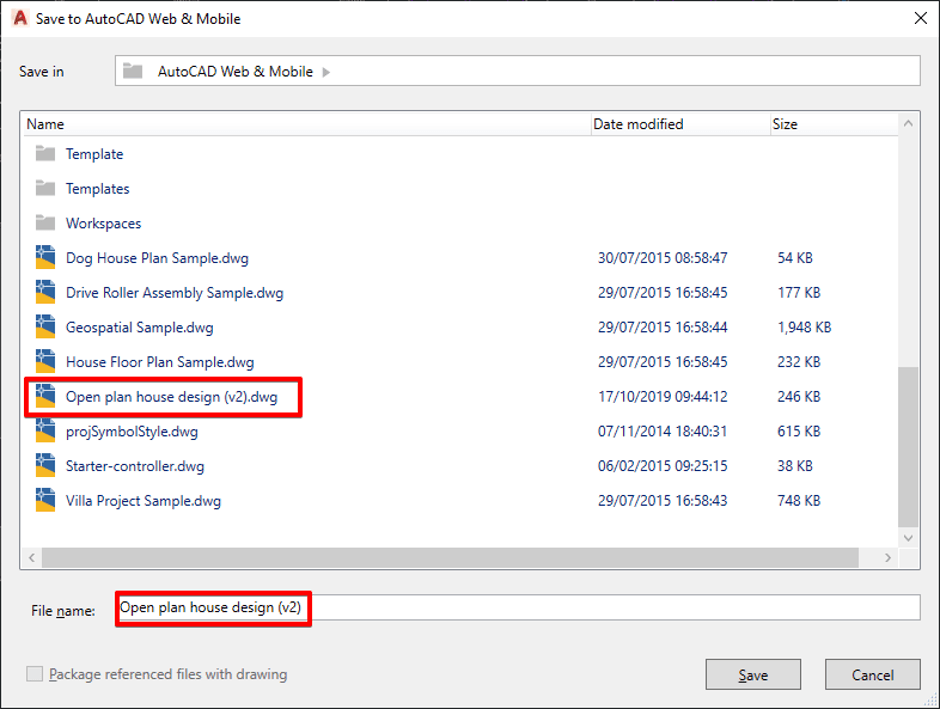
Save the file using the Save to Web & Mobile button on the quick access toolbar or via the Application Menu, Save As options.
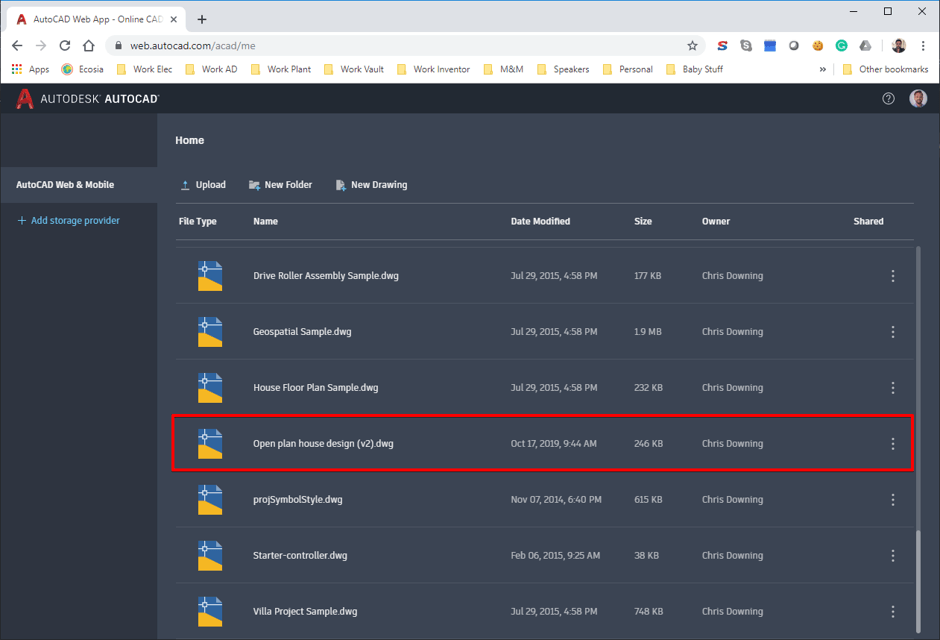
Once saved you can access drawing the AutoCAD Web App:
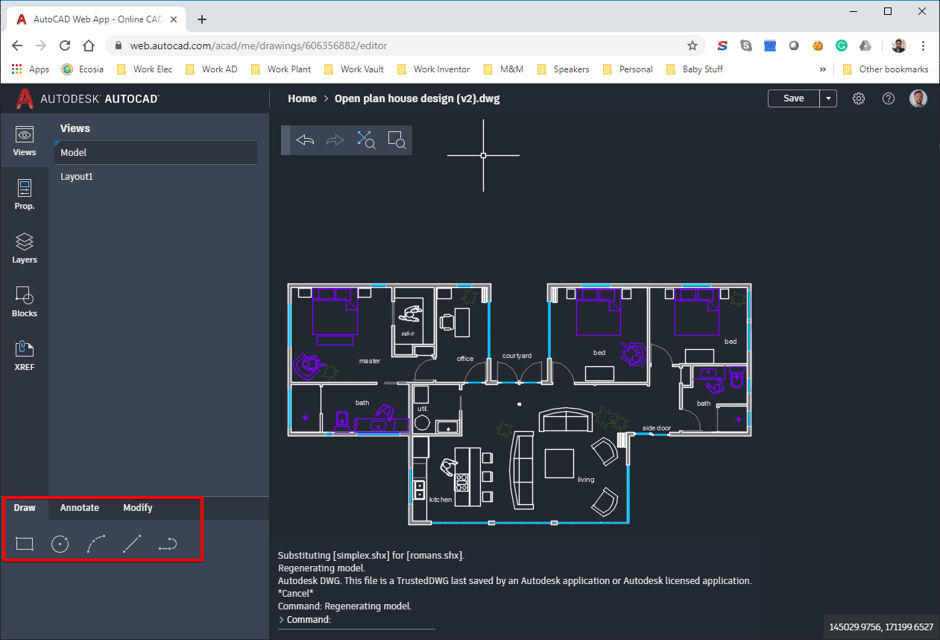
Once open we can do simple tasks such as drawing new shapes, annotations and modifications:
We can also view and edit the drawing from most mobile devices on most platforms using the AutoCAD Mobile App:
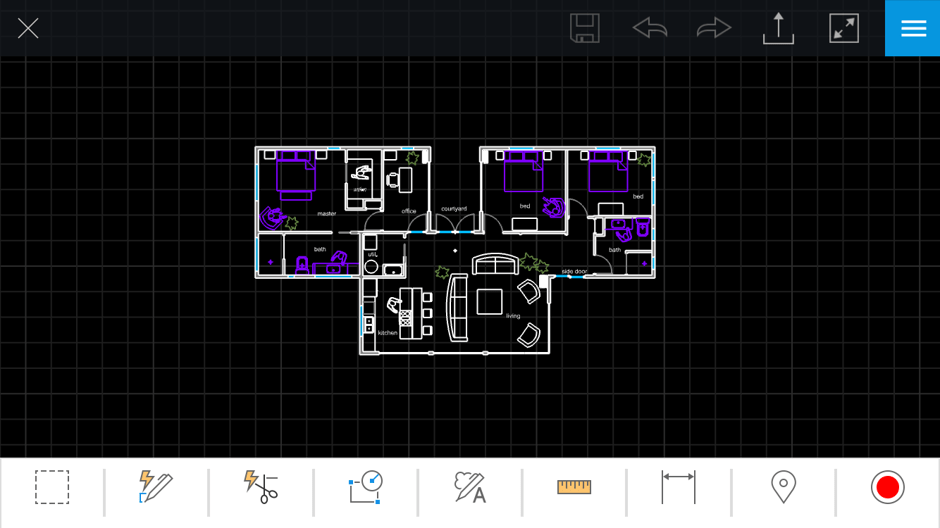
This gives us the power to take our drawing with us where ever we go and make tweeks or mark ups on the fly.
Happy drafting!!
Still got Questions?
Book Training
With our range of AutoCAD courses we can teach you best-in-class 2D and 3D design skills. This includes drawing, taking measurements, producing templates and everything required to create your designs.
Contact Us
We are here to ensure you receive a consistently high service and quality solutions for your business needs. We promise you won’t regret speaking to us, and if we can’t help you, we will try to find someone that can.