


Blocks with attributes can be very useful but quite often the attributes will appear on the Attribute Editor in a random order, usually the order they were created in.
In my example below I have a block with six invisible attributes, these attributes do not appear to be in a logical order.
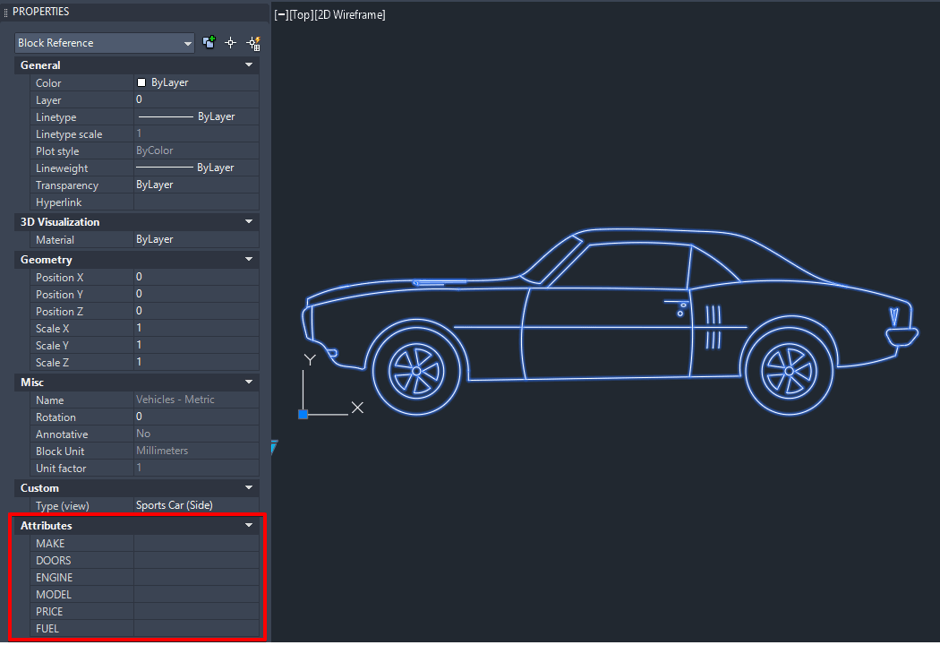
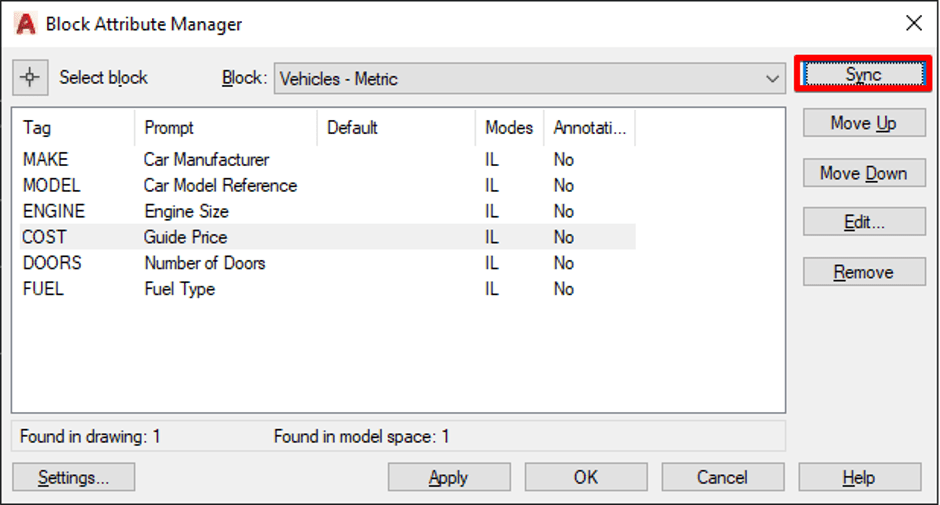
To re-organize and possibly re-format these attributes I will use the Block Attribute Manager… aka BATTMAN…. yes that’s right we are going to send out that signal and get the help of BATTMAN.
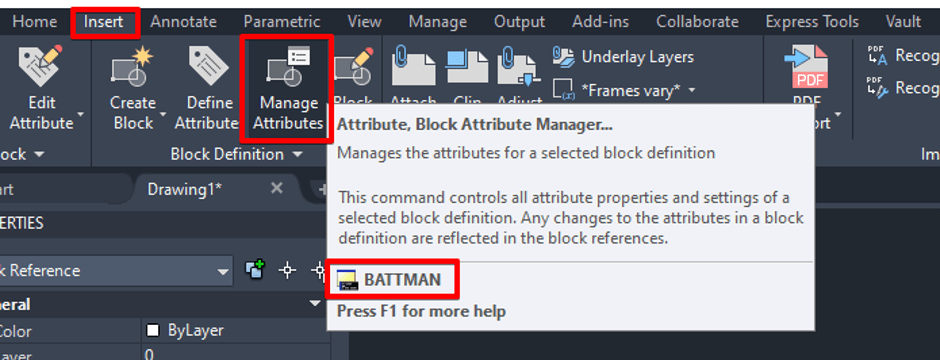
Once the BATTMAN has been summoned you will be able move your attributes up and down the order, re-format, delete and even change the tag if required.
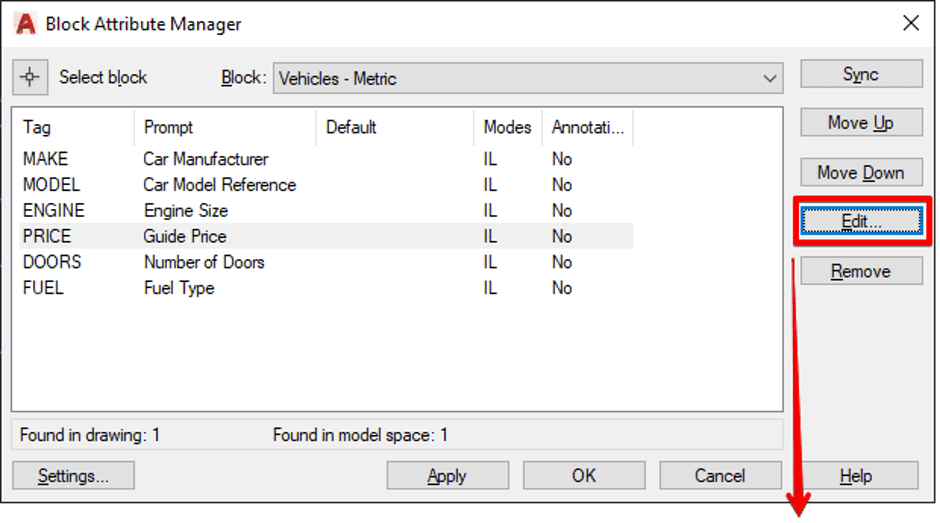
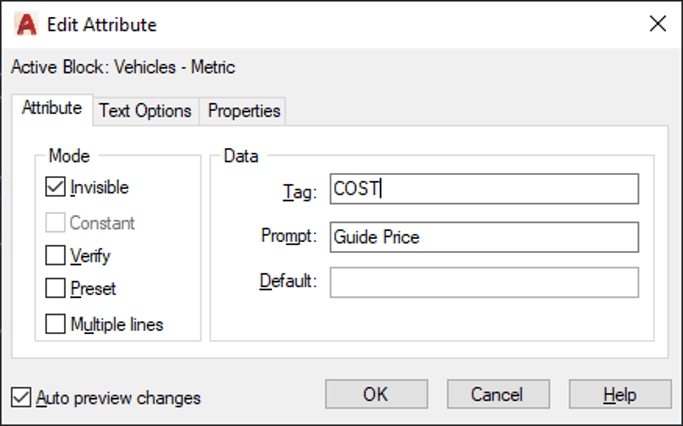
Organizing your attributes in a logical will order will make filling in their values much easier and reduce drafting time, especially when working with title blocks.
Don’t forget when ever you change the attributes of a block you must perform an Attribute Sync to update the block with your changes, you can do this from the Block Attribute Manager or use the ATTSYNC command.
Still got Questions?
Book Training
With our range of AutoCAD courses we can teach you best-in-class 2D and 3D design skills. This includes drawing, taking measurements, producing templates and everything required to create your designs.
Contact Us
We are here to ensure you receive a consistently high service and quality solutions for your business needs. We promise you won’t regret speaking to us, and if we can’t help you, we will try to find someone that can.