


Autodesk allows you to download the latest four versions of Autodesk software from your Management Portal. However, many customers require access to older versions of software, which they are entitled to according to the previous usage rights listed here. Autodesk Account Basics | Previous Product Versions | Available Versions , Terms of Use | Subscription Benefits| Autodesk
In most cases, you can still get access to the last 6 versions of software by using the Autodesk Assistant.
Here is a step-by-step guide to getting your desired version:
- Go to Contact Customer Support | Autodesk Support > Post Purchase Support
- Select the “Downloads” Topic and then “Download Software”
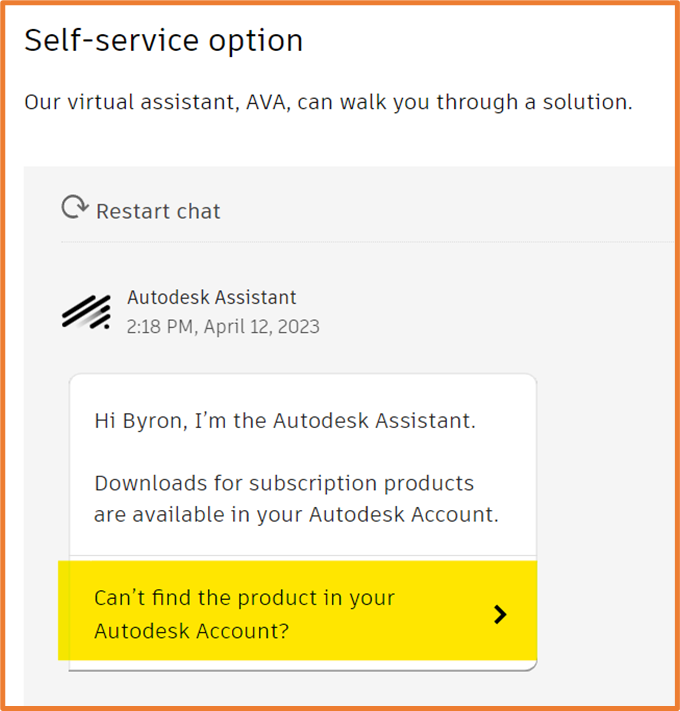
- Scroll down to the Self-Service option and click on “Can’t Find the product in your Autodesk Account?”.
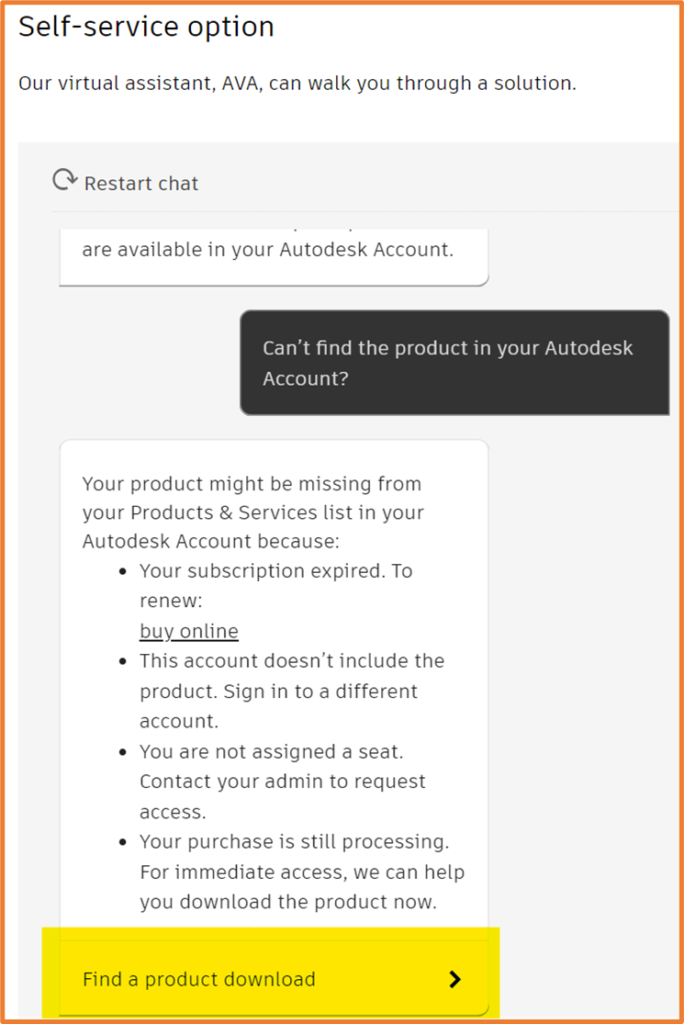
4. Click on “Find a product download”
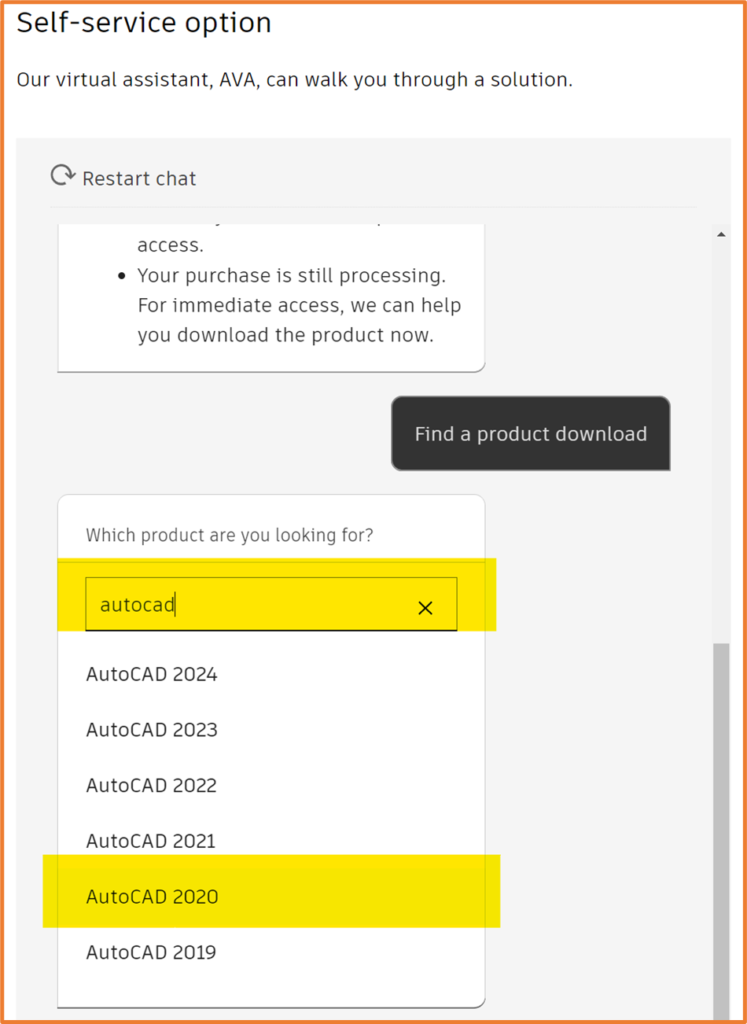
5. Start typing in the product name and then select the product you require from the list.
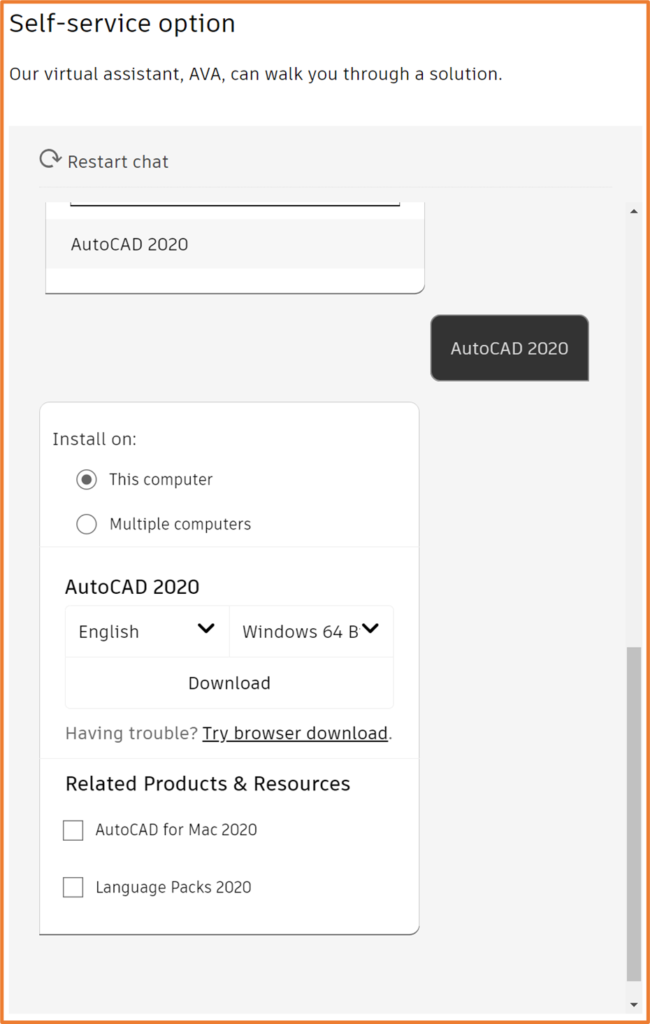
6. You will then be given the option to get a Web installer by selecting the download link, or you can choose to download the installation files beforehand by selecting “Try browser download”.
If you require versions older than the last 6 versions, please get in touch with us and we will gladly help to facilitate that.
Still got Questions?
Buy Software
Autodesk is a global leader in software for architects, builders, engineers, designers, manufacturers, 3D artists and production teams. Contact us now to find out which software is right for you.
Contact Us
We are here to ensure you receive a consistently high service and quality solutions for your business needs. We promise you won’t regret speaking to us, and if we can’t help you, we will try to find someone that can.