


Manufacturing businesses rarely struggle because they lack information. The problem is often where that information lives. Product ideas may be stored in emails, change requests tracked in spreadsheets or work documents, and quality issues recorded in separate systems. As products become more complex, this fragmented approach makes it harder to see what has been approved, who needs to act and which information is current.
Autodesk Fusion Manage provides a cloud-based Product Lifecycle Management platforms that connects product data with the processes used to manage it. It gives teams a structured way to control activities across the product lifecycle, without forcing every department to work inside an engineering CAD system.
Configurable Workflows for Everyday Processes
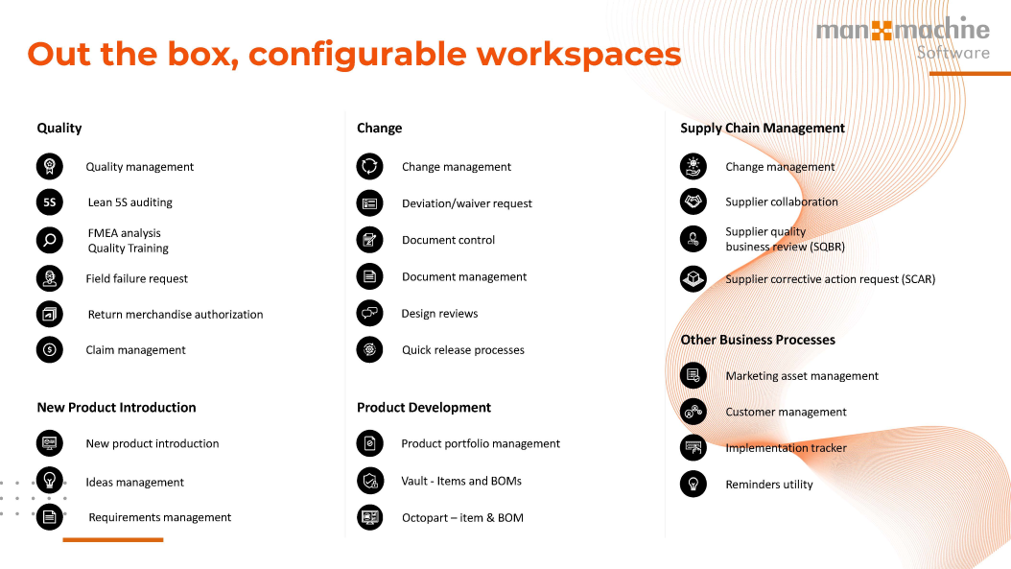
Autodesk Fusion Manage is built around configurable workspaces and workflows. These can be used to manage processes such as ideas, new product introduction, engineering changes, supplier records and quality activities. However, there’s many out of the box workspaces for managing other processes.
Each record or ‘item’ can follow an agreed route through review and approval. Tasks are assigned to the right people, progress is visible and the history of each decision is retained. This replaces informal processes that depends on emails, shared spreadsheets or knowledge held by individual employees, and in turn provides us with the ability to one-click export a full log of actions, which is incredibly useful for audits.
Because workflows can be configured around the way a business operates, companies can begin with one priority process and expand the system over time. For example, a manufacturer may start by controlling engineering change requests before adding non-conformance reporting or new product development.
Better Control of Bills of Materials and Product Changes
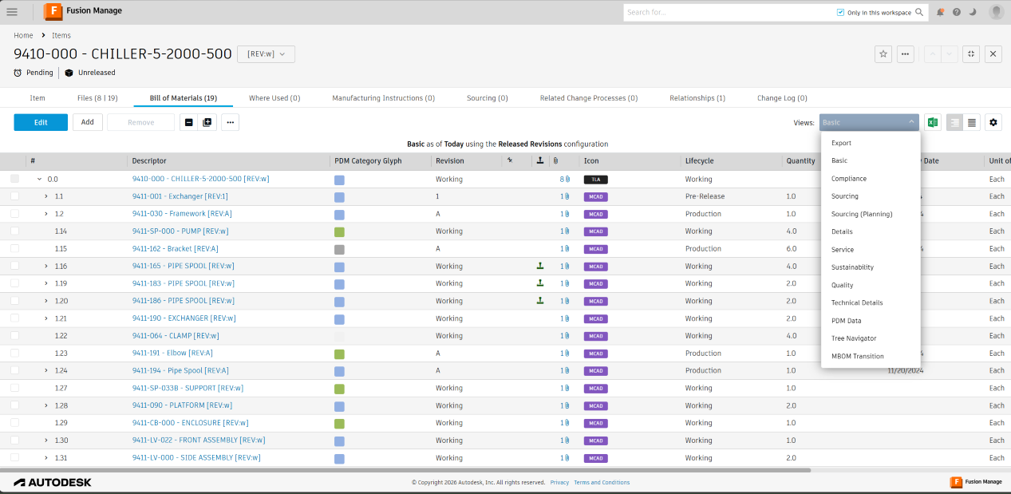
Autodesk Fusion Manage provides a controlled environment for managing product items and bills of materials as a design moves toward production. An engineering bill of materials, or EBOM, can be transformed into a manufacturing bill of materials, or MBOM, without losing the connection between the two.
The EBOM reflects how engineering has design the products. The MBOM can then be re-organised to reflect how it will actually be manufactured. Teams can add items that may not exist in the CAD model, adjust the structure to suit assembly processes and include the information required by production. This gives manufacturing a usable BOM while maintaining traceability back to the original engineering definition.
Individual BOM items can also move through defined lifecycle states. An approved component does not necessarily need to wait for the complete top-level assembly to be finished before action is taken. For example, a long-lead item could be released to purchasing while other areas of the product are still being developed. Procurement gains more time to obtain pricing, confirm availability and place orders where appropriate, helping to reduce delays once the complete BOM is ready.
When used alongside Autodesk Vault, engineering data can be transferred into Fusion Manage and made available to the wider business, without giving every user access to the CAD system.
Connecting Quality Activity to the Product Record
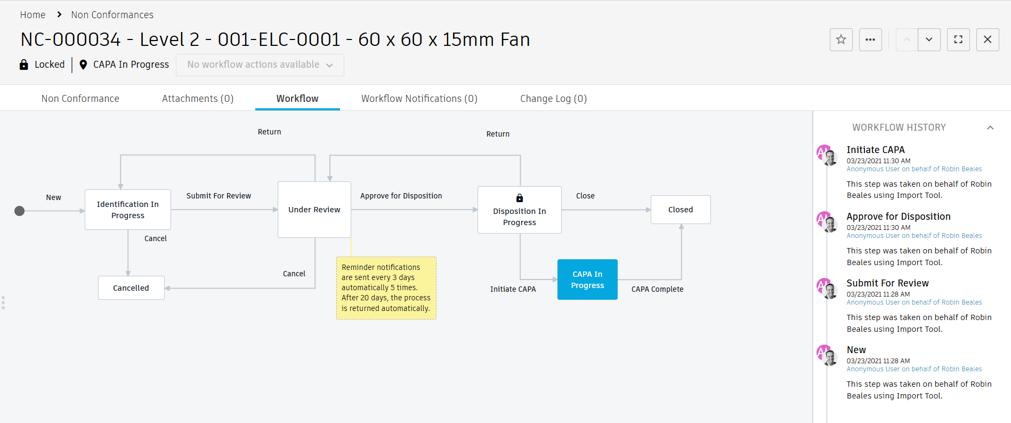
Quality processes are another practical use for Autodesk Fusion Manage. Non-conformance, corrective actions, audits and supplier issues can be recorded against the relevant product, part or process.
Rather than treating quality problems as isolated records, teams can link them to changes and automate follow-up actions. This provides clearer traceability and supports a more consistent approach to resolving the cause of an issue, not just the immediate symptom.
A Practical Route into PLM
Autodesk Fusion Manage does not need to be introduces as one large, disruptive project. Its cloud-based and configurable approach allows organisations to focus on the areas creating the most risk or administration today.
Man and Machine can help you identify a suitable starting point, map the required workflow and configure Autodesk Fusion Manage around your existing processes. The results is a practical PLM system that improves visibility and control while giving teams a clearer way to work together.
Still got Questions?
Book Training
Through hands-on exercises, you will acquire the key skills and knowledge required to design models using Fusion. It will teach you everything from product development to simulation and fabrication.
Contact Us
We are here to ensure you receive a consistently high service and quality solutions for your business needs. We promise you won’t regret speaking to us, and if we can’t help you, we will try to find someone that can.