


Integrating Autodesk Vault with ERP systems is becoming increasingly important for manufacturers looking to reduce manual administration and create a more connected digital workflow between engineering and the wider business. Whilst direct API integrations are possible, they can often be costly, complex and more advanced than many organisations actually require.
PDM Booster is commonly used to help transfer and synchronise data between Autodesk Vault and other business systems such as ERP, MRP, or PLM platforms. However, before integrating these systems, it is important to ensure the Vault data itself is properly prepared. Issues such as duplicate files, inconsistent properties, unresolved models, poor naming conventions, or uncategorised data can quickly cause problems downstream if left unmanaged. Taking the time to clean and standardise engineering data before integration helps create a more reliable and maintainable process for the long term.
Preparing for Integration
It’s crucial to plan what metadata will be shared between each system and how it will be mapped. As a starting point, you could plot these onto a table, for example:
| File Property | Property on Drawing | Property in ERP | Filetype |
|---|---|---|---|
| Part Number | Drawing Number | Item Number | IAM |
Once you’ve defined this list, you can start adding properties to files and mapping them inside Autodesk Vault.
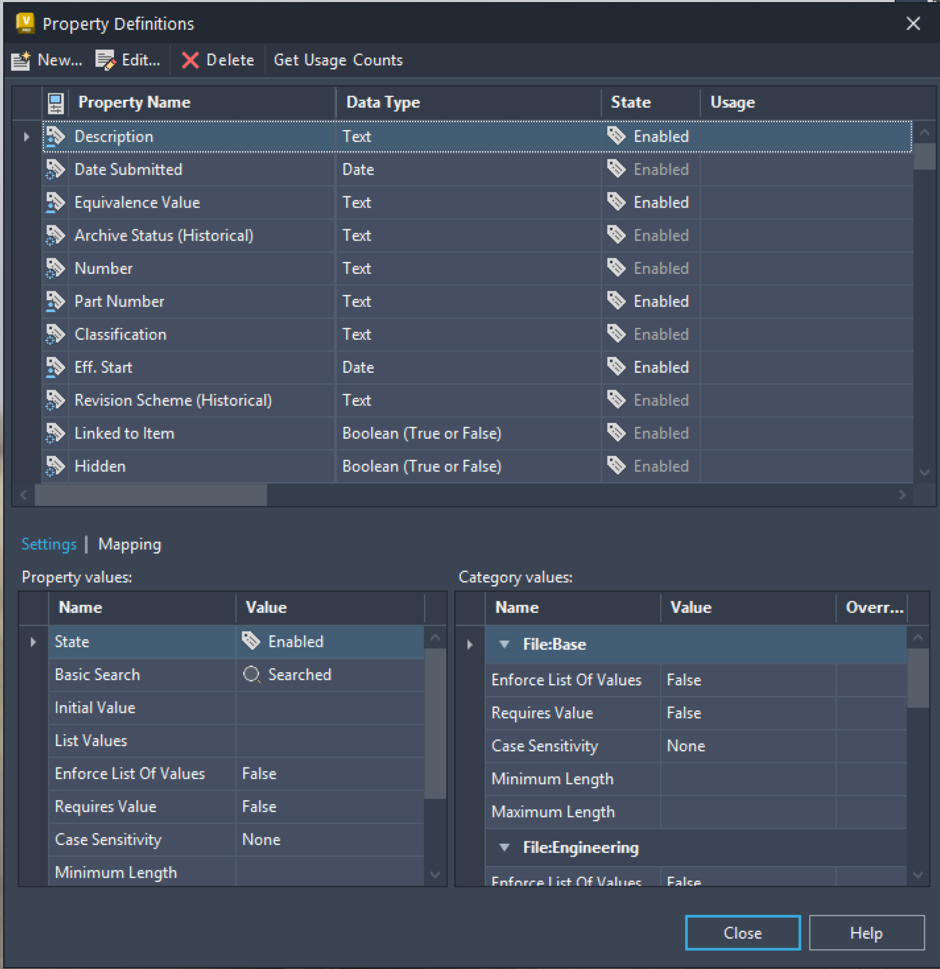
While this process can sound straightforward on paper, it becomes much easier once the required metadata and property mappings have been properly defined. Tools such as PDM Booster Manage or Data Standards can help enforce consistent property input, while Vault can synchronise properties between files, drawings and items where required.
One of the biggest challenges is often the existing legacy data stored within Vault., Adding missing properties, correcting inconsistent metadata, or restructuring older files, can quickly become a daunting task, especially in later environments with many years of engineering history. In reality, updating every legacy file at once is rarely practical or cost effective.
Instead, many organisation choose a phased approach. This might involve drawing a line in the sand and applying new standard only to future projects, or prioritising frequently used legacy data first. This is where tools such as PDM Booster can provide significant value. Bulk property updates, automated metadata population, reporting tools, and rule-based workflows can help identify, management, and gradually improve legacy data quality without relying entirely on manual administration. This creates a more manageable path towards ERP integration while helping maintain cleaner and more reliable engineering data over time.
Before starting any Autodesk Vault to ERP integration project, it’s important to understand both the technical requirements and the wider business process involved. At Man and Machine, we can help assess your existing Vault environment, identify areas that may require preparation, and guide you through best practise approaches for integration. We can also work alongside your ERP or software provider to help define data mappings, workflows and automation processes, helping create a more reliable and maintainable solution for the long term.
Still got Questions?
Book Training
With our Autodesk Vault training you will learn to consolidate and organise all product information securely for easy reference, sharing and re-use. Make sure you contact us to find out which course is right for you.
Contact Us
We are here to ensure you receive a consistently high service and quality solutions for your business needs. We promise you won’t regret speaking to us, and if we can’t help you, we will try to find someone that can.