


As the Architecture, Engineering and Construction (AEC) industry becomes increasingly data-driven, managing project information efficiently is more important than ever. Designers, planners, and project stakeholders needs tools that not only centralise data, but also make it actionable throughout the project lifecycle. This is where the Specifications Tool in Autodesk Forma plays a significant role in strengthening data management workflows.
Understanding Autodesk Forma Data Management
Autodesk Forma Data Management is designed to streamline planning and design by connecting data, workflows and collaboration is a unified cloud environment. Data management within Forma Data Management focuses on:
- Organising project information.
- Maintaining consistency across teams.
- Enabling real-time collaboration.
- Improving decision-making with accessible data.
- Supporting downstream workflows into detailed design and documentation.
One of the key challenges in project data management is ensuring that requirements, standards, and specifications remain structures, traceable and easy to update. The Specifications Tool addresses exactly this challenge.
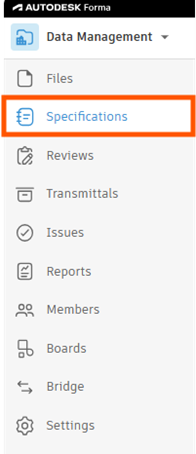
What is the Specifications Tool?
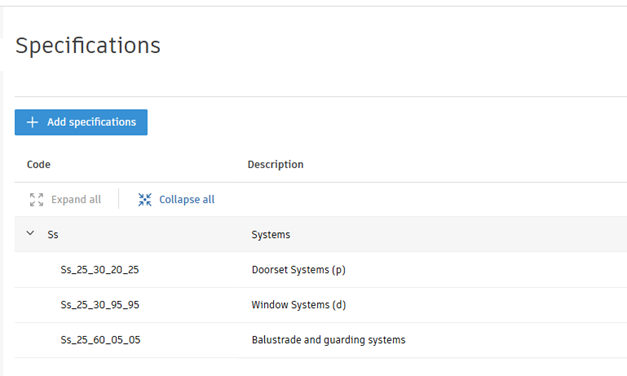
The Specifications Tool in Autodesk Forma allows project teams to define, organise and manage project-specific requirements and parameters directly within the planning environment. Instead of storing specifications in disconnected spreadsheets or static documents, teams can integrate them into the project ecosystem. Specifications may include:
- Building requirements.
- Area targets.
- Sustainability goals.
- Space usage criteria.
- Material preferences.
- Compliance standards.
- Performance benchmarks.
By centralising this information, Forma Data Management creates a single source of truth for project data.
Why Use Specifications Tool?
One of the biggest advantages of the Specifications Tool is centralisation. Traditional, project specifications are scattered across:
- Emails
- PDFs
- Excel spreadsheets
- Separate documentation platforms
This fragmentation often causes:
- Version conflicts
- Miscommunication
- Data duplication
- Outdated information usage
With Autodesk Forma Data Management, specifications become part of the live project environment, ensuring all stakeholders work with the latest information.
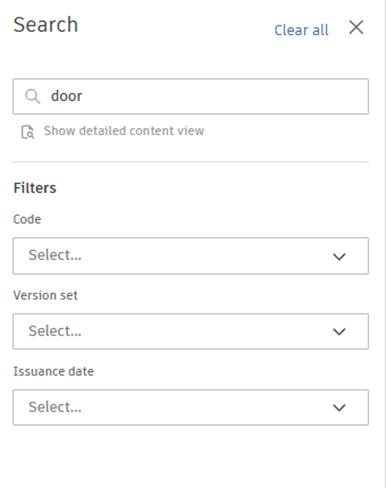
The best part of the Specifications Tool is how much time it saves. Specification documents are often extremely long, packed with pages upon pages of detailed information. Finding the right document is challenging enough, but locating the exact paragraph you need can quickly become overwhelming. Hours, sometimes even days, can be spent searching through emails, folders and archived files, then scrolling through endless pages trying to find the right detail.
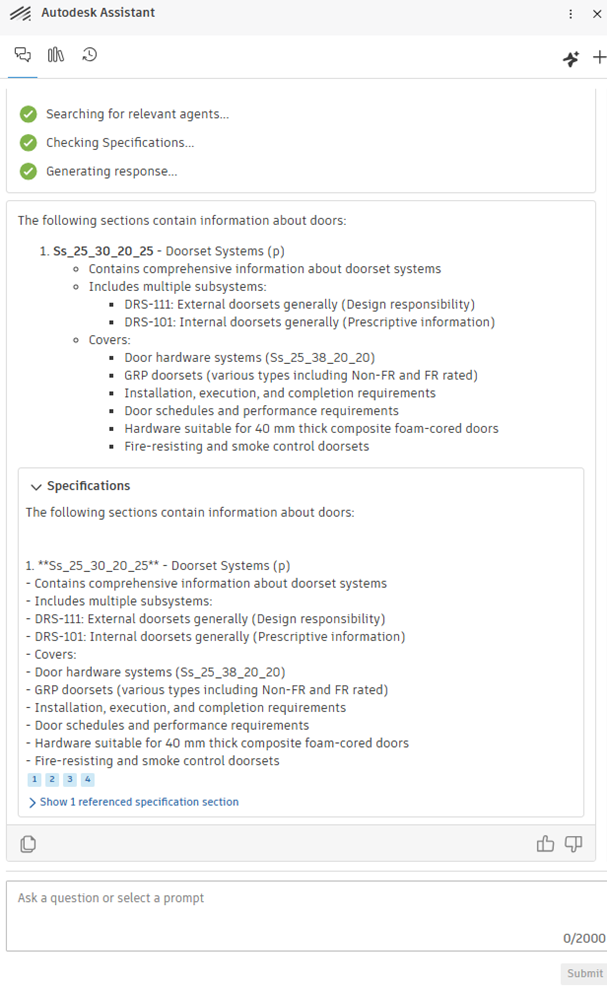
The Search function and the AI function within Autodesk Forma Data Management changes that completely. It gives you back valuable time so you can focus on what really matters; delivering projects accurately, efficiently, and on schedule.
AI Functionality:

To conclude, the Specifications Tool in Autodesk Forma is much more than a documentation feature – it is a powerful data management solution for modern design and planning workflows. By centralising requirements, improving consistency, enabling collaboration, and supporting data-driven decisions, it helps project teams work more efficiently and confidently throughout the project lifecycle.
As the AECO industry continues moving toward connected and intelligent workflows, tools like these will become essential for delivering successful, sustainable and well-coordinated projects.
Still got Questions?
Book Training
We have developed a robust set of onboarding and deployment services to ensure best-in-class implementation of Autodesk Forma (formerly the Autodesk Construction Cloud)
Contact Us
We are here to ensure you receive a consistently high service and quality solutions for your business needs. We promise you won’t regret speaking to us, and if we can’t help you, we will try to find someone that can.