


If you’ve ever worked with AutoCAD, you’ve likely experienced the frustration of accidentally erasing, moving or modifying something you didn’t intend to. While AutoCAD offers several tools for undoing actions, the OOPS command is a lesser known yet incredibly useful tool that can save you a lot of headaches when it comes to recovering lost objects.
In this blog, we’ll take a look at the OOPS command, how to use it effectively, and why it’s a game-changer for both new and experiences AutoCAD users.
And no, this is not a joke, it’s a real command!
- Open a new drawing.
- Place some geometry, start by drawing 3 circles and 3 rectangles. The dimensions are not important.
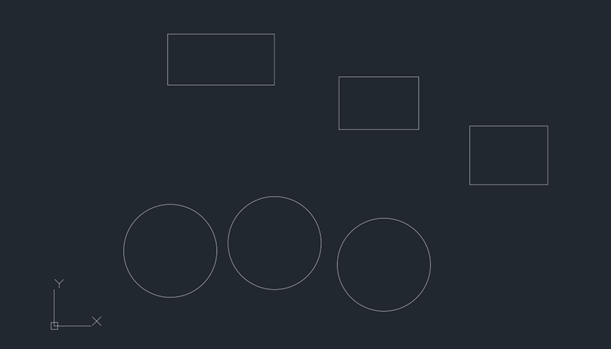
- Erase the circles and place 2 more rectangles above the rectangles you have, again the dimensions are not important.

At this point, let’s say we realised we want the circles back, and we do not want to lose the two rectangles we have just placed.
If we select UNDO, we will lose the last 2 rectangles we have just places. The OOPS command in AutoCAD is used to restore objects that have been accidentally erased in your current drawing session. Unlike the regular UNDO or REDO commands, which affect all changes made, OOPS specifically targets and recovers the objects that were erased, without altering the rest of your drawing.
- Type OOPS in the command line (CLI) or in the user interface (UI) and press enter.
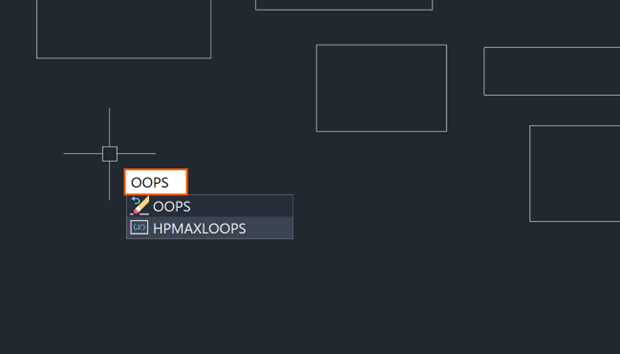
The circles will return, and you will not lose the last drawn objects (in this instance, the two rectangles we places after we erased the circles).
The OOPS command is a simple yet powerful features in AutoCAD that allows you to restore erased objects without disrupting your entire workflow. Whether you’re a seasoned professional or just starting with AutoCAD, mastering this command can help you save time, prevent frustration and work more efficiently. Next time you accidentally erase a crucial element, remember that OOPS is here to save the day!
Still got Questions?
Book Training
With our range of AutoCAD courses we can teach you best-in-class 2D and 3D design skills. This includes drawing, taking measurements, producing templates and everything required to create your designs.
Contact Us
We are here to ensure you receive a consistently high service and quality solutions for your business needs. We promise you won’t regret speaking to us, and if we can’t help you, we will try to find someone that can.