


Have you ever made a spelling mistake? Do you ever use text in AutoCAD? Wouldn’t it be great if there was an easy way to spellcheck your text in AutoCAD?
Spellcheck Command
AutoCAD has a spell checking function, not the most exciting function in AutoCAD but very powerful for those like myself who spell words wrong sometimes.
To launch the spell check, simply use the command “Spell”. This will open the Check Spell Window.
At the very top is a drop down for “Where to Check”, we have three options:
- Entire Drawing
- Current Space/Layout
- Selected Objects
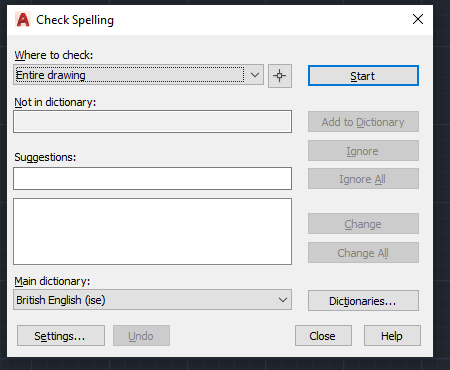
Simply select one of these options and click the Start button. AutoCAD will now spell check your writing.
Still got Questions?
Book Training
With our range of AutoCAD courses we can teach you best-in-class 2D and 3D design skills. This includes drawing, taking measurements, producing templates and everything required to create your designs.
Contact Us
We are here to ensure you receive a consistently high service and quality solutions for your business needs. We promise you won’t regret speaking to us, and if we can’t help you, we will try to find someone that can.