


Have you ever wanted to sum a property (such as length) in an Inventor Parts List, but simply been left with the quantities of individual units? This handy guide will show you how to do it!
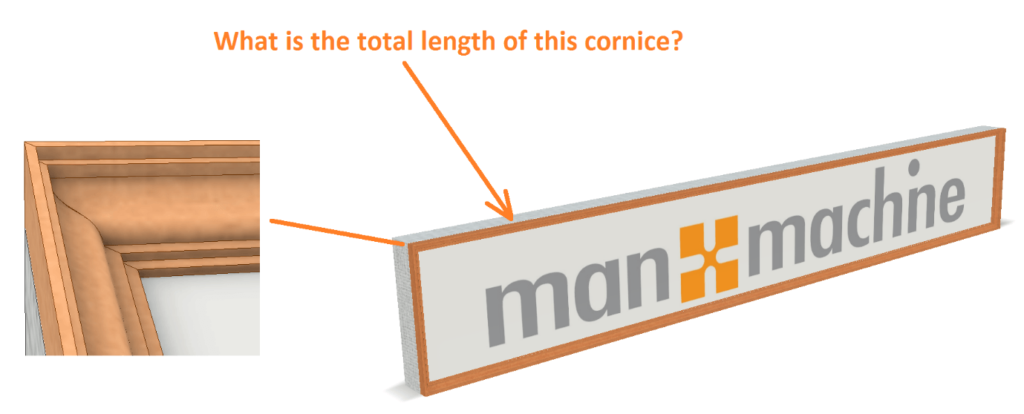
In this example, we will explore how to sum the length of a cornice in a picture frame assembly. The cornice is made up of four segments, pairs of different lengths. They are iParts, and all share the same part number in this case.
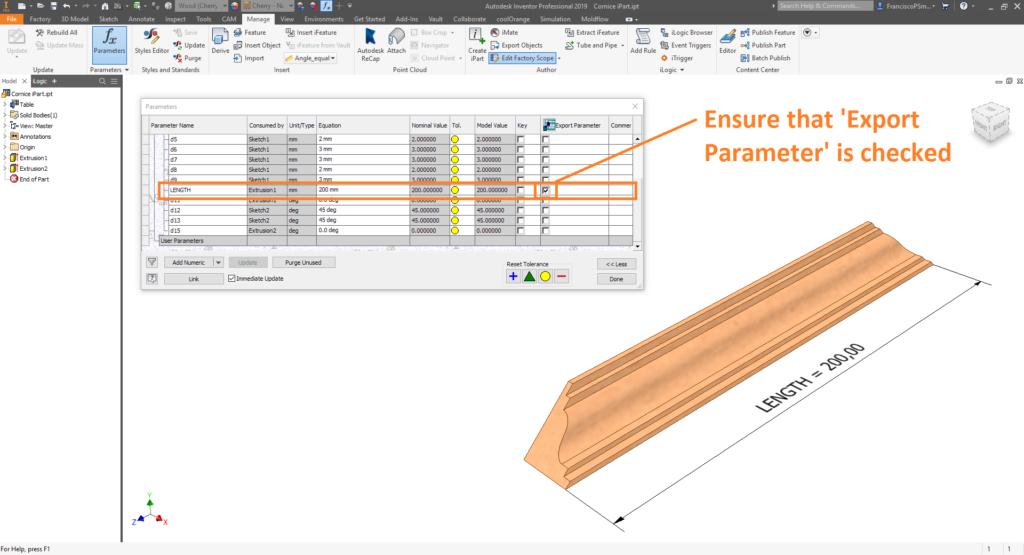
Step 1: Define a Custom Property within your Inventor Parts
Start by defining the property you would like to aggregate in the parts list. In this case, we need to know the sum total of the lengths of the cornice members. In the cornice parts, we have a parameter ‘LENGTH’ which is used to define its length. Important: ensure that the ‘Export Parameter’ tickbox is checked.
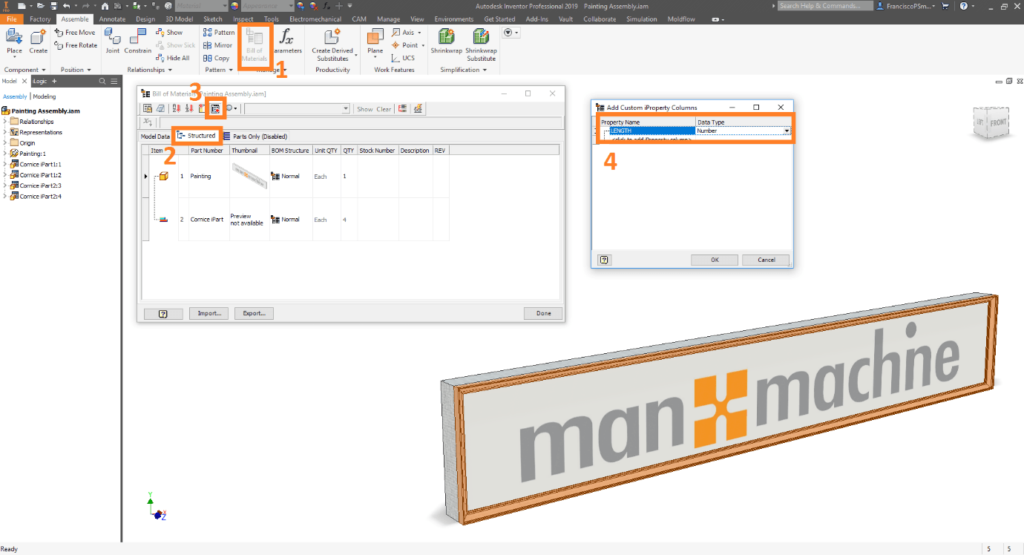
Step 2: Configure the BOM to list the Custom Property
In the assembly BOM, add the custom parameter you wish to aggregate later in the parts list.
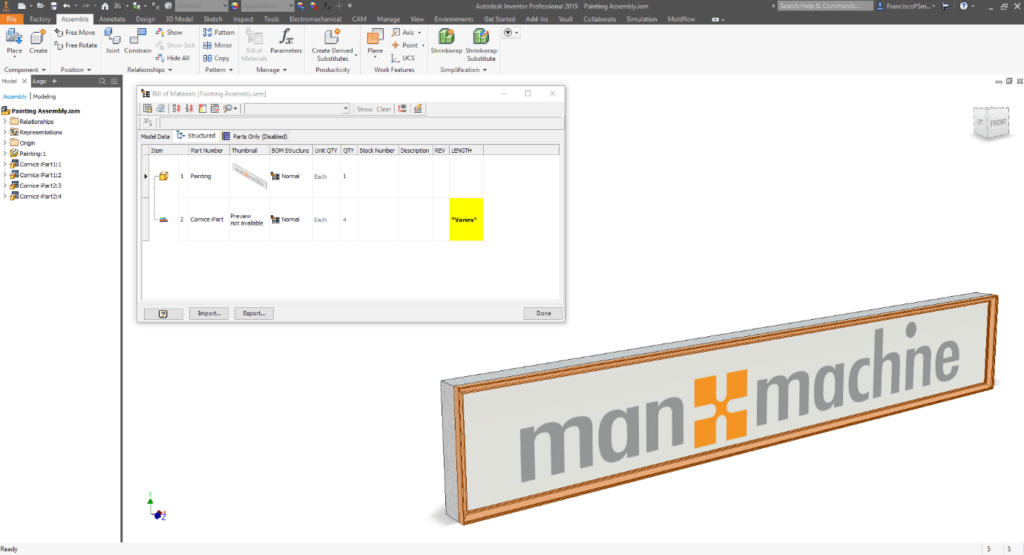
Next, edit Part Number Row Merge Settings. To the exception list, add the part number of the parts whose value you wish to aggregate (in this case, ‘Cornice iPart’).
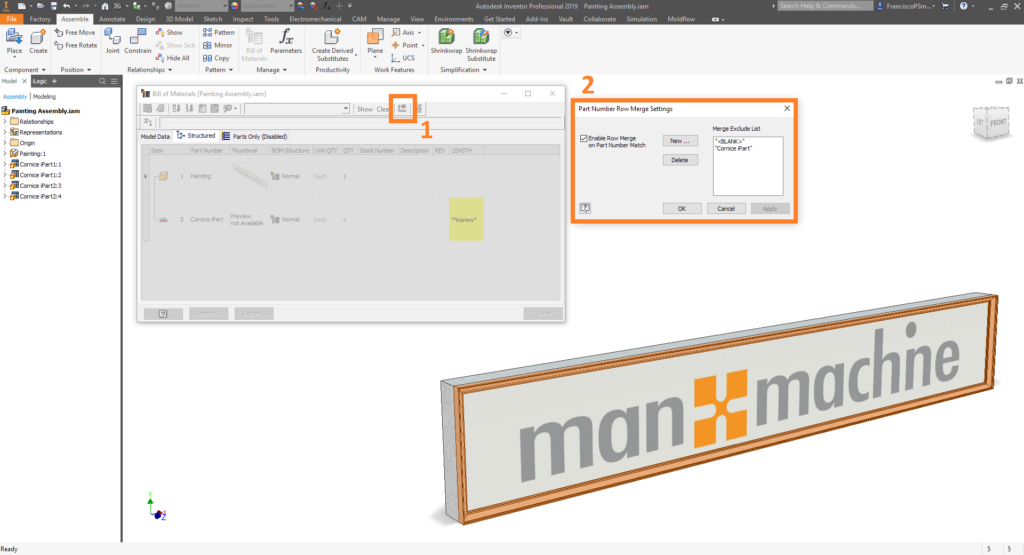
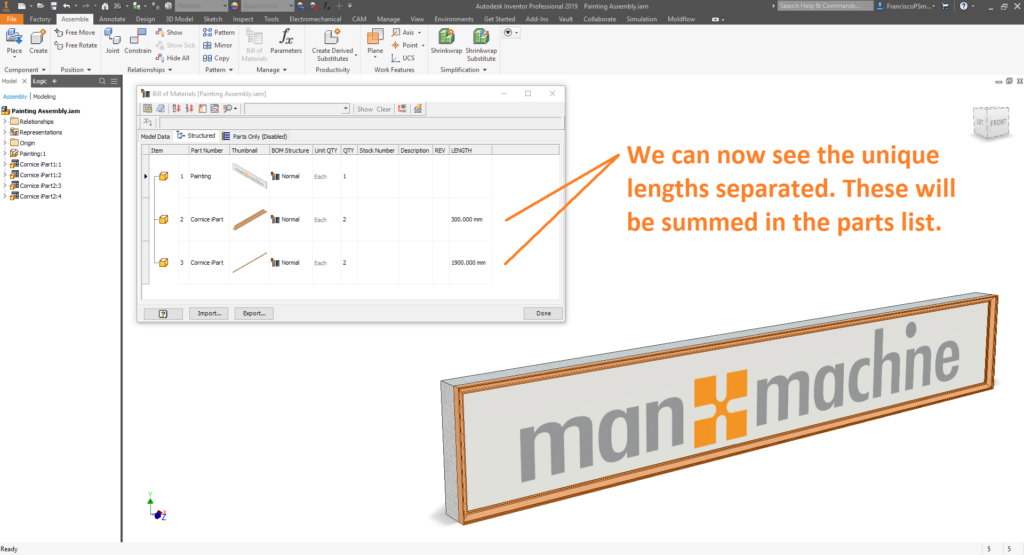
Step 3: Configure the Parts List to Sum the Custom Property
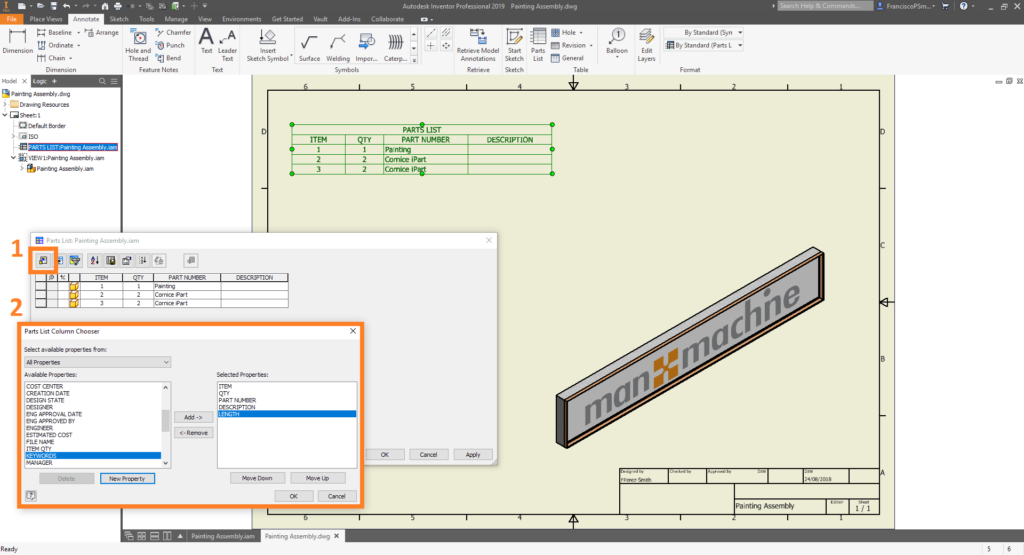
In the drawing, create a parts list, and add the custom iProperty you wish to aggregate (in this case ‘LENGTH’).
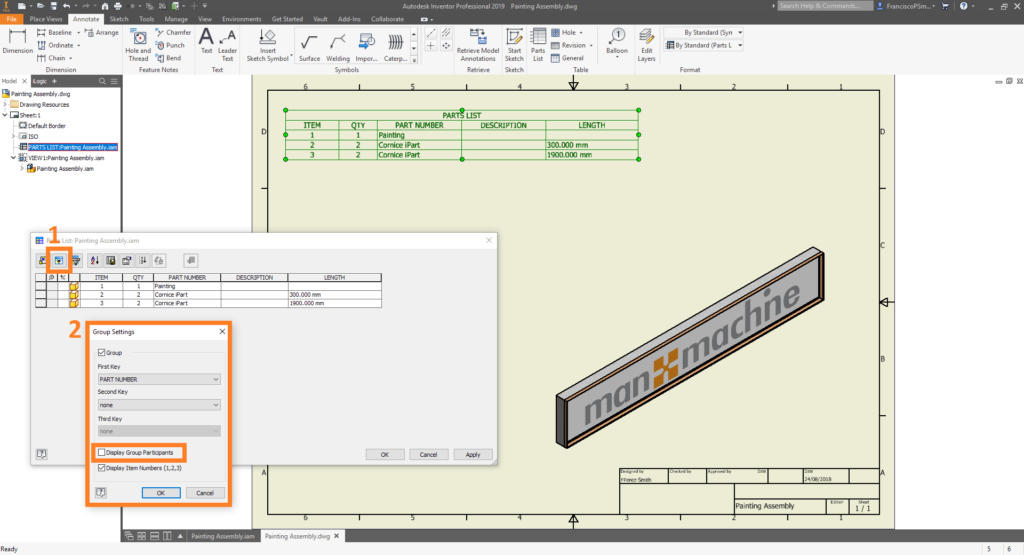
Next, in ‘Group Settings’, set the Parts List to group by ‘Parts Number’. Be sure to untick ‘Display Group Participants’. This will place all the cornice lengths together in one row.
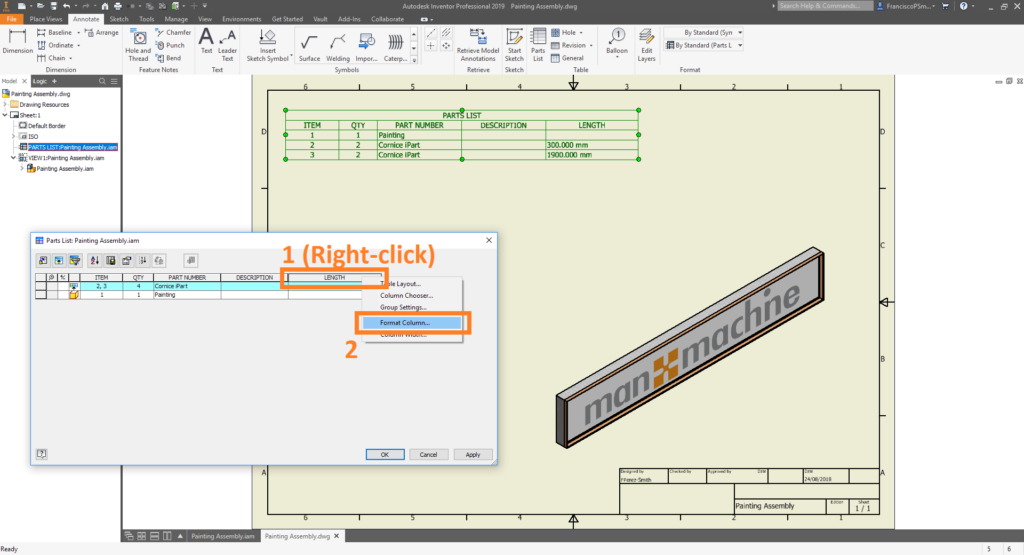
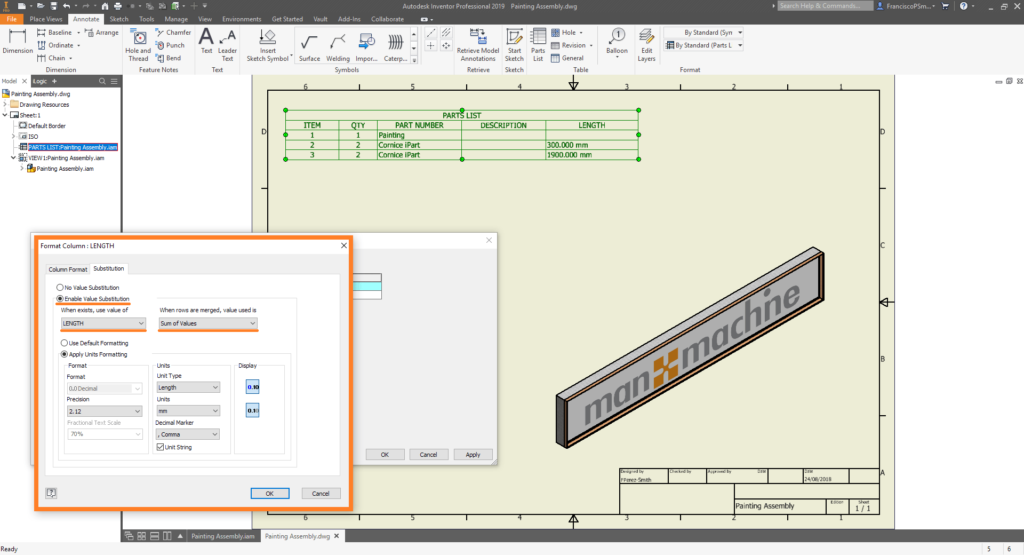
Lastly, right-click the custom parameter column, and select ‘Format Column’. Under the ‘Substitution’ tab, select ‘Enable Value Substitution’, input your custom parameter (in this case, ‘LENGTH’), and for the value used, select ‘Sum of Values’.
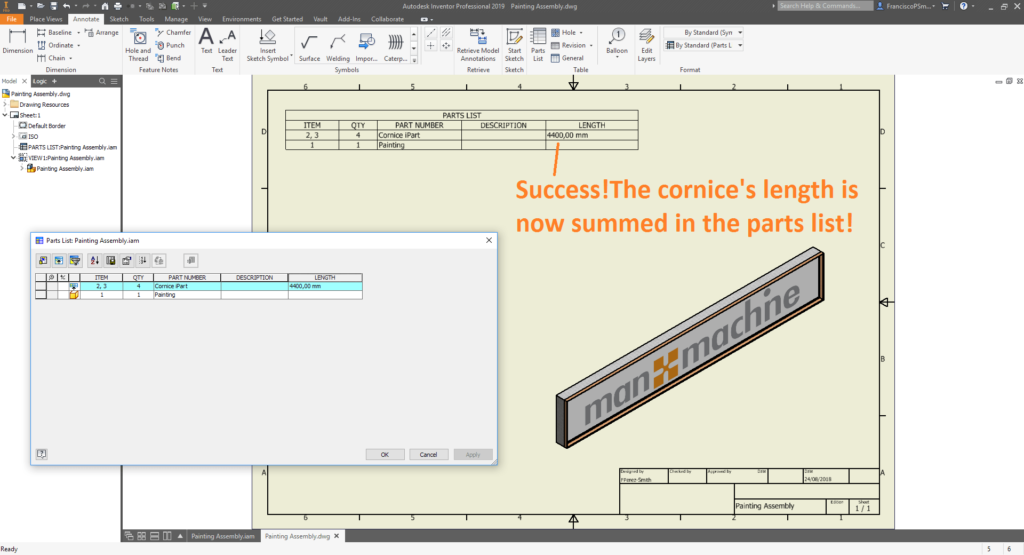
A tremendous success! Now your parts list sums the value of your custom parameter. If you’re interested in learning more tips and tricks, or would like to hone your Inventor skills, don’t hesitate to contact Man and Machine. Our professional trainers will have you a master of all things Inventor in no time.
Still got Questions?
Book Training
Our range of Autodesk Inventor training courses will teach you how to create production-ready parts and assemblies through hands-on learning experience. Make sure you contact us to find out which course is best for you.
Contact Us
We are here to ensure you receive a consistently high service and quality solutions for your business needs. We promise you won’t regret speaking to us, and if we can’t help you, we will try to find someone that can.