


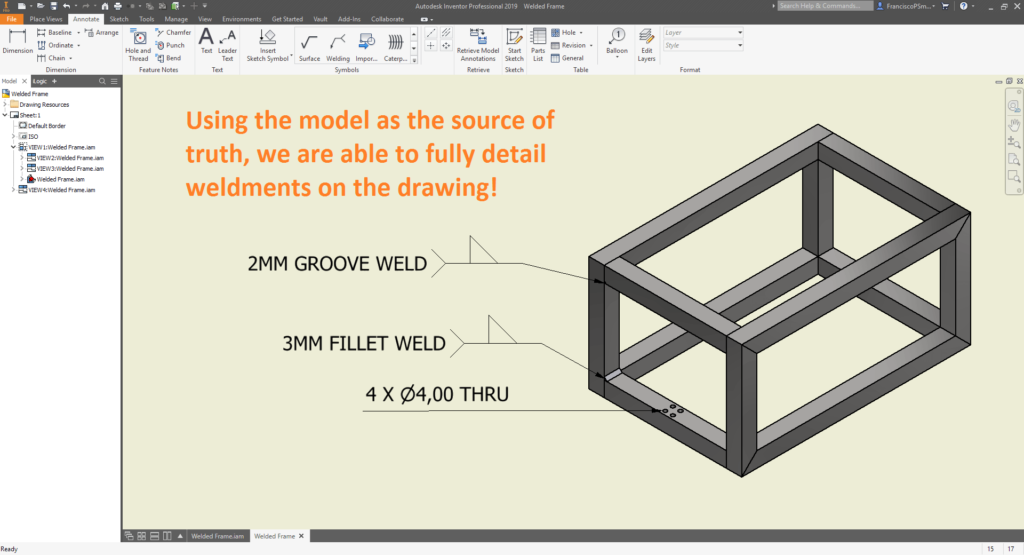
In line with Autodesk’s paradigm of having the model as the ‘source of truth’, it is possible to specify welding detail within an Inventor model. This is fantastically useful as it is also then possible to pull this information onto a 2D drawing. In this illustrated guide to weldments, we will explore the processes of converting an assembly into a weldment, defining welding details, and pulling this information onto a 2D drawing.
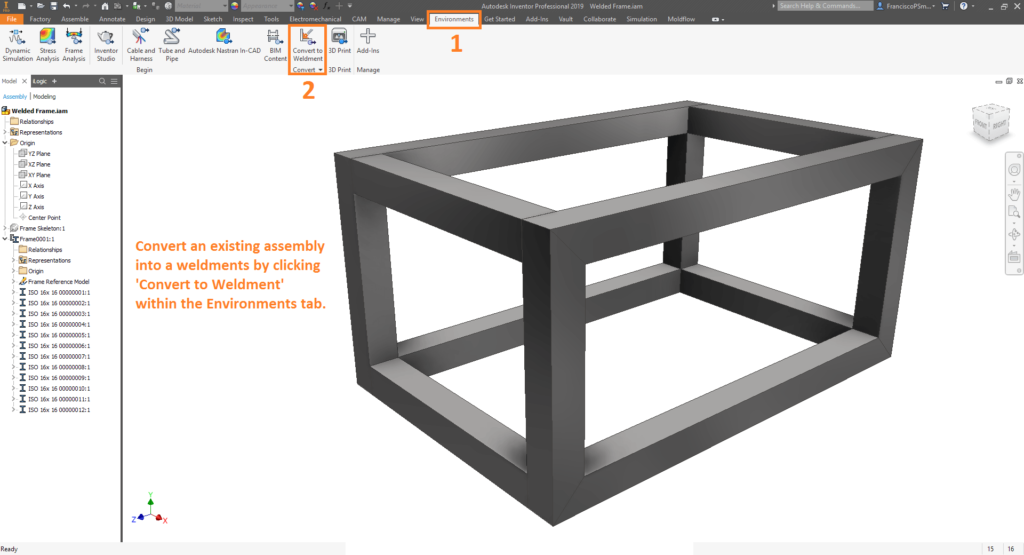
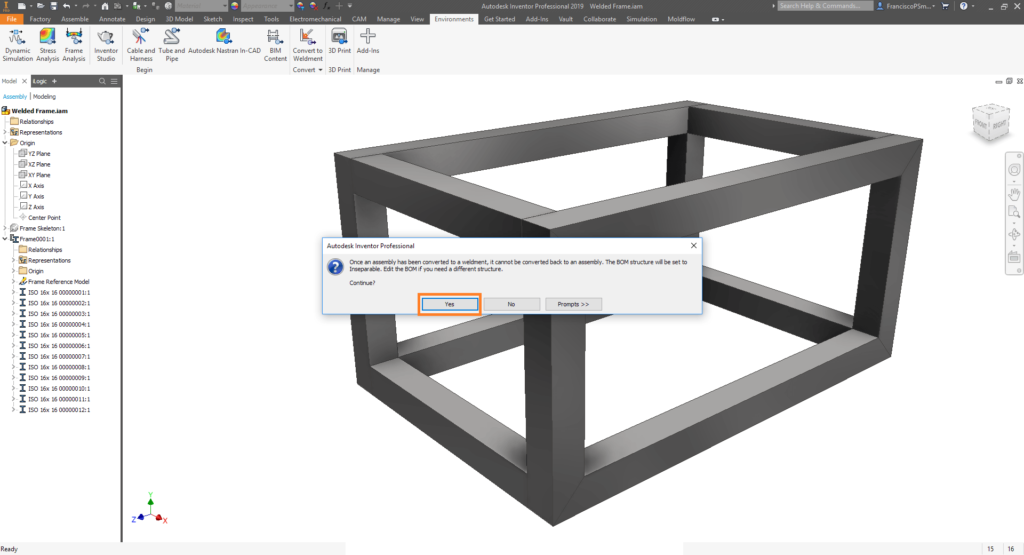
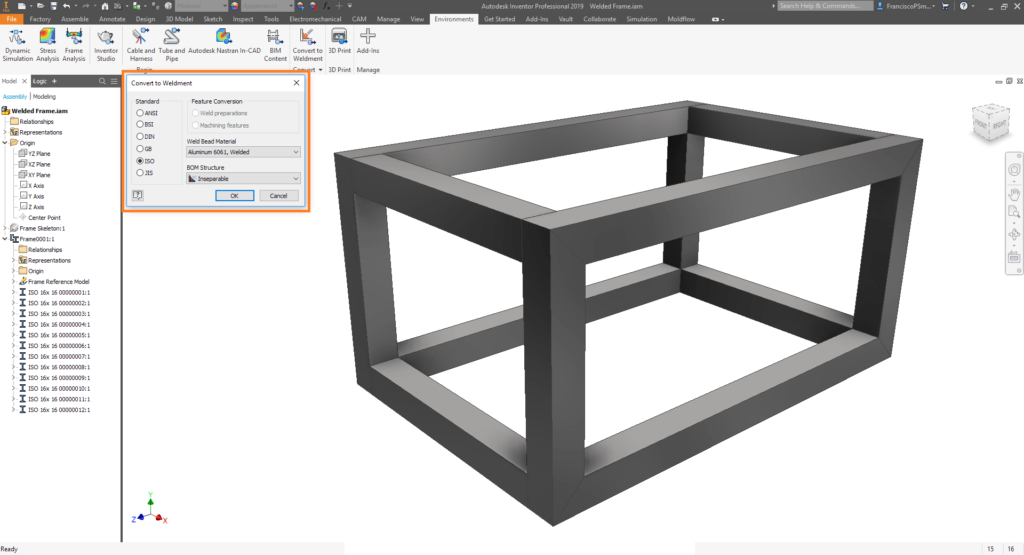
Step 1: Converting an Assembly into a Weldment
Step 2: Creating Welds and Specifying Weld Symbols
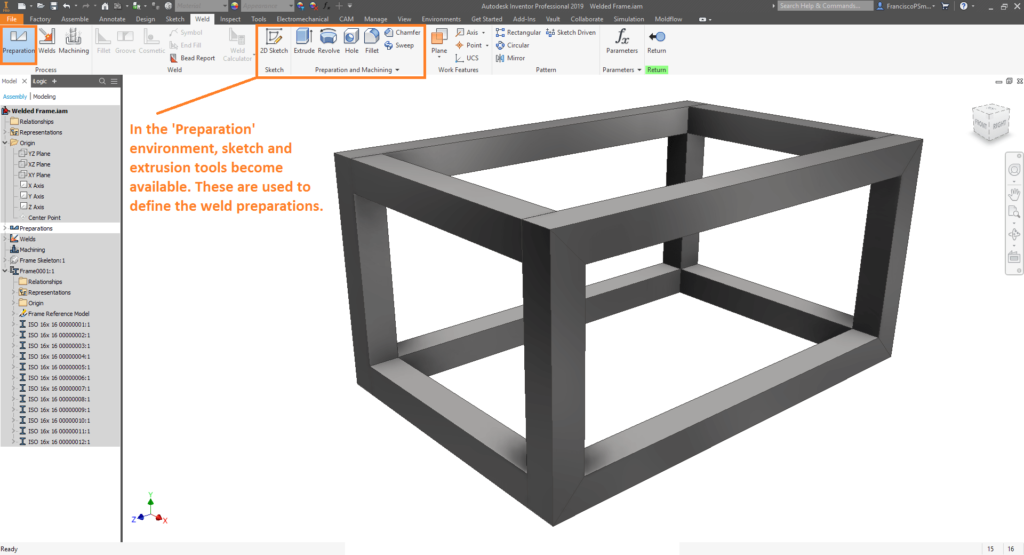
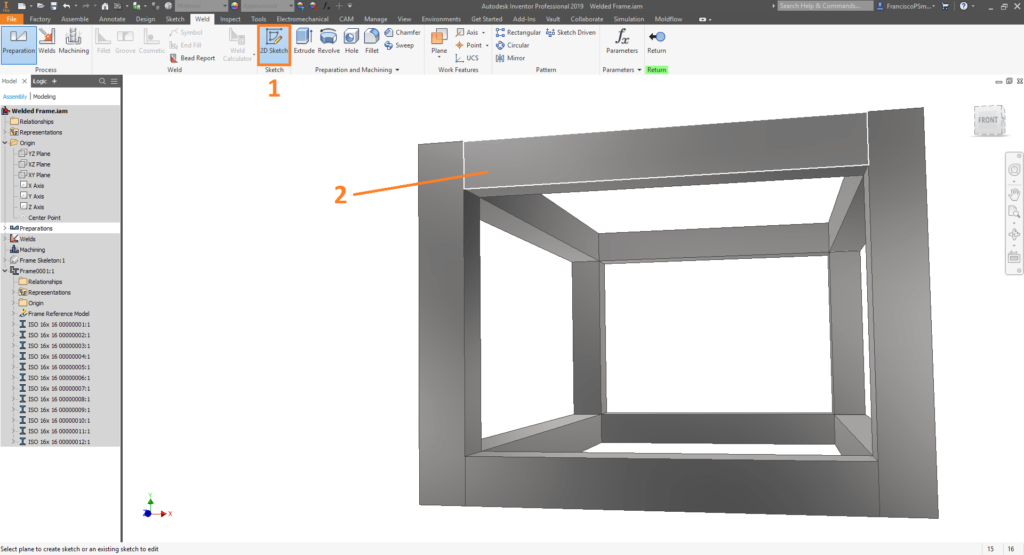
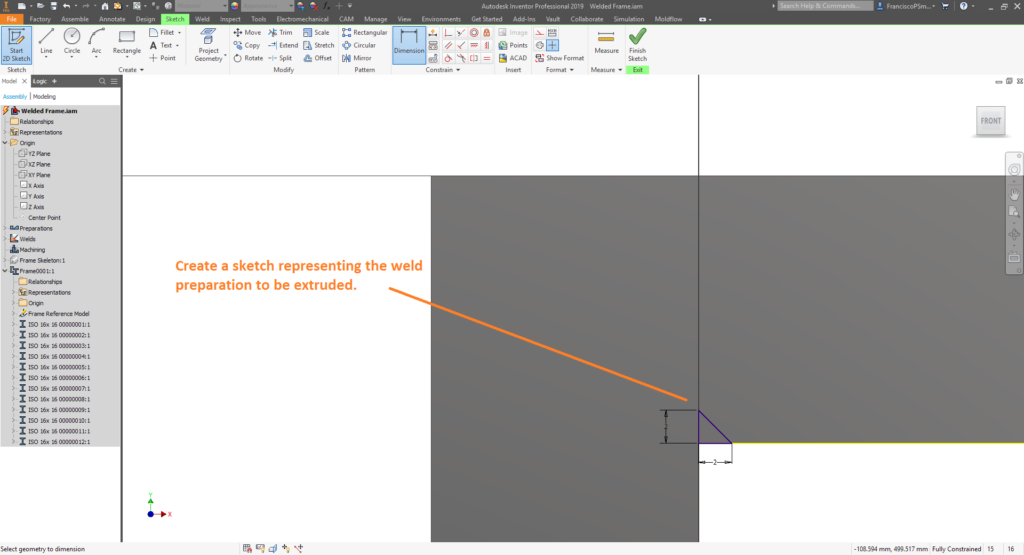
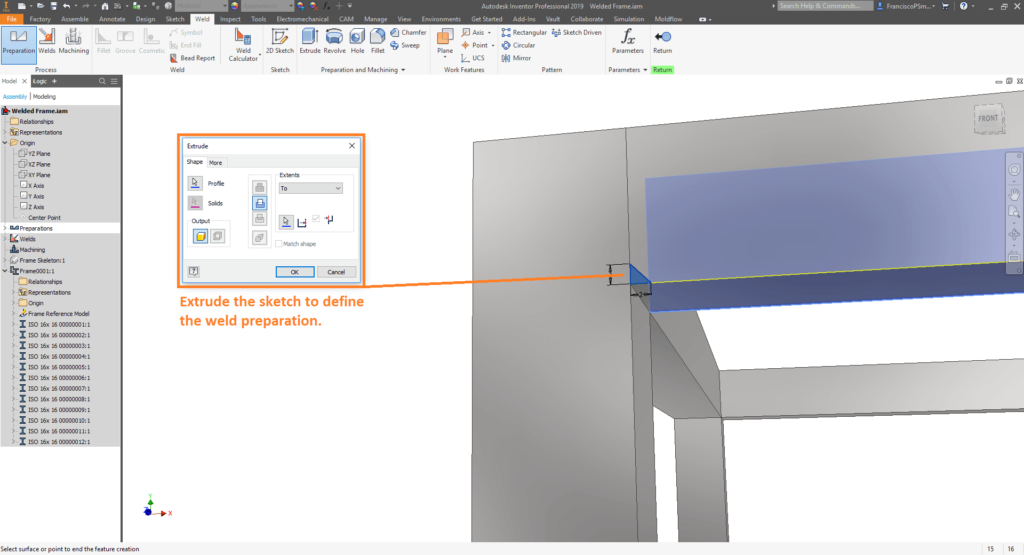
Part 2A: Weld Preparations
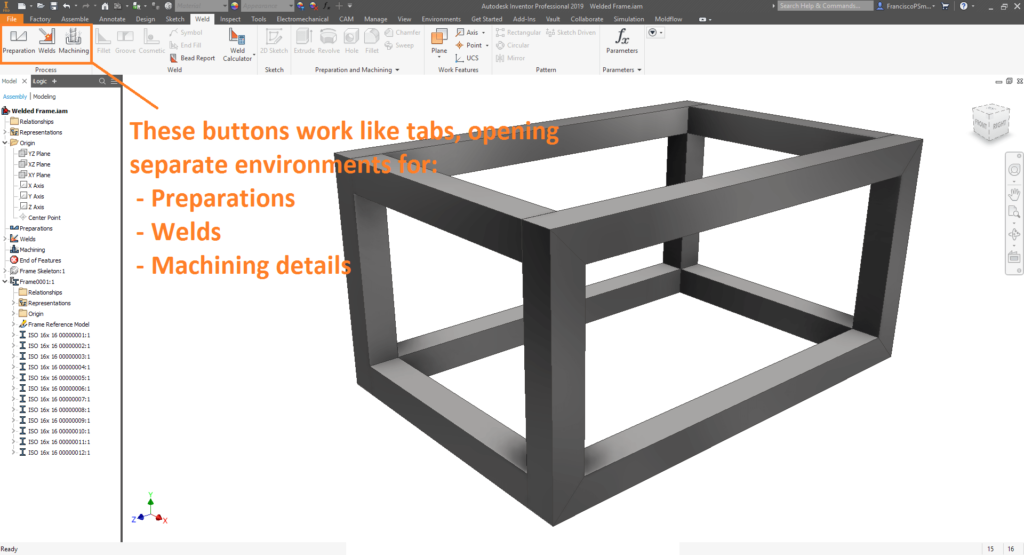
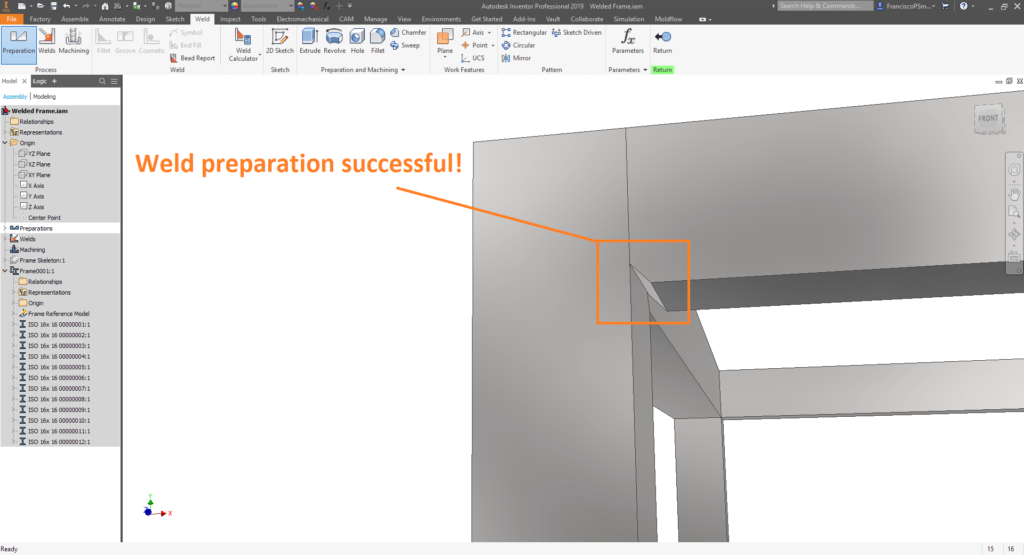
Part 2B: Welds and Welding Symbols
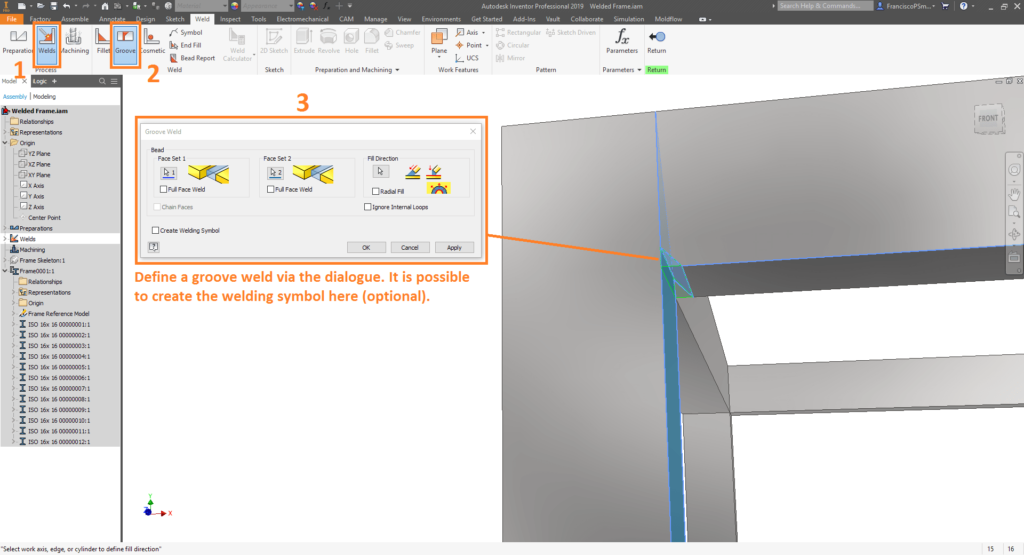
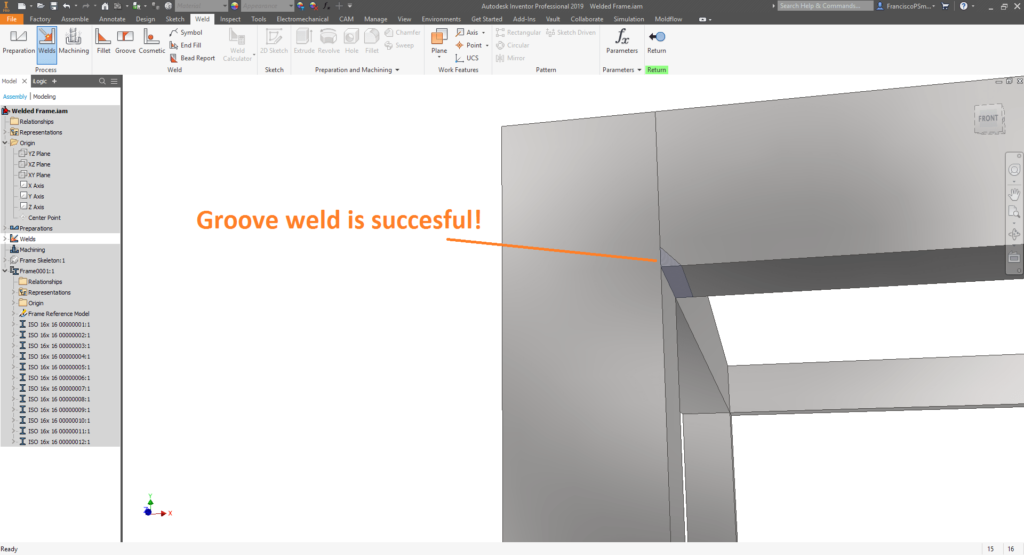
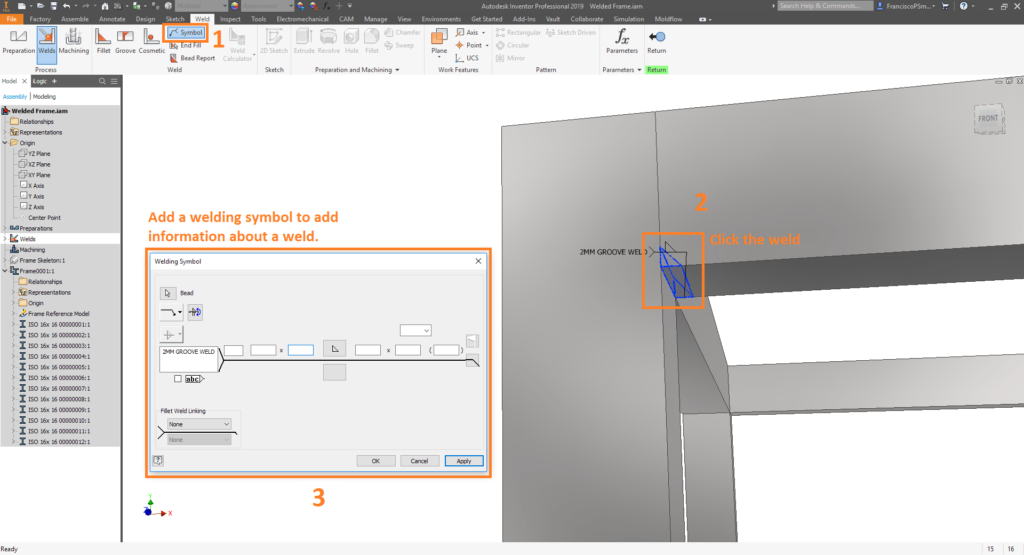
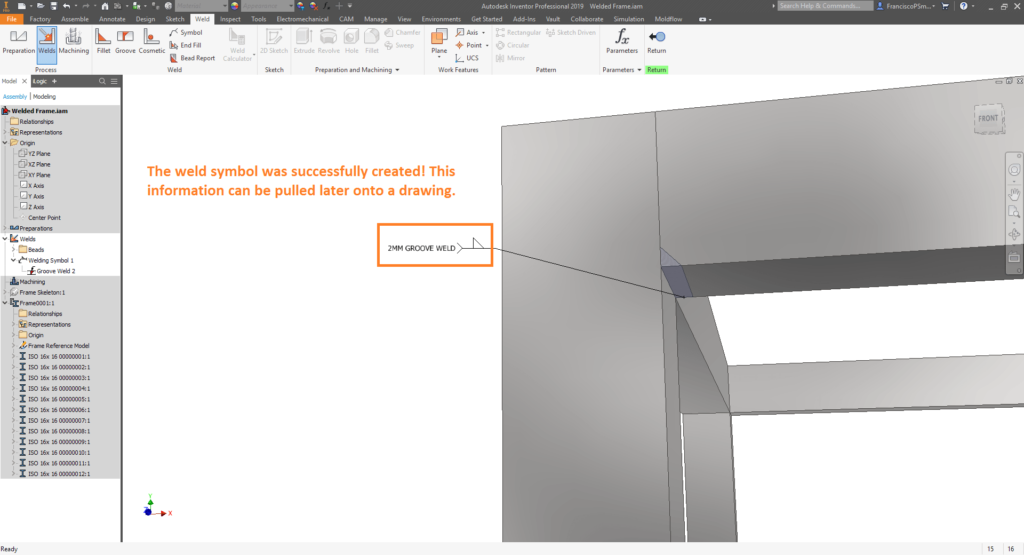
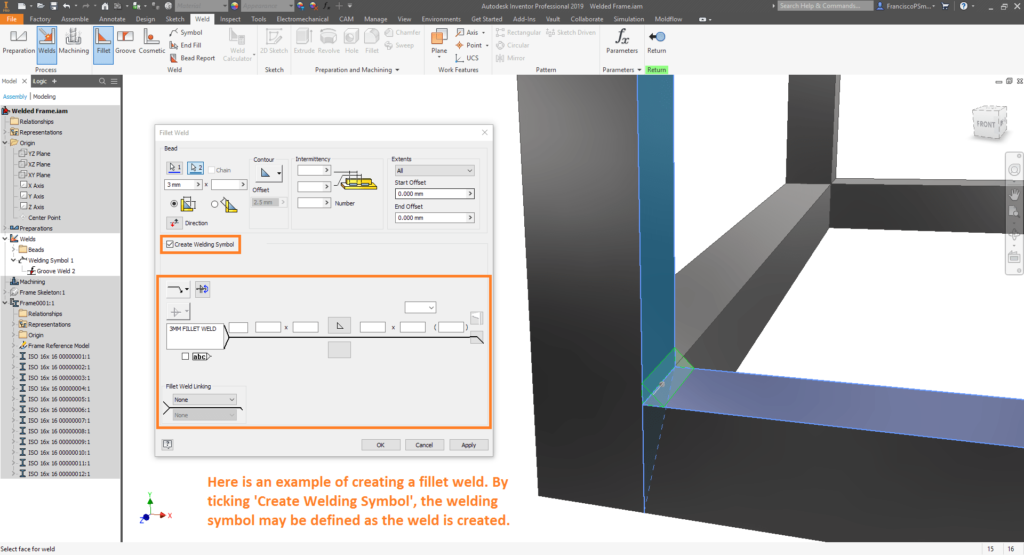
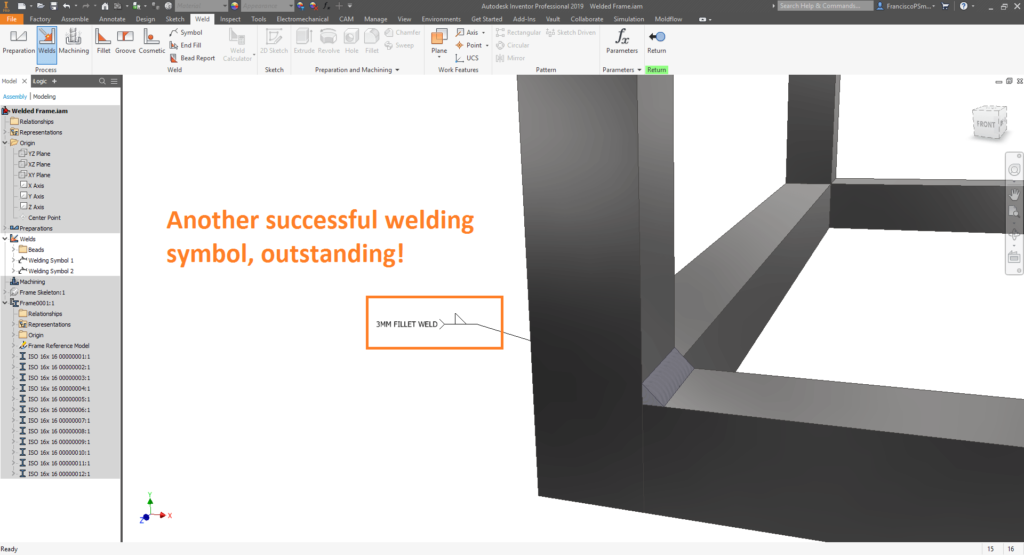
Part 2B: Welds and Welding Symbols
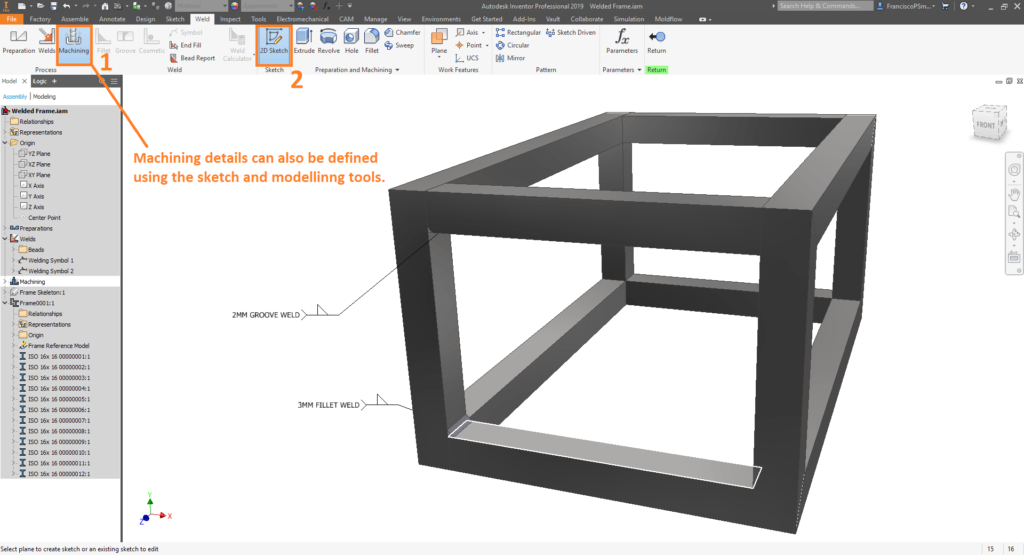
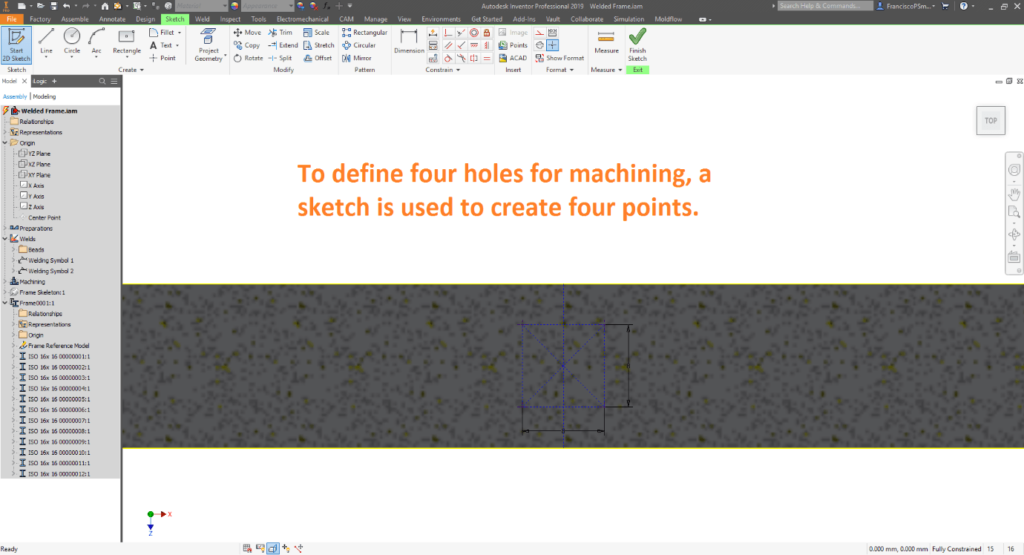
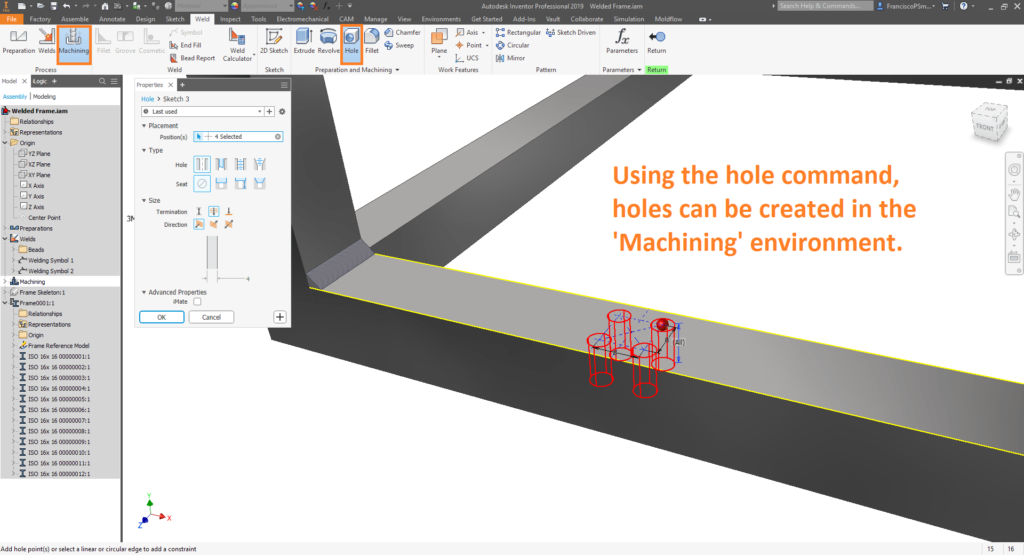
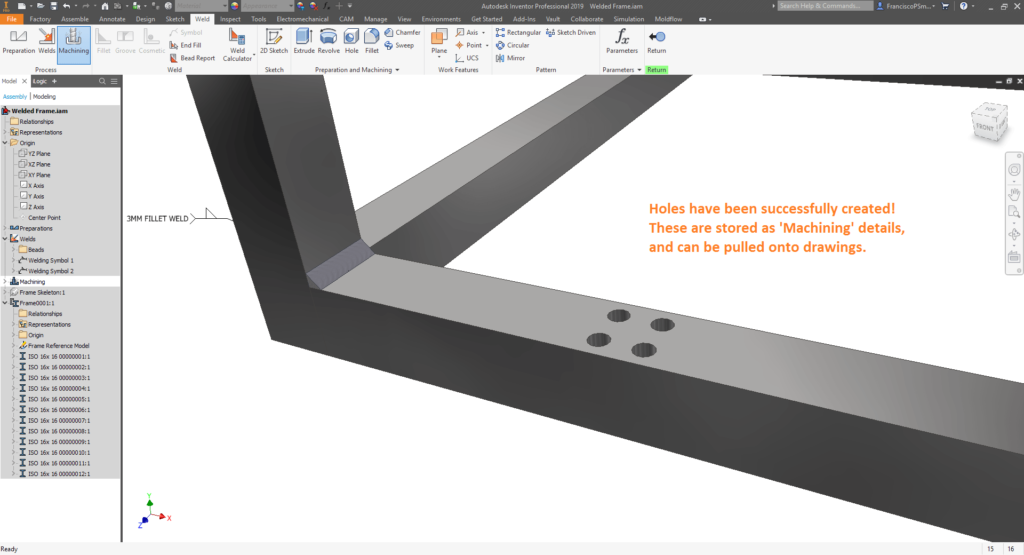
Bonus: Weld Calculations
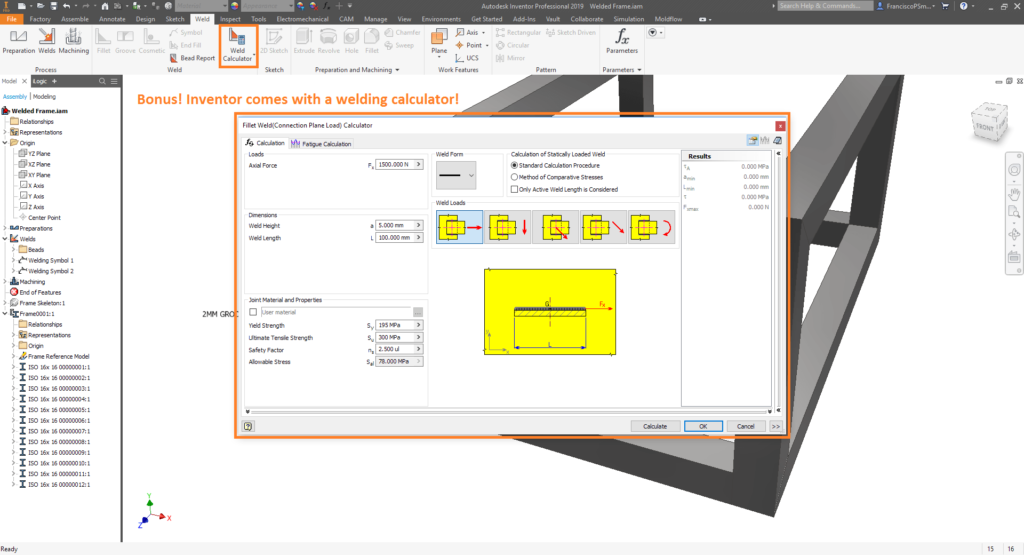
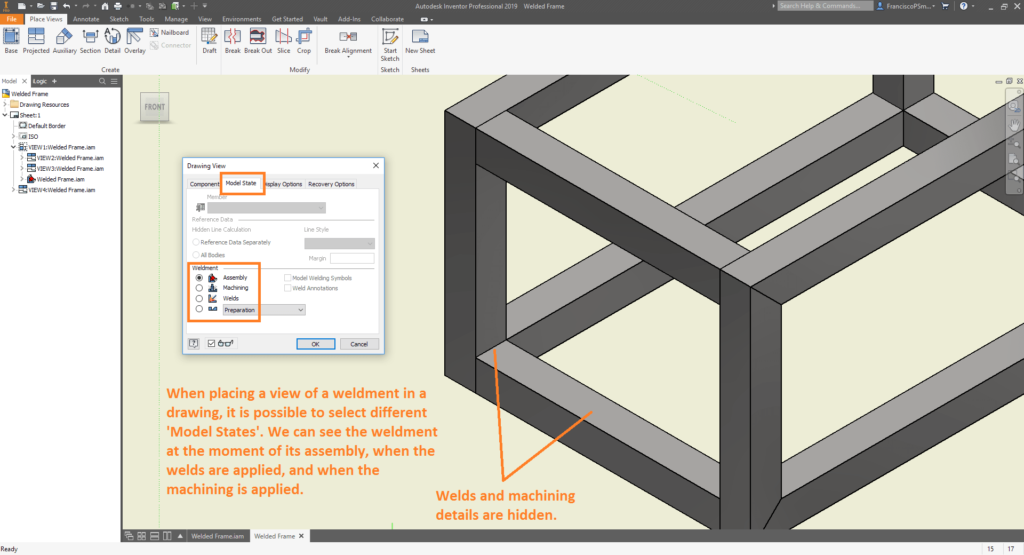
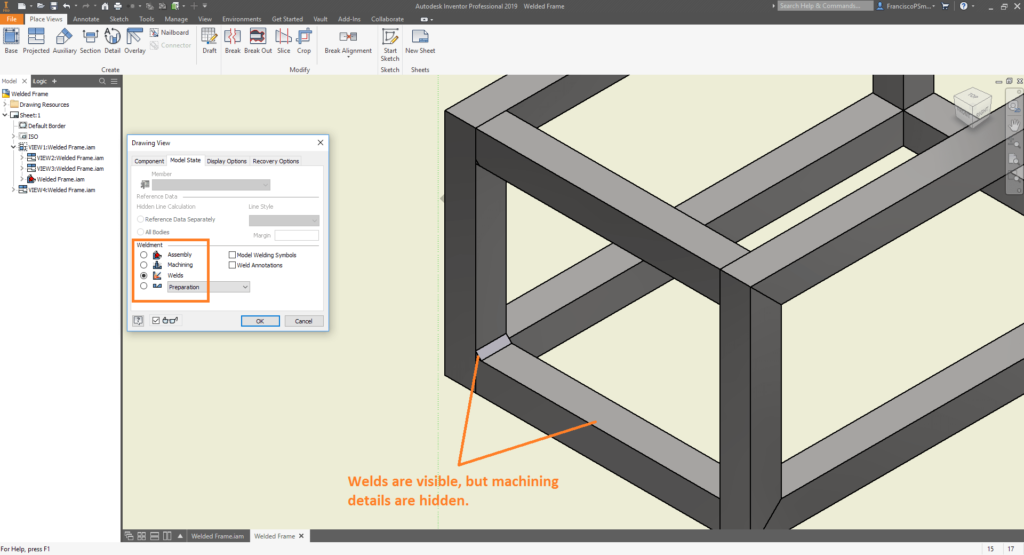
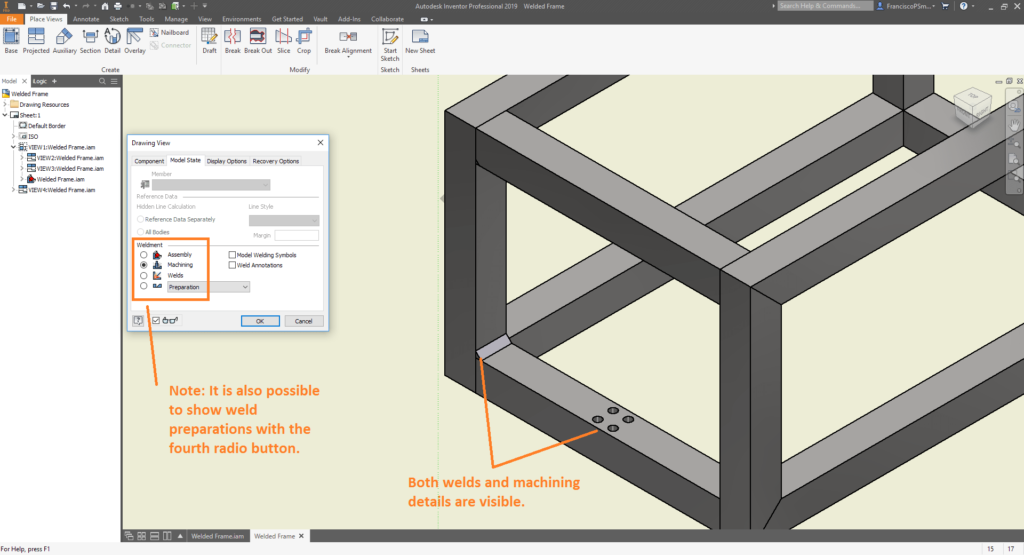
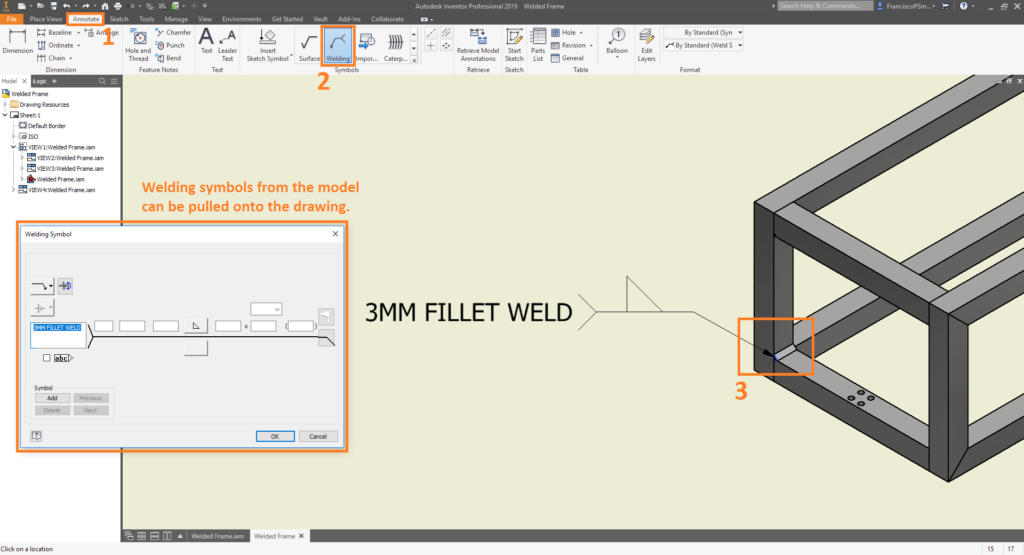
Step 3: Detailing Welds on Drawings
Conclusion
From this guide, you have seen how to define weldments in Inventor, and detail them in drawings. Through an excellent architecture, Autodesk have been successful in keeping the model as the source of truth. If you are interested in learning more, please don’t hesitate to contact Man and Machine. Our qualified engineers will have you an expert in all things Inventor in no time!
Still got Questions?
Book Training
Our range of Autodesk Inventor training courses will teach you how to create production-ready parts and assemblies through hands-on learning experience. Make sure you contact us to find out which course is best for you.
Contact Us
We are here to ensure you receive a consistently high service and quality solutions for your business needs. We promise you won’t regret speaking to us, and if we can’t help you, we will try to find someone that can.