


We see many Autodesk license issues but in this blog I will take you through the most common problems that actually have a very simple quick fix.
Licensing Service Error
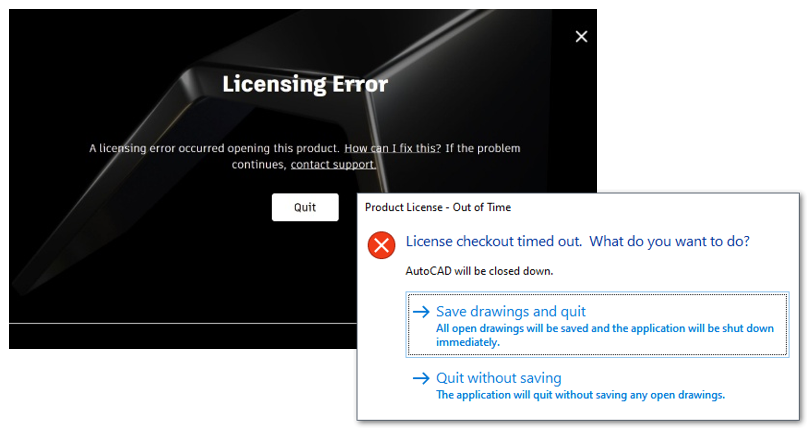
This error will appear upon opening your software if you have not completed your ‘Licensing Service Update’ from the Autodesk Access app installed with your software. You should download and run the update promptly, then the error will not show and your software will continue to run smoothly.
SSO Sign-In Error
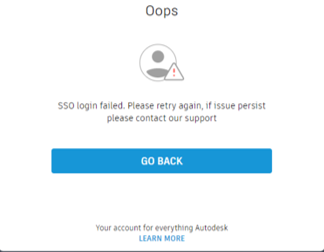
Please make sure that the user has been granted access to the team, with SSO implemented. Login to the Autodesk Portal as the contract manager and set the user up with full rights to the team and with the correct details.
License has a Failed Internet Connection

This error will appear when there is a conflict with restriction. Please contact your IT department and ask to allow the Autodesk exceptions through the firewall and antivirus software: How to set up antivirus (AV) exclusions to improve stability and performance of Autodesk software.
Trial has Expired
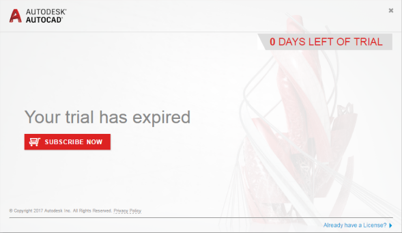
If you see this error, please make sure that the use has an active license assigned to them in the Autodesk Portal. Please login using the contract manager details and locate the user with the error. You can assign the correct license from the ‘User Management’ area and the trial will extend to the full license.
Device Limit Reached
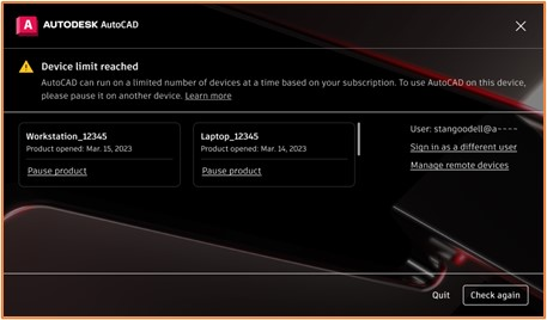
At this point, please check how many other instances of your software you have open and signed in. Autodesk will temporarily pause access to any extra logins to avoid any license compliance complications.
There are all simple quick fixes to the errors shown, however if you are still experiencing issues, please don’t hesitate to contact us and we will be happy to help.
Still got Questions?
Buy Software
Autodesk is a global leader in software for architects, builders, engineers, designers, manufacturers, 3D artists and production teams. Contact us now to find out which software is right for you.
Contact Us
We are here to ensure you receive a consistently high service and quality solutions for your business needs. We promise you won’t regret speaking to us, and if we can’t help you, we will try to find someone that can.