


Following on from this post back in 2020, I thought I would provide a brief update to the latest additions to this (in my opinion) massively under-used feature inside Autodesk Inventor 2023.
The most recent release of Autodesk Inventor has a set of user-requested, newly developed and updated features which you can highlight by going to the Tools tab > Highlight New drop-down, and then selecting both Property Panel and Ribbon.

One new addition to the annotate tab inside of Inventor 2023 is the Datum Target Annotation:
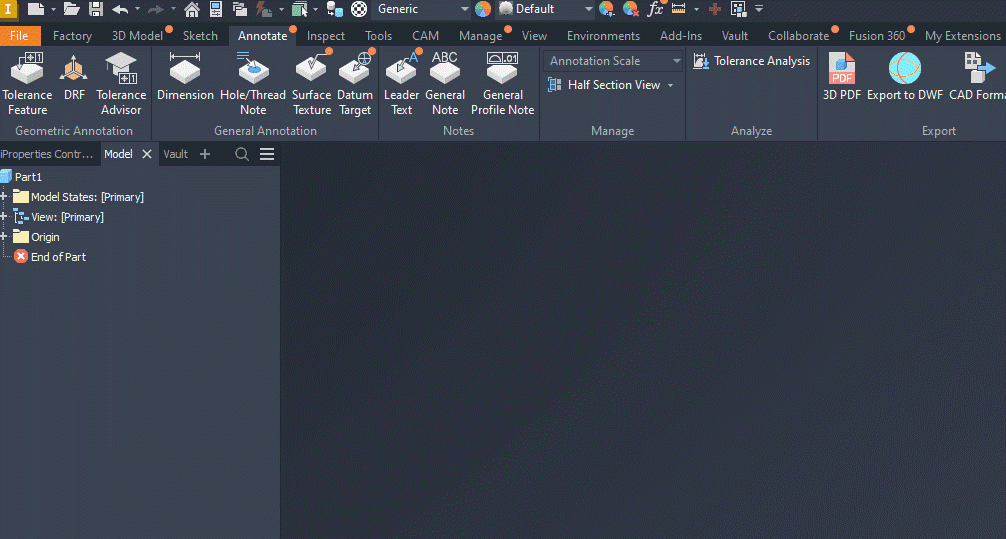
This allows us to specify a datum for any component which requires one:
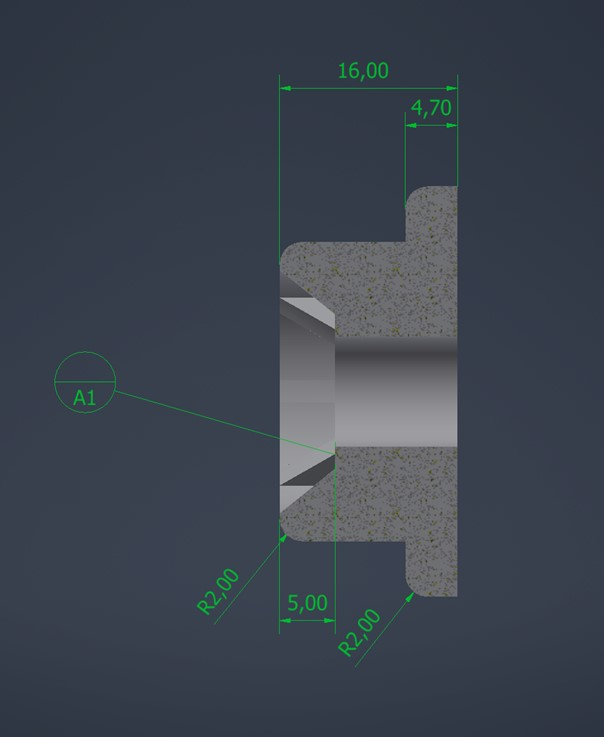
One cool feature of Model Based Definitions (MBD) inside of Autodesk Inventor 2023 is that you are able to include them when exporting to the .stp format.
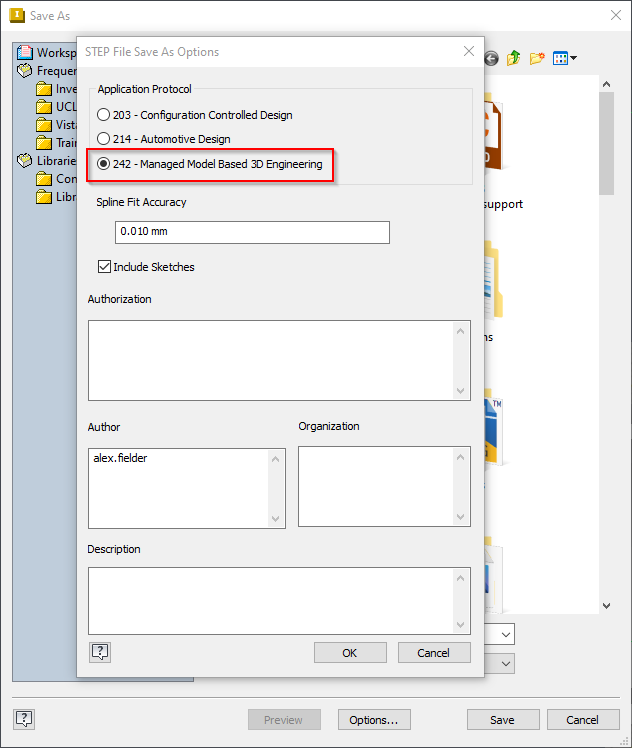
This in turn allows a recipient of the output .stp file to open your exported data and it includes the relevant dimensions.
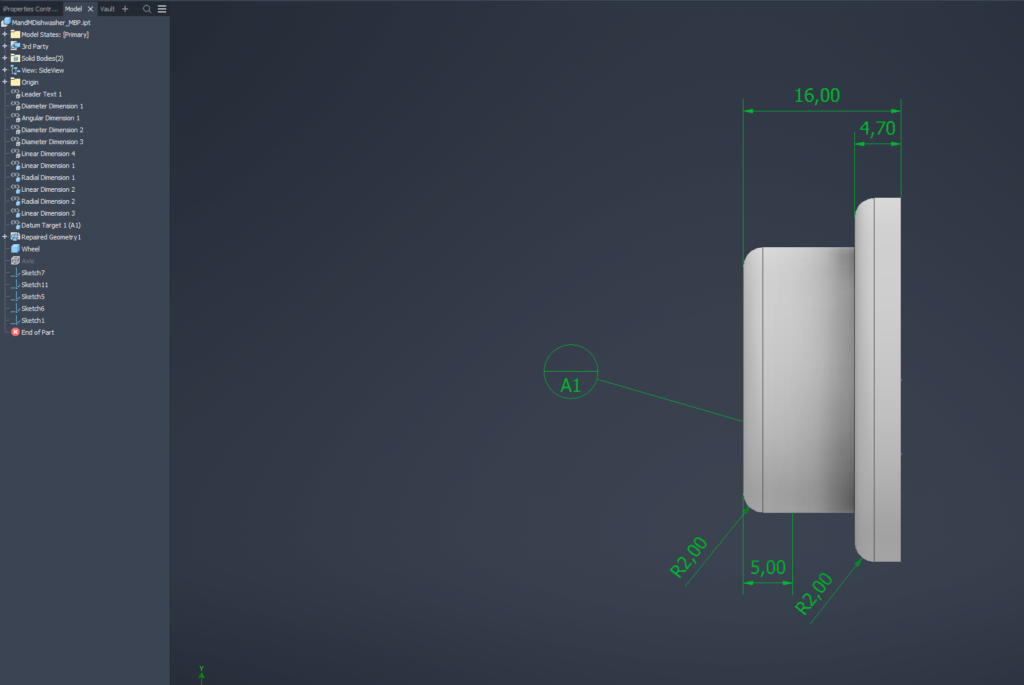
Another cool feature of MBD is that you can save views in your part/assembly and use those views downstream in an Inventor drawing:

Here at Man and Machine we have recently handing over a customer project that utilises MBD to create drawing sheets potentially containing hundreds (and I do mean hundreds) of these types of dimensions automatically. So if that is something that interests you, then please get in touch via the usual channels.
Still got Questions?
Book Training
Our range of Autodesk Inventor training courses will teach you how to create production-ready parts and assemblies through hands-on learning experience. Make sure you contact us to find out which course is best for you.
Contact Us
We are here to ensure you receive a consistently high service and quality solutions for your business needs. We promise you won’t regret speaking to us, and if we can’t help you, we will try to find someone that can.