


Adding Read Write Content Center Libraries to your Vault server allows you to share your content center libraries with all Vault users automatically.
How to Create Read/Write Libraries in ADMS
- Open ADMS, the Autodesk Data Management System, on the Vault Server. Log in as Administrator.
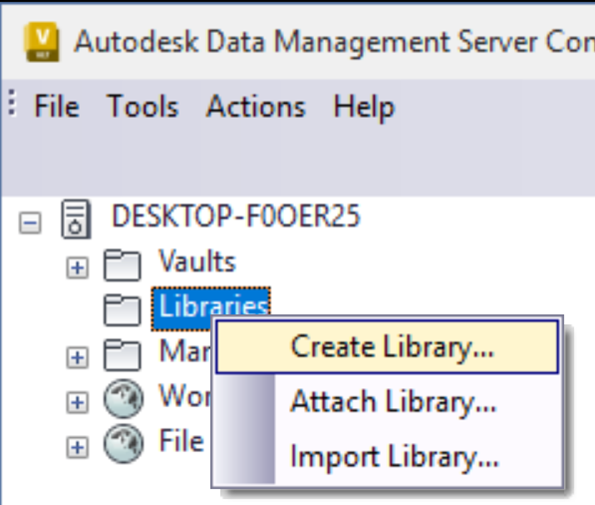
- In ADMS, right click on the Libraries folder > Create Library
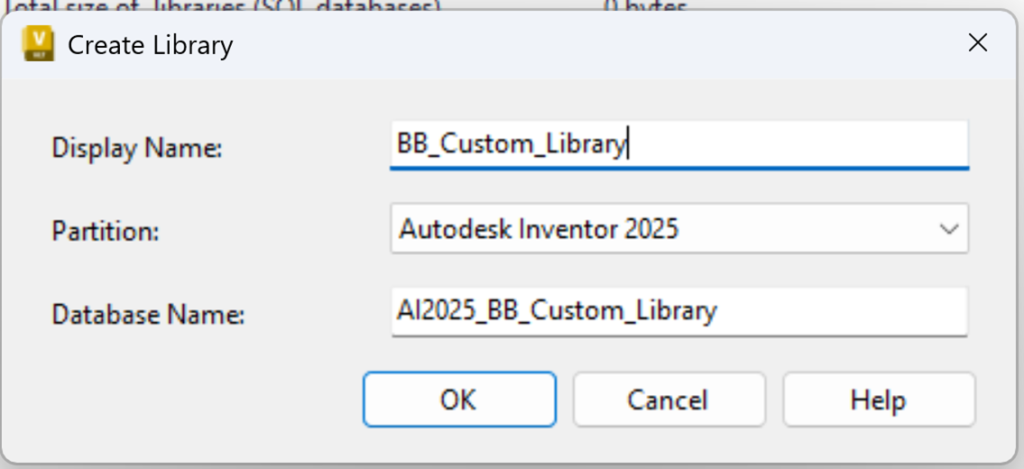
- Choose a Name and Partition (Inventor Version, Libraries are version specific). The database name will be named for you, but you can overwrite it.
Add the Custom Library to your Vault Project File
- Check out Vault IPJ from Vault
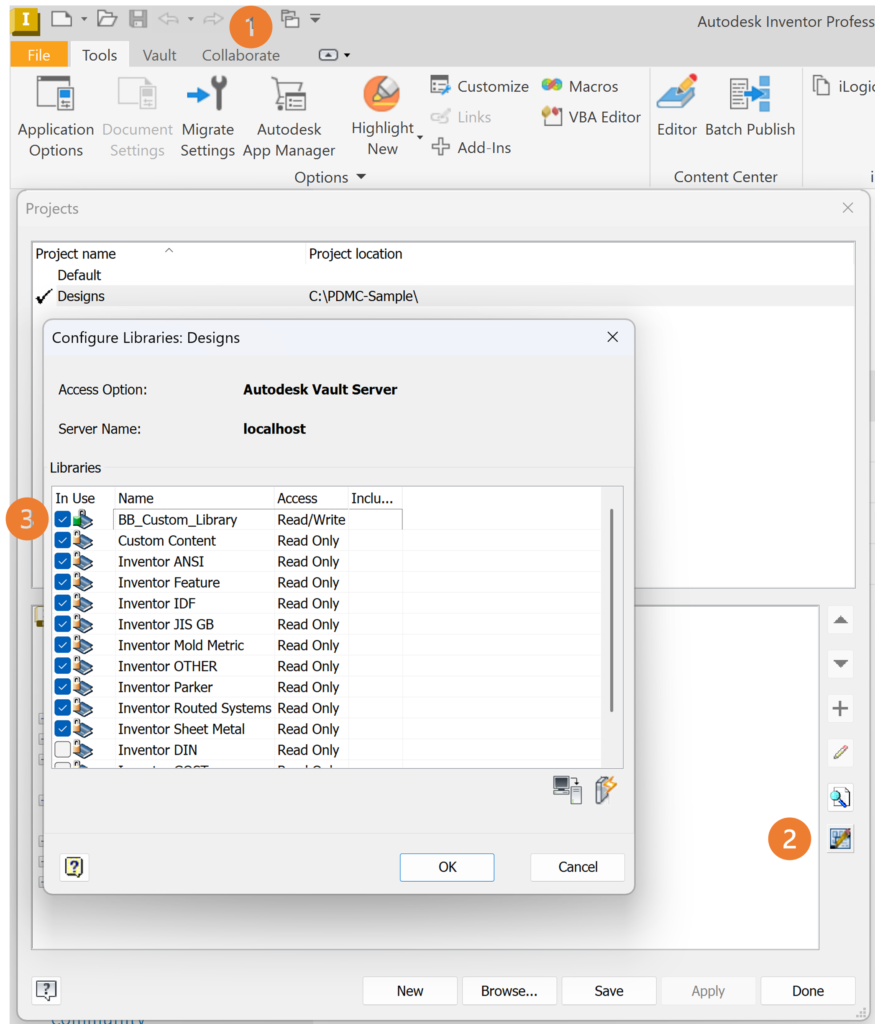
- Open Inventor > Open Projects Window (1) > Select Configure Content Center Libraries (2)
- Tick the Custom Content Center Library to make it active (3)
Still got Questions?
Book Training
With our Autodesk Vault training you will learn to consolidate and organise all product information securely for easy reference, sharing and re-use. Make sure you contact us to find out which course is right for you.
Contact Us
We are here to ensure you receive a consistently high service and quality solutions for your business needs. We promise you won’t regret speaking to us, and if we can’t help you, we will try to find someone that can.