


**Please note, as of 24th March 2026, the Autodesk Construction Cloud has joined the Forma industry cloud and has been rebranded as Forma. Find out more details here.**
What is a Node in BIM Collaborate?
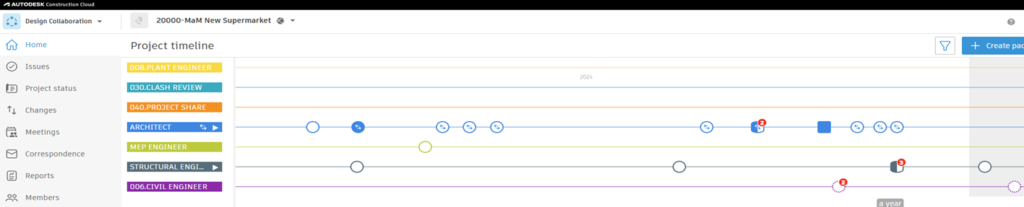
Using a timeline in a project can provide insight and clarity. Teams used the timeline to share a package of models and documents – the more teams, the more nodes! Let’s explain what each node represents and how you can use them to identify the different activities taking place on your project.

Create a new Package on your timeline.

A Package that has been shared but not consumed by your team.

A Package from another team you have consumed.

A Package you have
created.

A Package you created but have not shared.

A cluster of Packages, some of which have been consumed.
Packages that have not been consumed.
Multiple Packages that have been consumed.
Still got Questions?
Book Training
We have developed a robust set of onboarding and deployment services to ensure best-in-class implementation of Autodesk Forma (formerly the Autodesk Construction Cloud).
Contact Us
We are here to ensure you receive a consistently high service and quality solutions for your business needs. We promise you won’t regret speaking to us, and if we can’t help you, we will try to find someone that can.