


Understanding when and how material will be required in production can be a tricky task to handle. With Autodesk Fusion Operations ability to track not only the production runs for your shopfloor, but be aware of the Bill of Materials of these productions, we are able to schedule the material requirements.
Autodesk Fusion Operations has a dedicated Material Requirements view, which shows predictive stock levels against all products over set time periods.
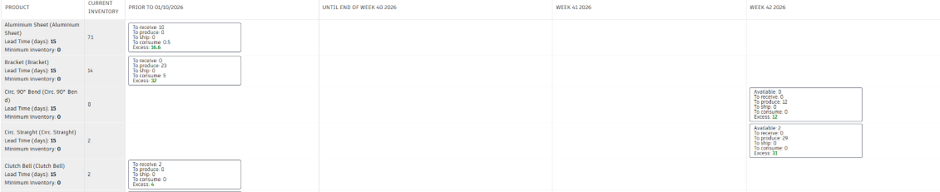
This view shows the current inventory, and any changes within a determined time frame. The changes include stock being received, shipped, produced or consumed, as well as an indication of the excess or requirement (need) on the date of change.
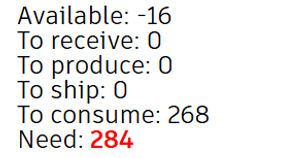
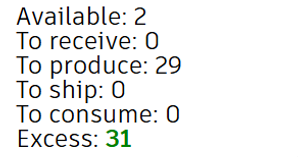
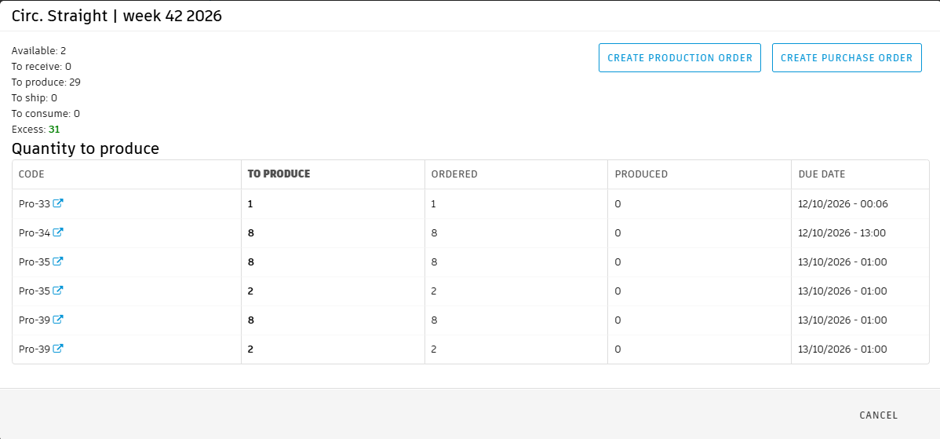
A further break down of the orders affecting these values can be found by clicking on the relevant blocks.
Filtering Values
The products in the list can be filtered by various properties, including Sales Order, Production Order, Product Family.
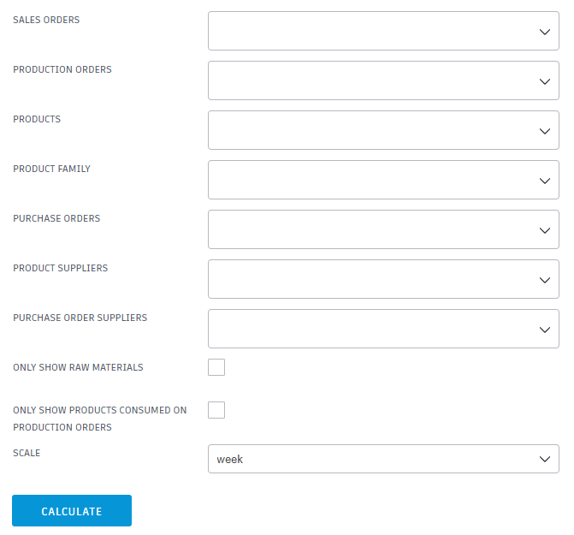
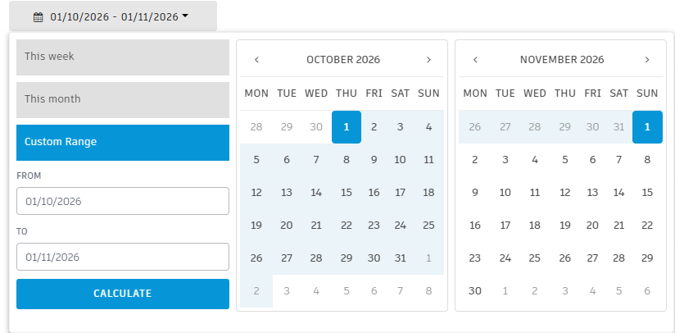
There is also an option to filter the view by date range, which can be defined by month, week or a custom range.
Creating Production or Purchase Orders
If more products are required, either raw material or produced parts, purchase or production orders can be created to fill this gap.
For Purchase Orders
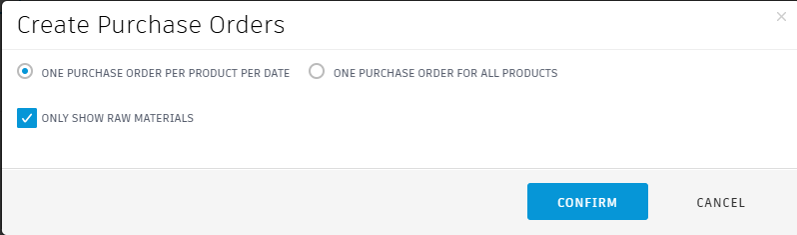
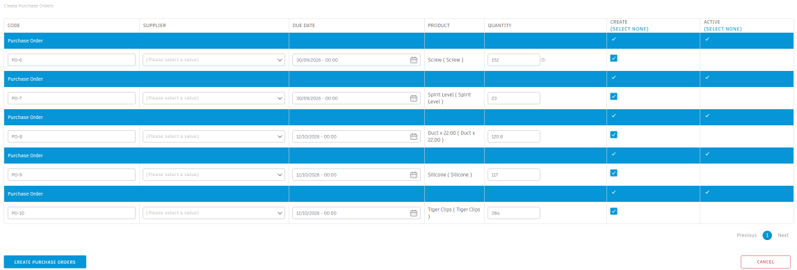
You can filter for only Raw Materials, if your products are marked as such. Purchase Orders can be created either as a single purchase order for all products, or one purchase order per product per date.
For Production Orders
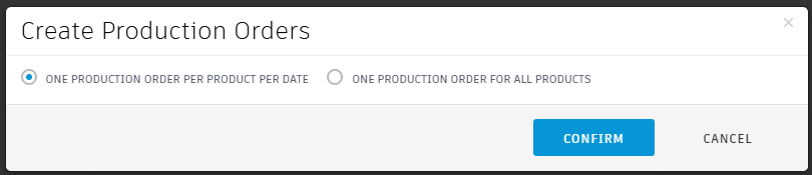
Similar options are available for Production orders, where a single production order can be created for all required products, or individual ones for each product per date.
Still got Questions?
Book Training
Through hands-on exercises, you will acquire the key skills and knowledge required to design models using Fusion. It will teach you everything from product development to simulation and fabrication.
Contact Us
We are here to ensure you receive a consistently high service and quality solutions for your business needs. We promise you won’t regret speaking to us, and if we can’t help you, we will try to find someone that can.