


In this blog I am going to explain how and why you should regularly audit all your AutoCAD drawings.
Explanation
Your DWG file contains a database of all the information within your drawing. As you work on your drawing this database is constantly updated by adding new information and deleting old information.
Due to all this editing, errors can occur and need fixing before the DWG becomes corrupt and issues start appearing. In extreme cases you may find that your DWG won’t open at all, if this is the case then you need to “recover” your drawing which are explained in my blog on How to Recover Your Drawing.
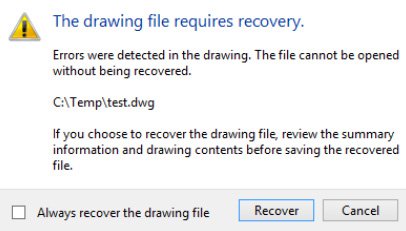
Auditing your drawing is a very simple task and usually runs in a few seconds however I come across a lot of people who either haven’t heard of it or if they have, don’t understand what it does and consequently don’t use it.
Instructions
These instructions are so unbelievably simple, you are going to wonder why you don’t already do this.
- Open your drawing in AutoCAD
- Type in the command “AUDIT”
- You will be prompted if you would like AutoCAD to fix any errors, press “Y” for yes.
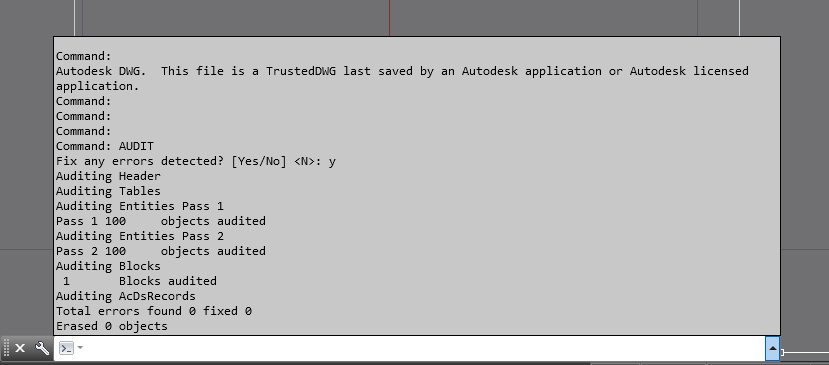
AutoCAD will now scan your DWG for any error and attempt to fix any, you will get a little report at the end telling you how many errors where found and how many were fixed.
Conclusion
You should be auditing your active drawing on a regular basis, once a week if you are heavily editing a drawing. If you have never audited your drawings before, this process should find and fix issues before they start causing problems or the DWG becomes unusable.
Still got Questions?
Book Training
With our range of AutoCAD courses we can teach you best-in-class 2D and 3D design skills. This includes drawing, taking measurements, producing templates and everything required to create your designs.
Contact Us
We are here to ensure you receive a consistently high service and quality solutions for your business needs. We promise you won’t regret speaking to us, and if we can’t help you, we will try to find someone that can.