


Bolted connections in Inventor make it easy to drop standard bolts, nuts, and washers into your assembly without manually building every fastener. It’s a quick way to add fully‑defined hardware that follows the rules of your design.
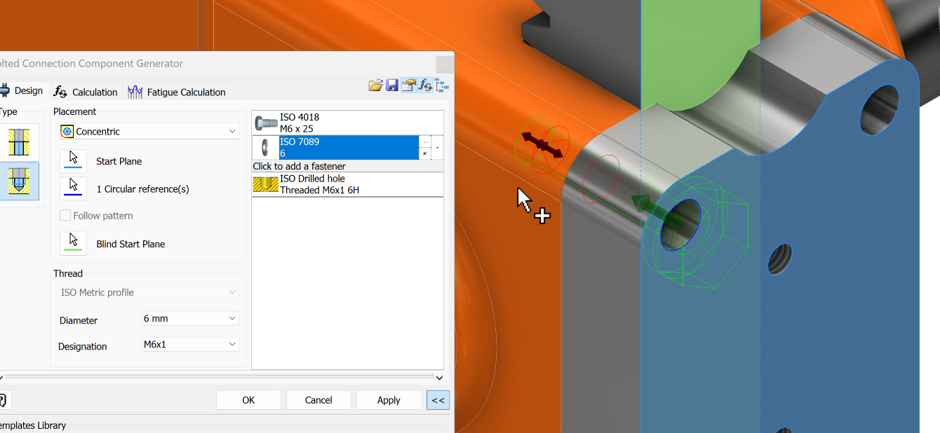
Bolted Connector can use an existing hole or automatically create a new one through multiple parts, letting you place bolts, nuts, and washers without manually modelling or aligning anything.
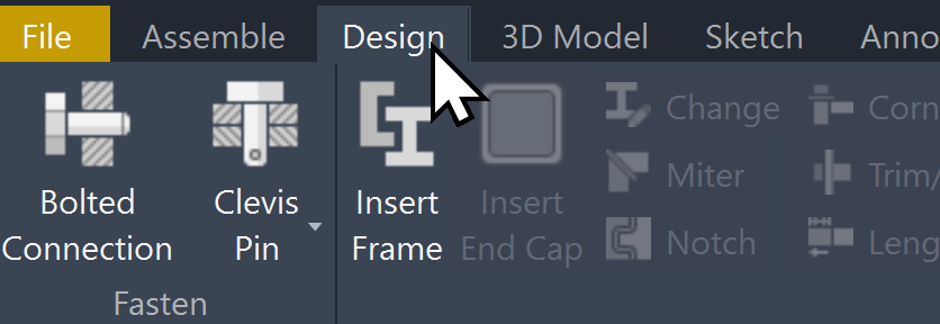
Bolted Connection can be found in the Design Tab
We can use existing holes or create new ones by using the positional tools inside the Bolted Connection menu, letting us place hardware exactly where it’s needed across multiple parts.
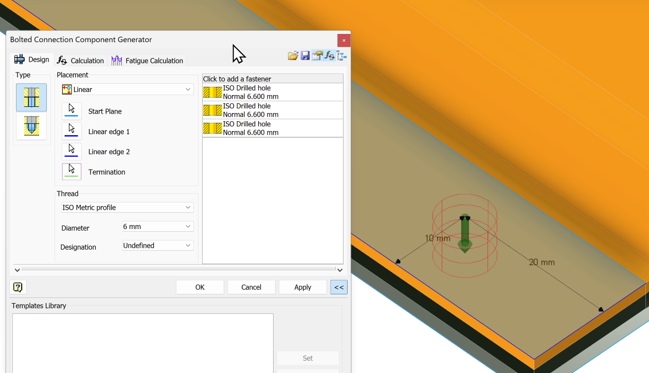
Our start plane and termination determine where our hole starts and ends.
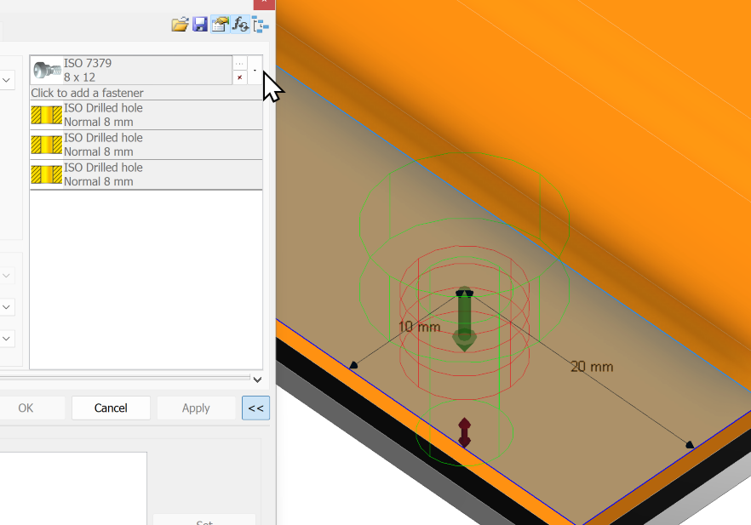
The part selector in Bolted Connection brings in different Content Centre components. The top line gives us the fastener itself, while the line directly underneath provides the matching washer or spacer.
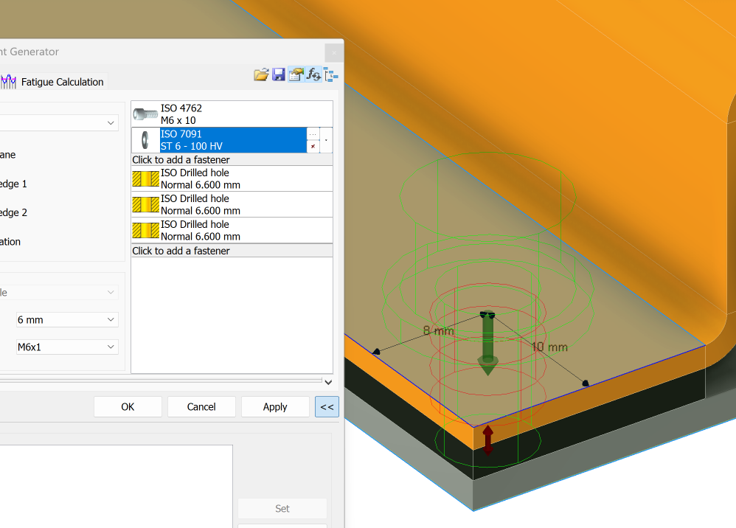
Adding a fastener to the end will allow us to select a nut (if required) to finish off our fixing.
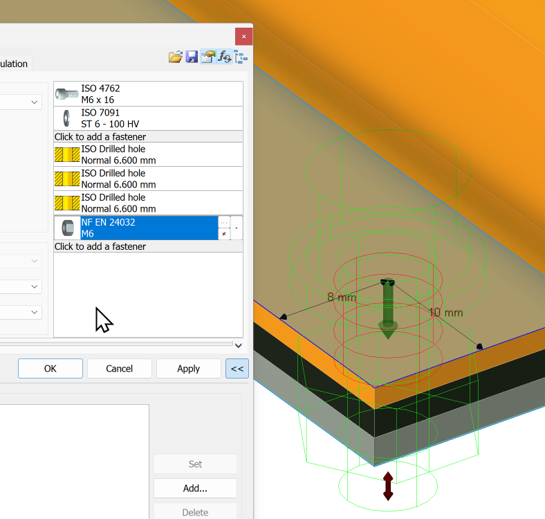
The length of the fastener will automatically adjust to include the extra length needed to pass through the nut, based on the bolt you’ve selected.
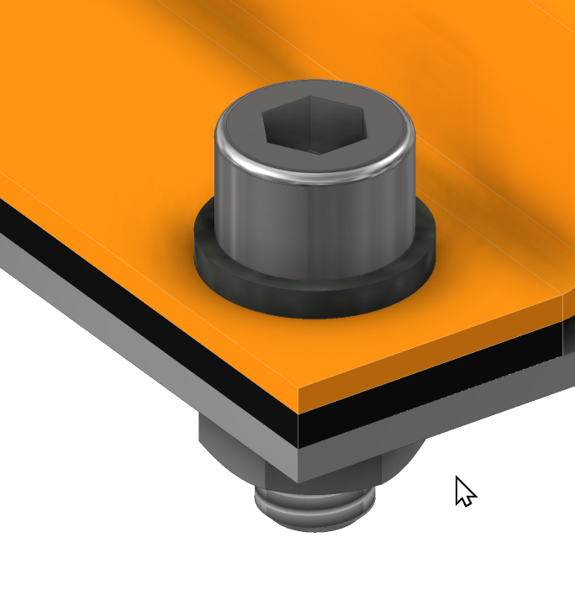
Finished result with hole going through all 3 parts:
Using the Content Center Auto Dropper for Bolted Connections
When placing a fastener from Content Center and selecting a hole, Inventor will automatically activate the Auto‑Dropper. It will try to predict the correct size and length of the fixing for that hole, and it will also place fasteners for any other holes that belong to the same feature.
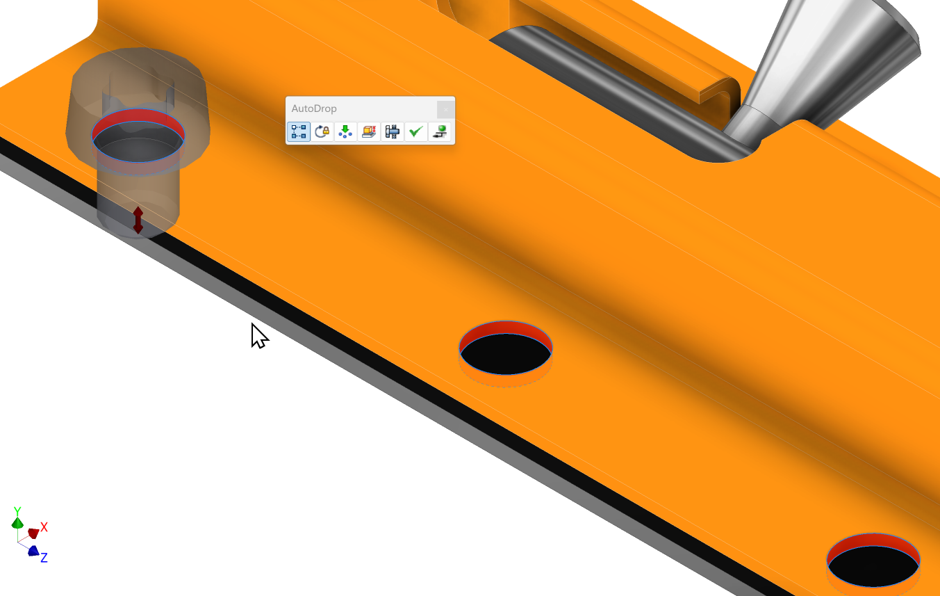
We can also engage the bolted connection feature from here.
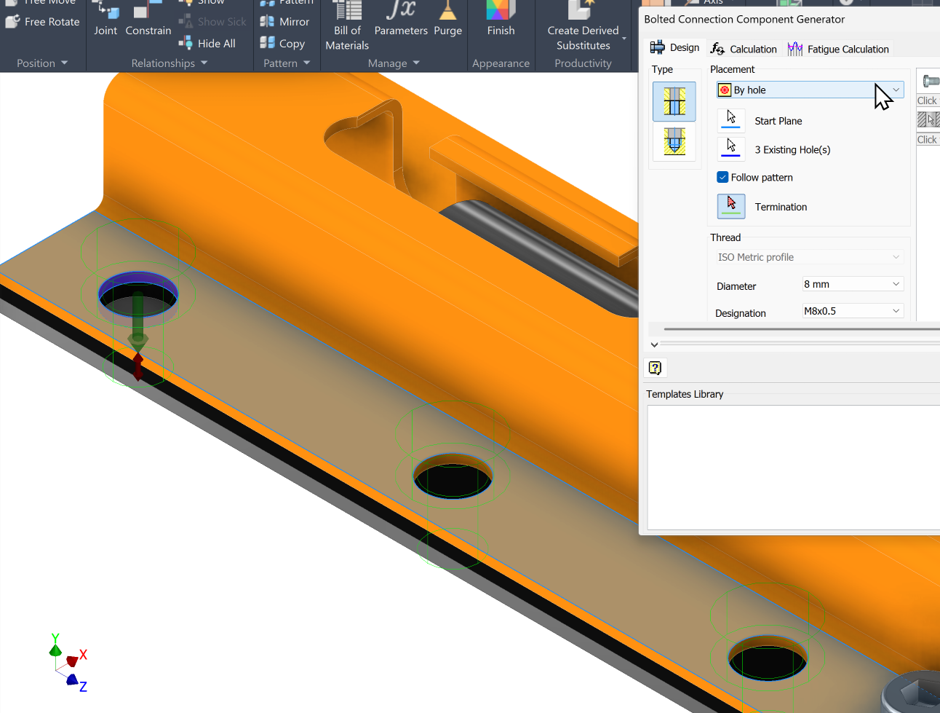
This will allow us to use the exact same features as the previous example but capture multiples holes at once.
With Bolted Connection, placing fully‑defined fixings becomes quick, predictable, and consistent. Once you understand how the tool selects sizes and handles hole features, adding hardware across your assemblies becomes a simple one‑click workflow.
Still got Questions?
Book Training
Our range of Autodesk Inventor training courses will teach you how to create production-ready parts and assemblies through hands-on learning experience. Make sure you contact us to find out which course is best for you.
Contact Us
We are here to ensure you receive a consistently high service and quality solutions for your business needs. We promise you won’t regret speaking to us, and if we can’t help you, we will try to find someone that can.