


Collaboration has always been one of the trickiest parts of working in CAD environments. When multiple designers work on the same drawing, conflicts, overwrites, and waiting times can slow projects down significantly. with AutoCAD 2027, Autodesk introduces a powerful new features called Checkout, a step forward in collaborative design workflows.
The Checkout feature in AutoCAD 2027 allows users to edit specific objects within a drawing, even when another user has the file open for editing. Instead of locking the entire drawing (a common limitation in older workflows), Checkout enables a more flexible, object level collaboration system.
Checkout only works with drawings saved in Forma Data Management.
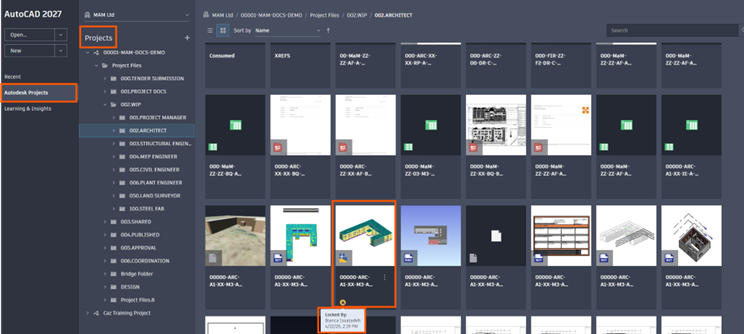
Here’s a simplified breakdown of the workflow:

1 – Select Objects to Edit.
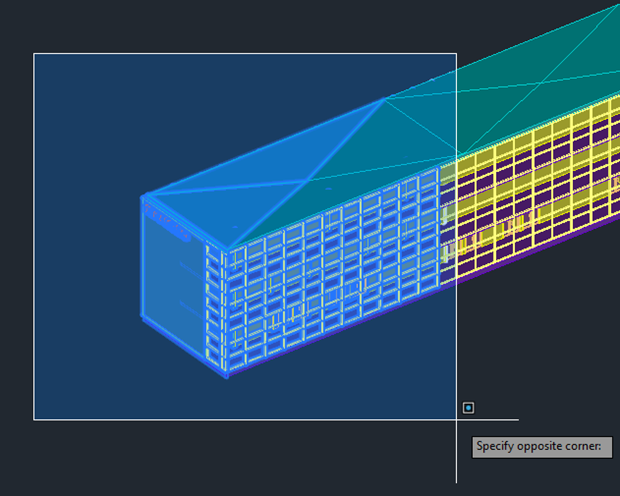
2 – Work in the trace environment. Changes are made in a separate workspace (Trace), ensuring the original drawing remains unaffected during editing.

3 – Submit changes for review. Once edits are complete, you send your proposed changed to the user who has primary editing control.
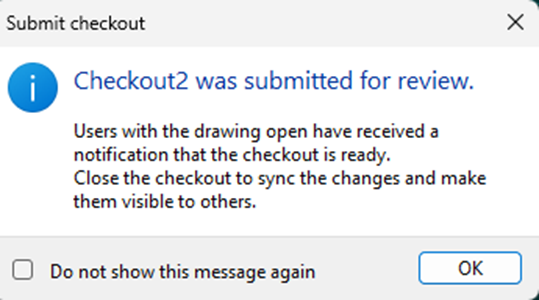
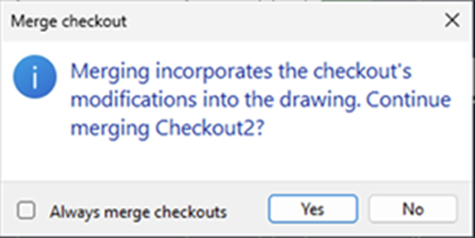
4 – Merge or reject updates. The primary user reviews your edits and decides whether to merge them into the main drawing.

This update helps to:
- Eliminate Bottlenecks: Previously, if one user had a drawing open, others had to wait. Checkout removes that limitation by enabling parallel work on the same file.
- Reduce Risk of Data Loss: Because edits are proposed rather than directly applies, there’s less risk of overwriting someone else’s work.
- Improve Collaboration: Teams can now collaborate more like developed using version control systems, reviewing and approving changed before final integration.
- Encourage Accountability: Every change is tracked and reviews, making it easier to maintain design quality and consistency.
Real-World Use Cases:
- Architecture Teams: Multiple architects can refine different parts of a building plan simultaneously.
- Engineering Projects: Structural and MEP engineers can propose updates without interrupting each other.
- Large Enterprises: Distributed teams can collaborate on shared drawings without version chaos.
Things to Keep in Mind:
- The final authority still lies with the primary editor, who must review and merge changes.
- Teams should establish clear workflows and communication practices to get the most out of Checkout.
If your projects involve multiple stakeholders working on the same drawings, Checkout could significantly improve productivity and reduce friction in your workflow.
Still got Questions?
Book Training
With our range of AutoCAD courses we can teach you best-in-class 2D and 3D design skills. This includes drawing, taking measurements, producing templates and everything required to create your designs.
Contact Us
We are here to ensure you receive a consistently high service and quality solutions for your business needs. We promise you won’t regret speaking to us, and if we can’t help you, we will try to find someone that can.