


**Please note, as of 24th March 2026, the Autodesk Construction Cloud has joined the Forma industry cloud and has been rebranded as Forma. Find out more details here.**
The Autodesk Desktop Connectors is an integral part of working as it integrates with the Autodesk Construction Cloud service. It easily allows users to manage their information directly from their desktops. The connected drive is a mirrored local copy of the folder structure set out within Autodesk Docs or BIM 360 Docs and even Fusion 360.
The Desktop Connector can now be downloaded directly from your Autodesk Account so no need to Google it to find the download link.
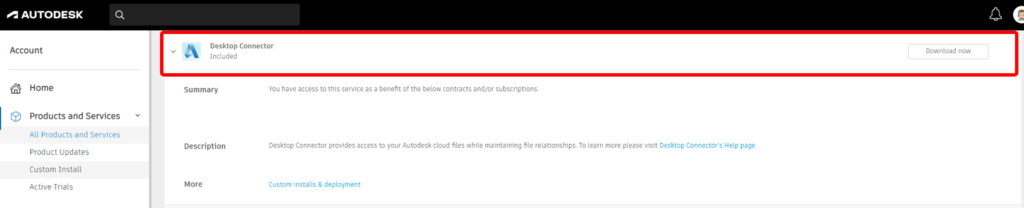
The online help has a detailed installation guide on how to install, but it is pretty straightforward anyhow.
Accessing the Desktop Connector Install
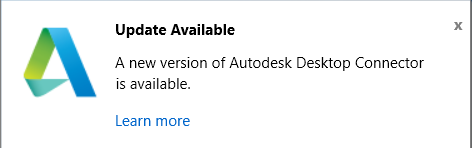
Desktop Connector Updates
I would recommend you keep the Autodesk Desktop Connector updated as often as you can. So, if you see the update notification, you should update it as soon as possible.
Known issue: There has been an issue recently when launching the Desktop Connector the following error message appears.
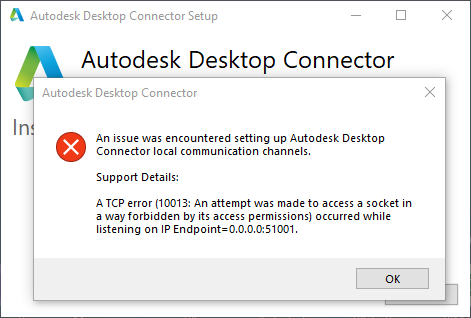
You can read more about it on the Autodesk Knowledge Network “An issue was encountered setting up Autodesk Desktop Connector local communication channels…” while launching Desktop Connector.
Also if your Autodesk Docs is not showing in try signing out from the taskbar and back signing back in again.
Still got Questions?
Book Training
We have developed a robust set of onboarding and deployment services to ensure best-in-class implementation of Autodesk Forma (formerly the Autodesk Construction Cloud).
Contact Us
We are here to ensure you receive a consistently high service and quality solutions for your business needs. We promise you won’t regret speaking to us, and if we can’t help you, we will try to find someone that can.