


In AutoCAD Electrical it is possible to create many different reports analyzing the data in your drawing project such as Bill of Materials and Wire To/From lists. These reports can be placed directly onto a drawing and/or exported to an external application such as Mircosoft Excel.
One of the frequently overlooked reports is the ‘Drawing List’ report. Large projects in particular, where many drawings are required, it is good practice to compile a drawing list, in AutoCAD or other similar products this can be a painstaking and manual task to create and maintain during the design lifecycle of the project. AutoCAD Electrical offers an automated tool which creates and updates this list automatically at the click of a button.
To create a drawing list open an AutoCAD Electrical Project in the project manager, right click on the project and select ‘Drawing List Report’.
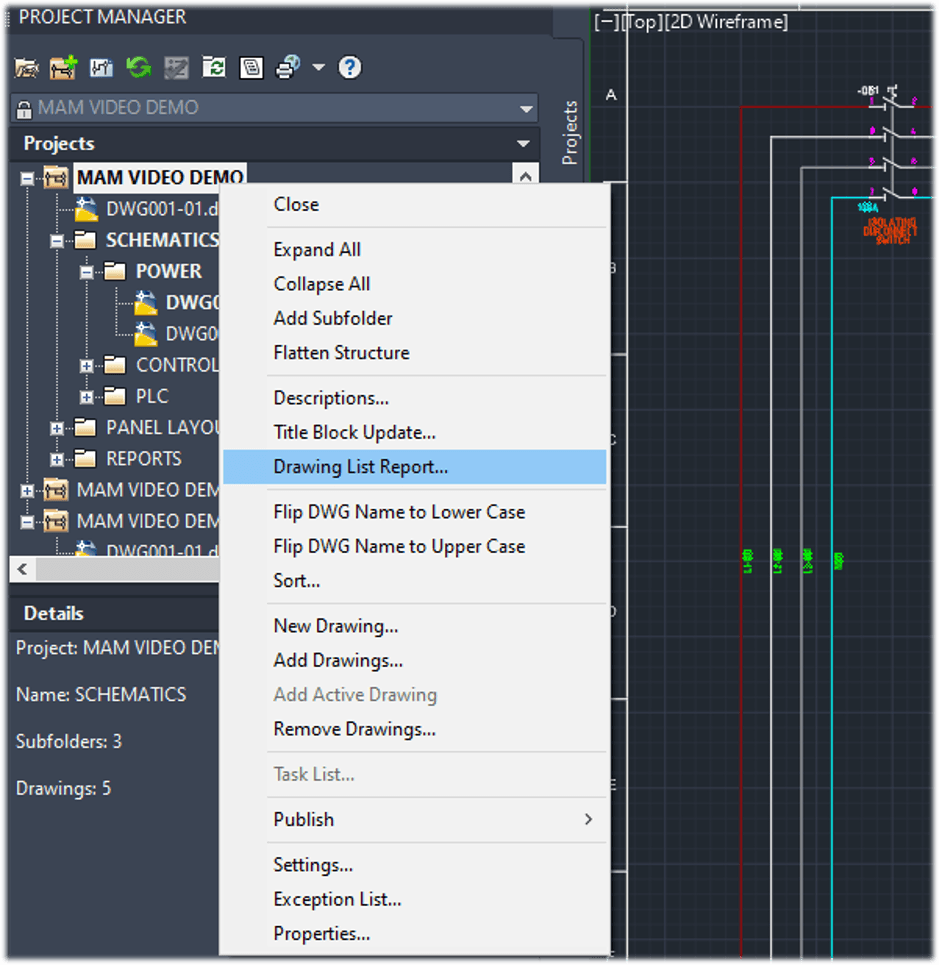
Select ‘New Report’ and choose the drawing you want to include in the Drawing List, in my case I’m going to ‘Do All’.
This will open the Report Generator.
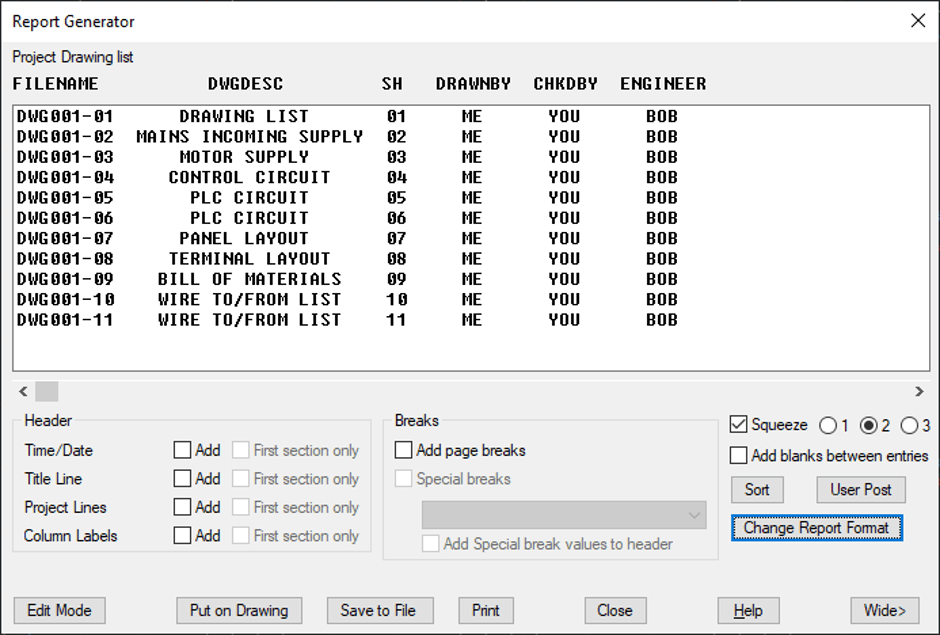
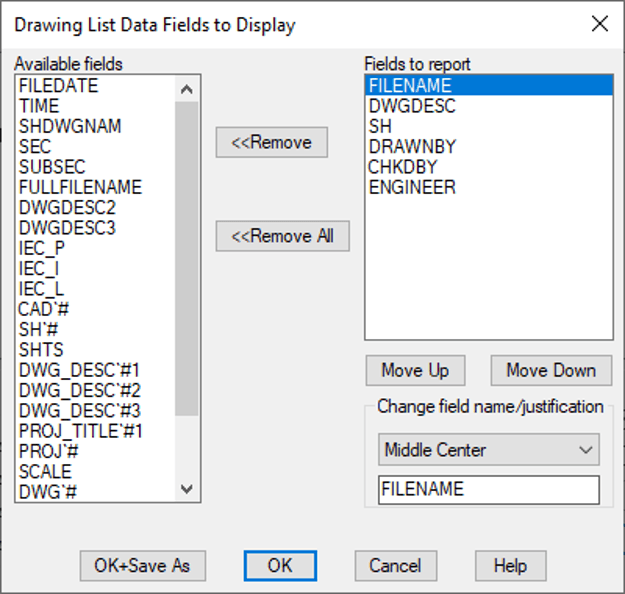
Change the report format and the properties/fields shown in each column.
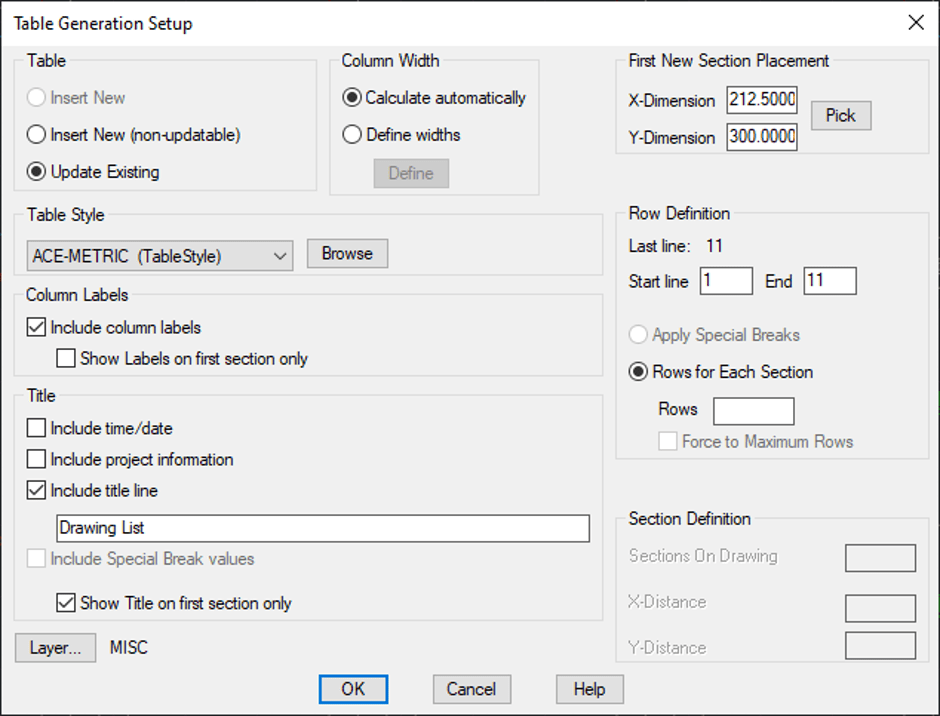
The images below are the ‘Put on Drawing’ options and results, as I have already place a drawing list in the project the ‘Update Existing’ is available and toggled ON.
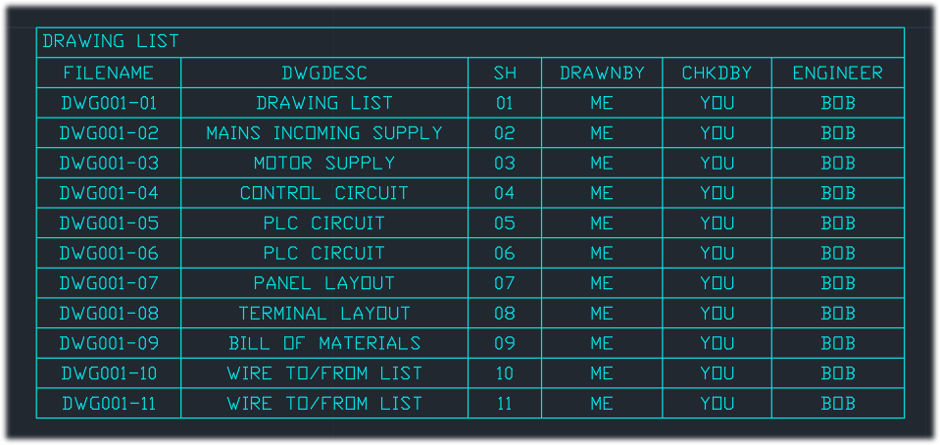
The image below shows the ‘Save to File’ options and results.
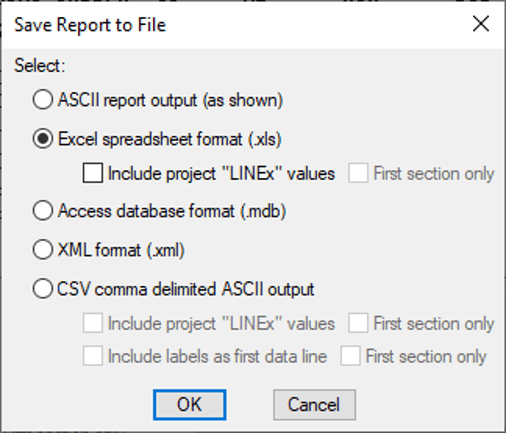
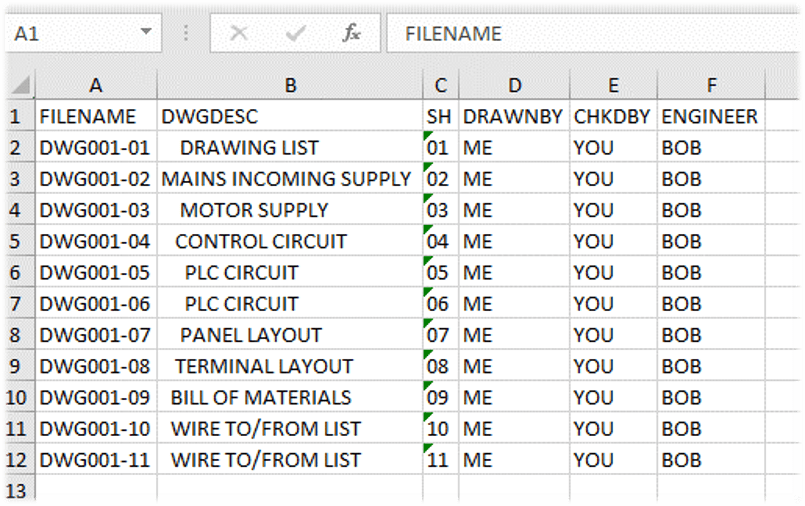
Using this functionality will make maintaining your records and your drawing lists much easier.
Happy drafting!
Still got Questions?
Book Training
AutoCAD Electrical training provides a specialist solution for designing and drafting electrical control systems. It teaches features developed for creation and modification of electrical control symbols.
Contact Us
We are here to ensure you receive a consistently high service and quality solutions for your business needs. We promise you won’t regret speaking to us, and if we can’t help you, we will try to find someone that can.