


The Drawing Resource Transfer Wizard in Inventor is a handy tool for copying title blocks, borders and sketch symbols between drawings. This is particularly useful if you are ever tasked with updating the title blocks of a multitude of different drawings. Below is an illustrated guide demonstrating how to perform this action efficiently.
Steps
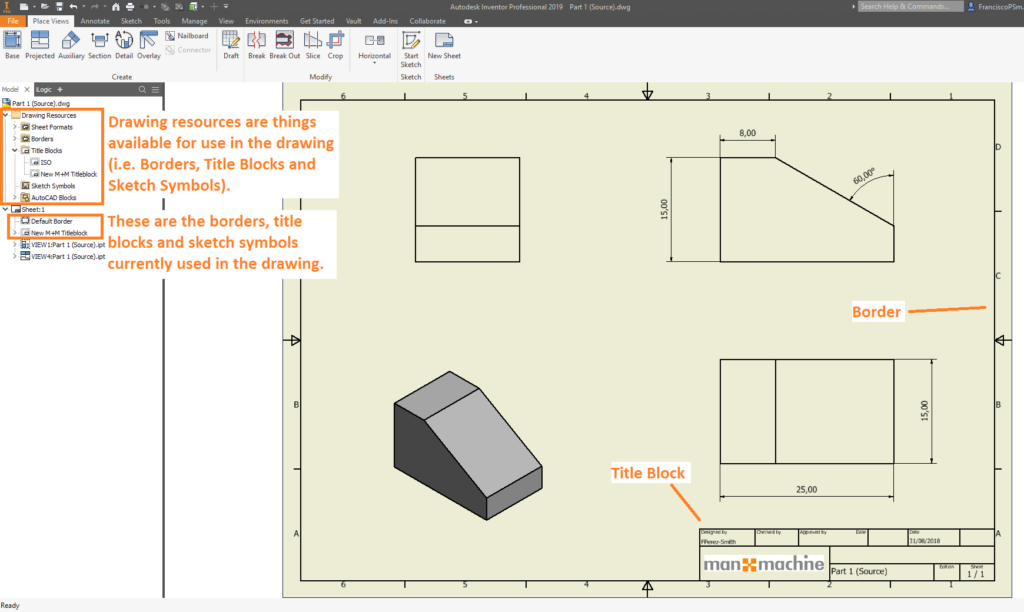
1. Before beginning, ensure that you have one drawing with the updated title block / border.
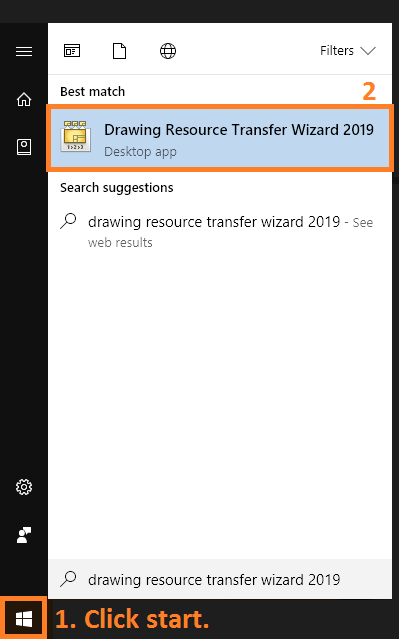
2. Start the Drawing Resource Transfer Wizard via the start menu in Windows.
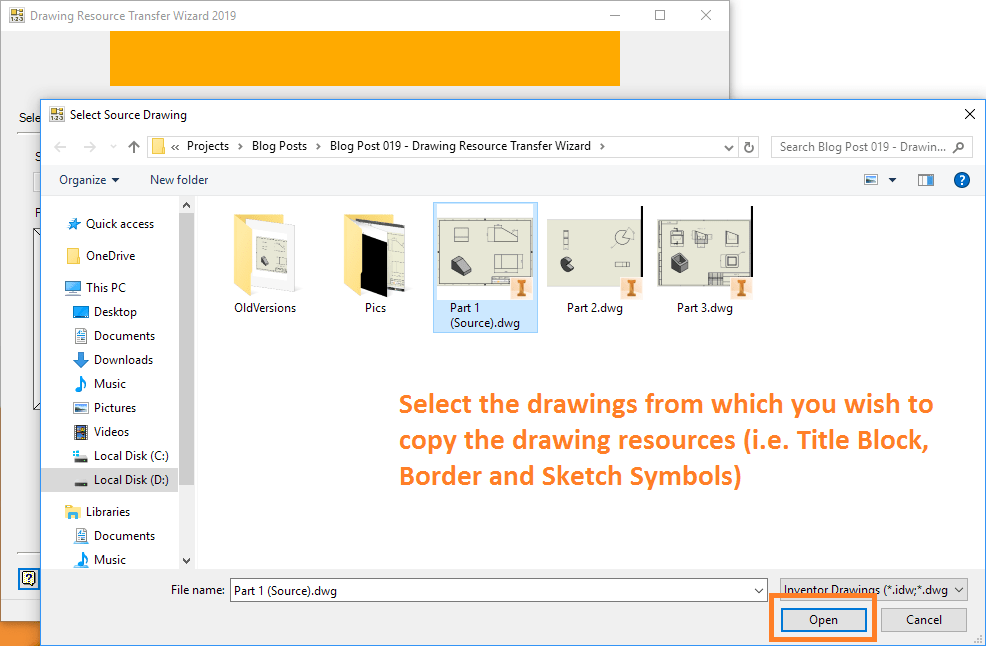
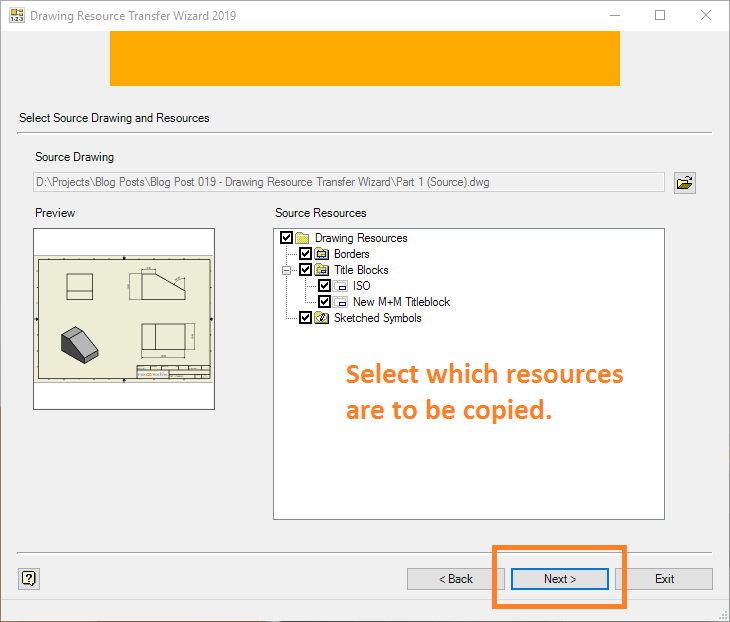
3. Select the drawing from which the drawing resources (title block, border and sketch symbols) will be copied.
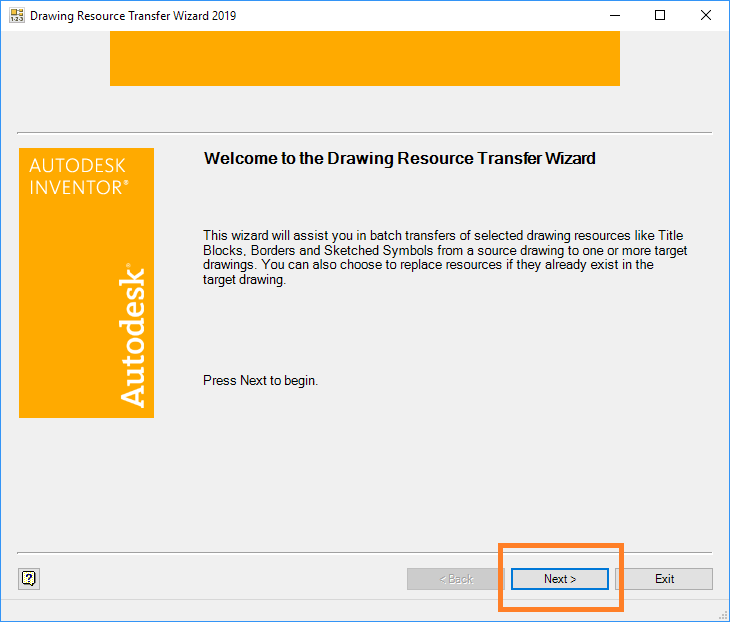
4. Next, select the drawing resources that are to be copied.
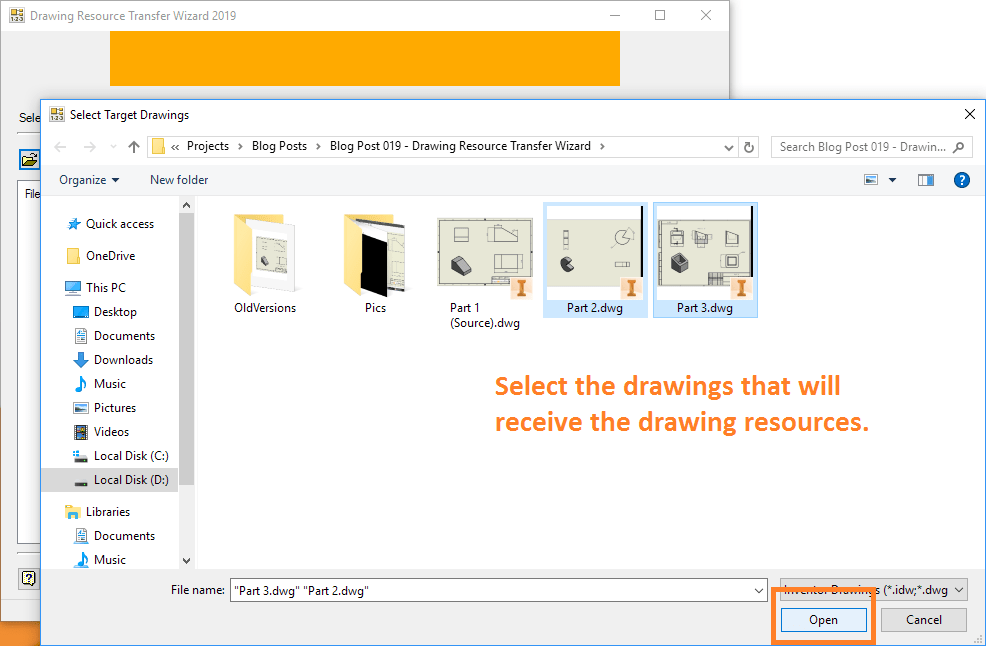
5. Select the drawings which are to receive the copied drawing resources.
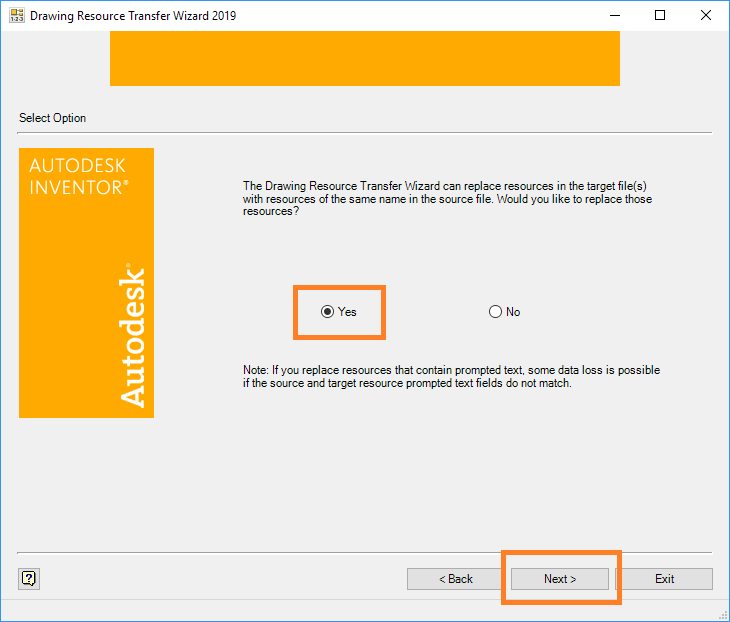
6. Execute the copy. Decide whether or not you wish to overwrite existing drawing resources (i.e. overwrite a title block which bears the same name).
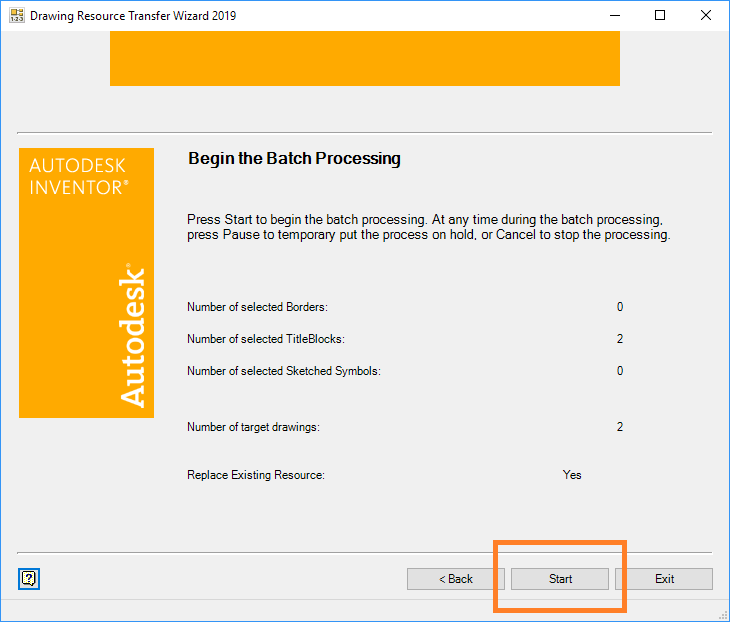
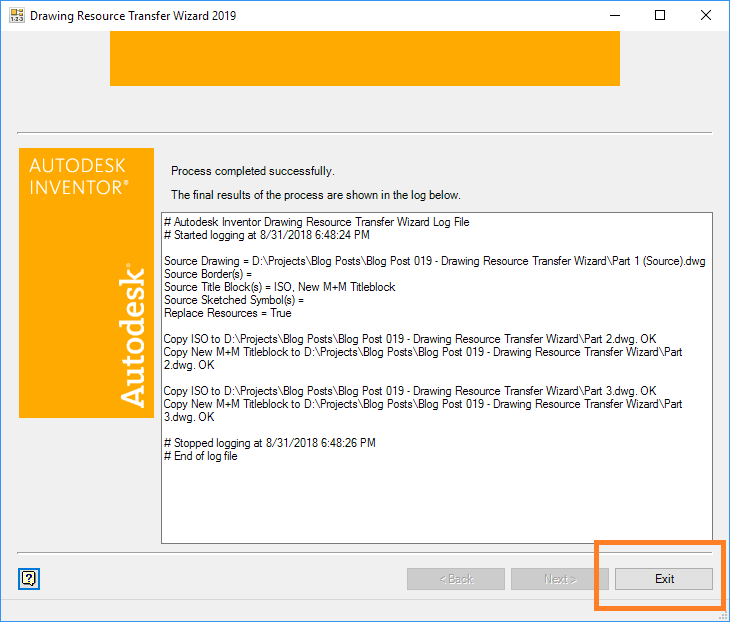
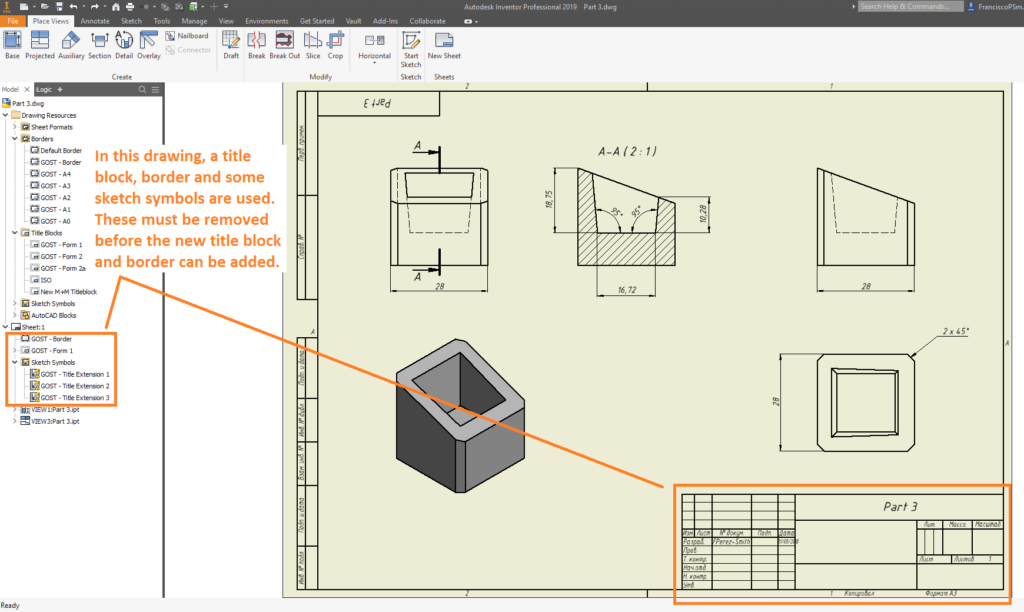
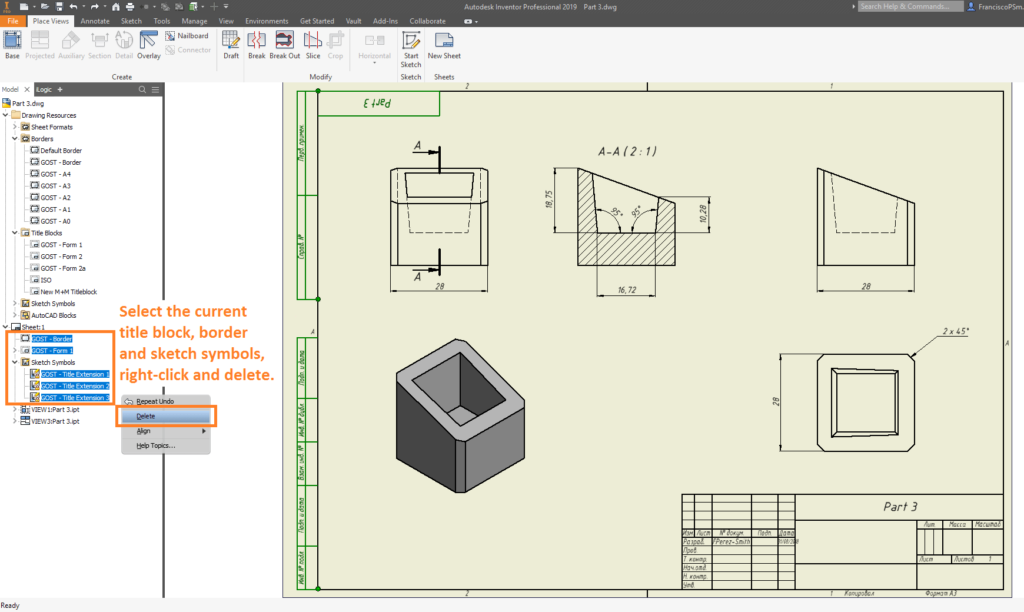
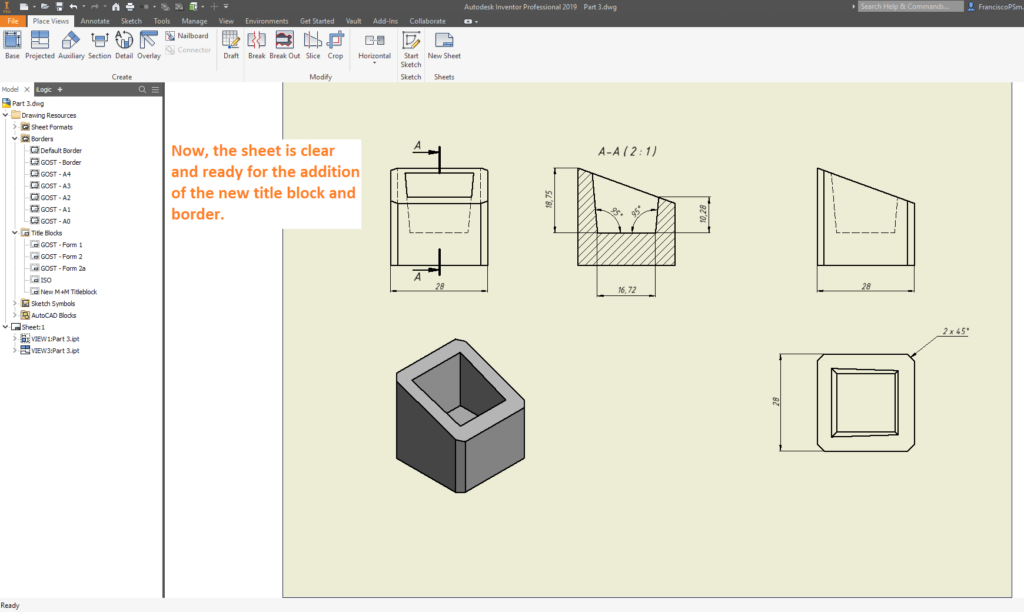
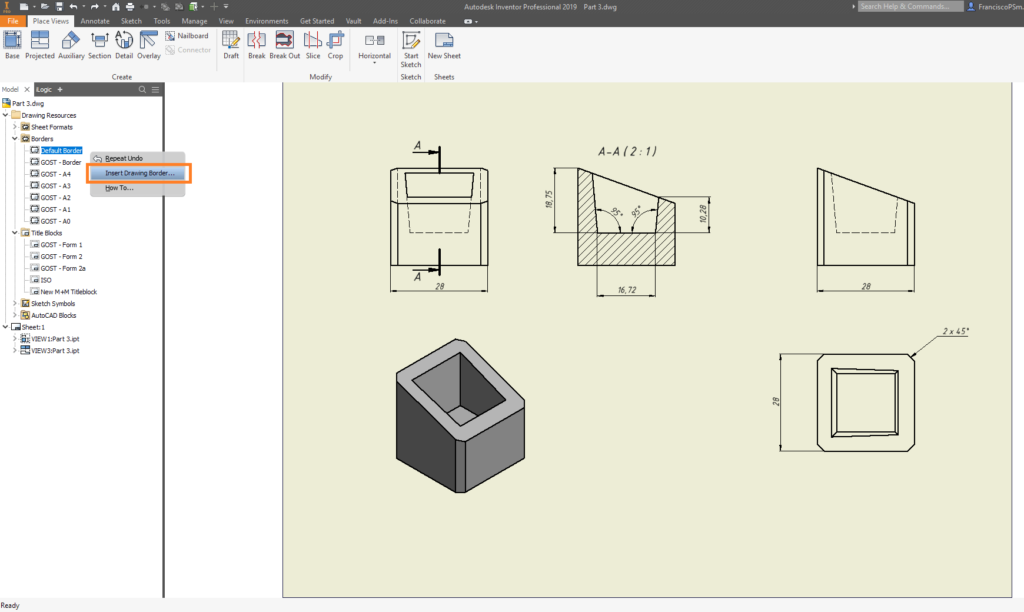
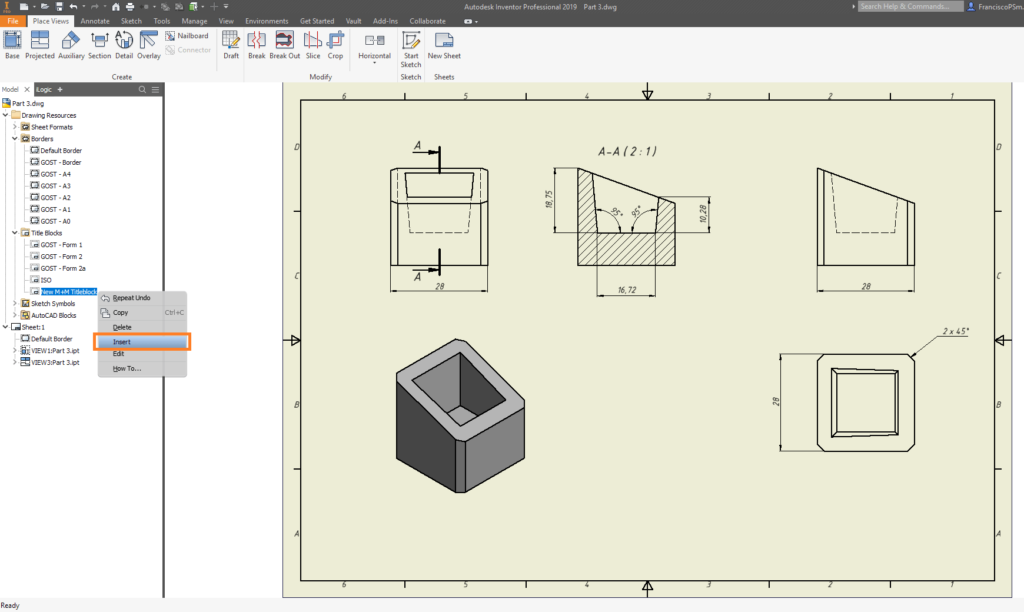
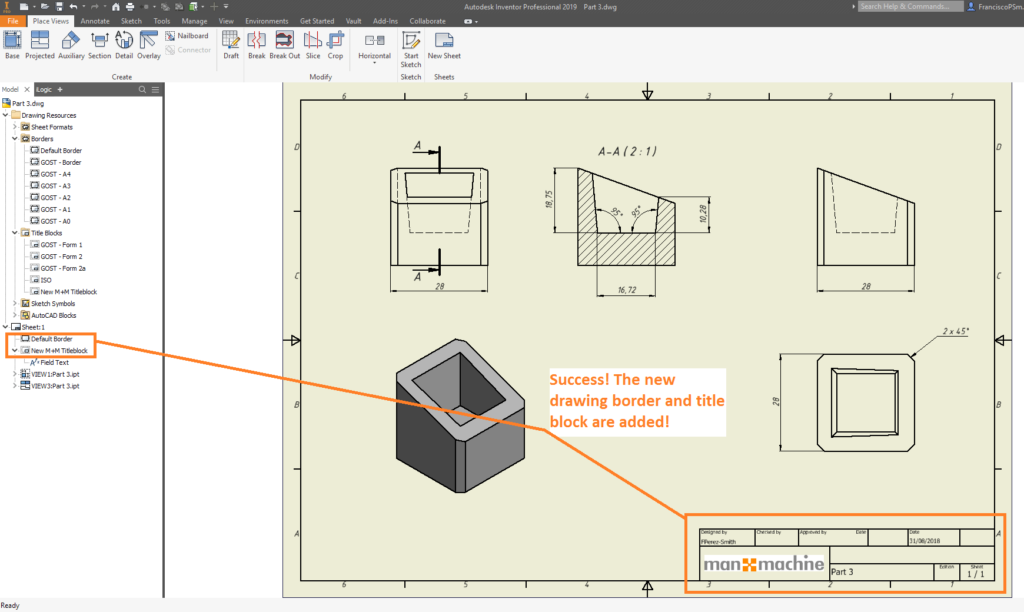
7. Within each of the drawings, the new title block, border and sketch symbols are available as drawing resources. Where required, delete existing borders/blocks/symbols, and insert the newly copied resources.
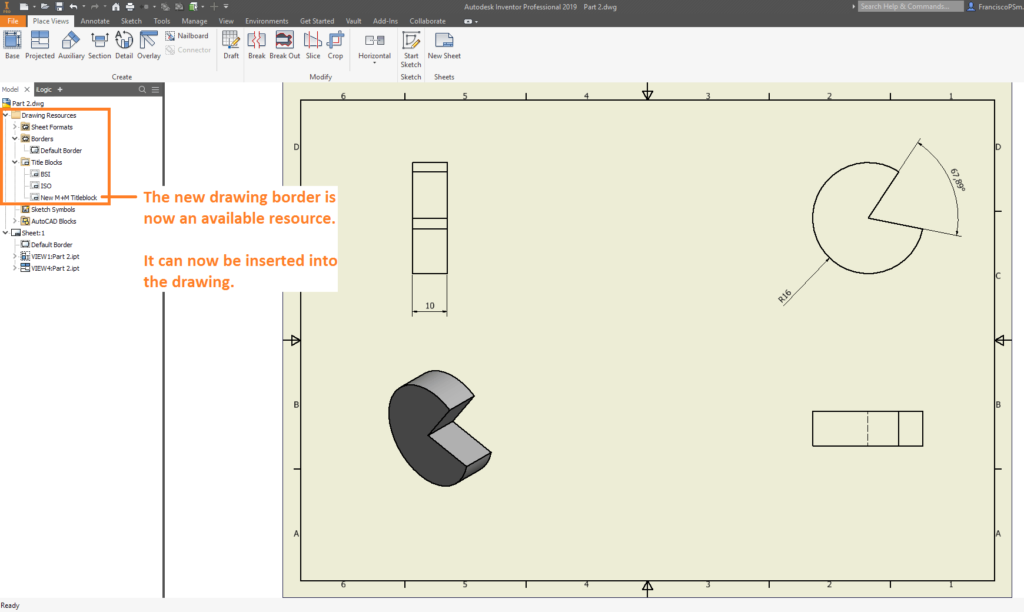
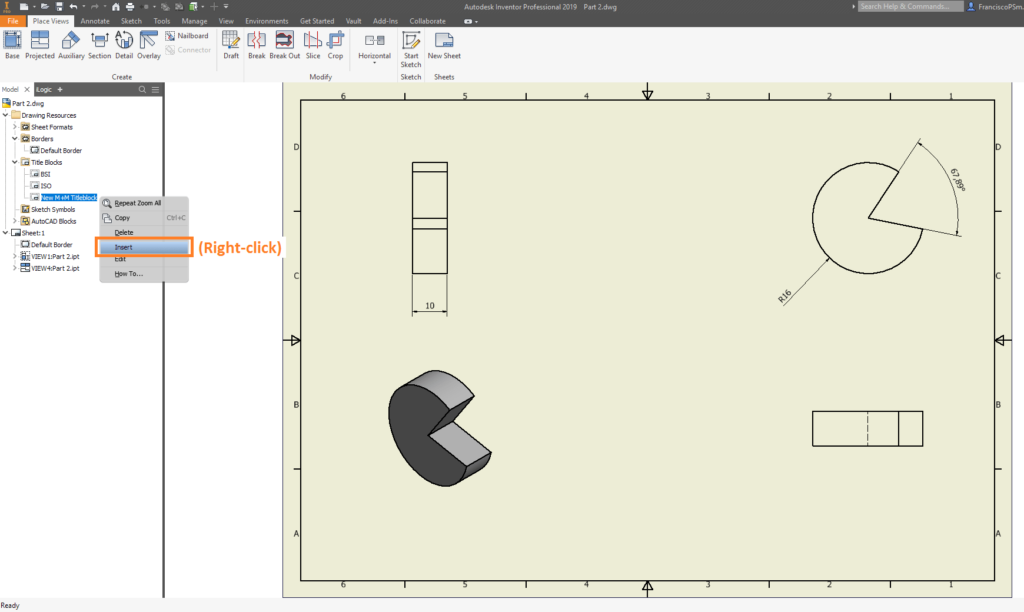
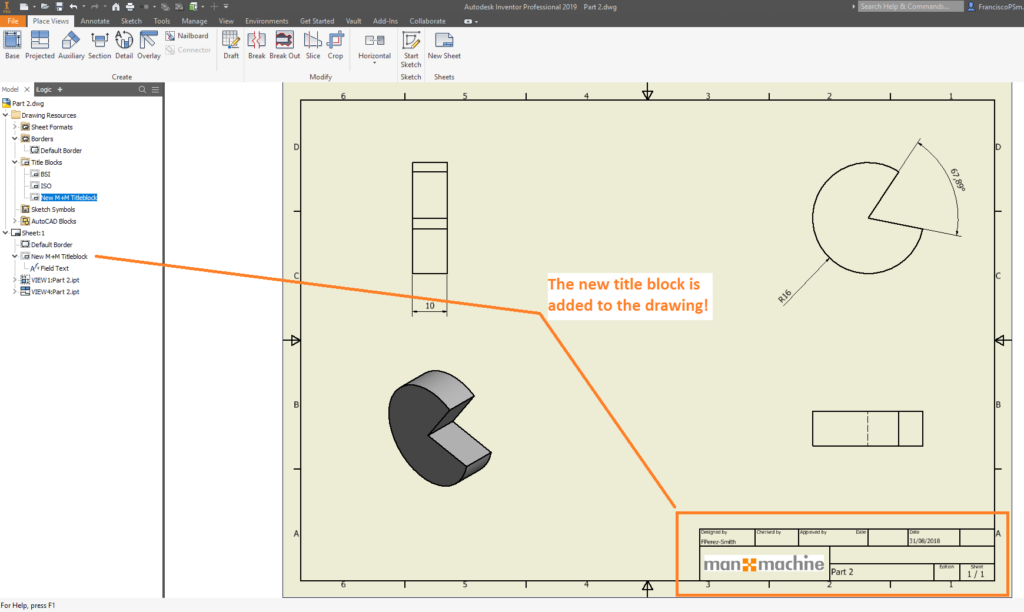
As you can see, with the Drawing Resource Transfer Wizard, performing bulk updates to drawings needn’t be painful. If you are interested in learning more about the wonderful world of CAD, or would like to hone your skills with any particular Autodesk software, such as Inventor or AutoCAD, please don’t hesitate to get in touch. Our professional trainers live and breathe CAD, and are eager to show you things that will make you more efficient in your work.
Still got Questions?
Book Training
Our range of Autodesk Inventor training courses will teach you how to create production-ready parts and assemblies through hands-on learning experience. Make sure you contact us to find out which course is best for you.
Contact Us
We are here to ensure you receive a consistently high service and quality solutions for your business needs. We promise you won’t regret speaking to us, and if we can’t help you, we will try to find someone that can.